pCloud lifetime cloud storage: is it worth it in 2026?
Compare pCloud lifetime cloud storage plans, sync, sharing, traffic limits, and business file-sharing options before you buy.

pCloud is one of the best-known providers offering cloud storage through a one-time payment. Its lifetime plans are aimed mainly at people who want to store personal files, synchronize folders across devices, back up files, play stored media, or use a virtual drive without paying every month.
That makes pCloud well suited to personal storage. It may also suit photographers, videographers, and freelancers who want their files available through desktop and mobile apps. A business that regularly sends large files, requests documents, shares files through its own domain, or charges for downloads may need different features.
This review explains what pCloud includes, its important limits, and how it compares with Tarkle for business file sharing.
pCloud lifetime plans and prices
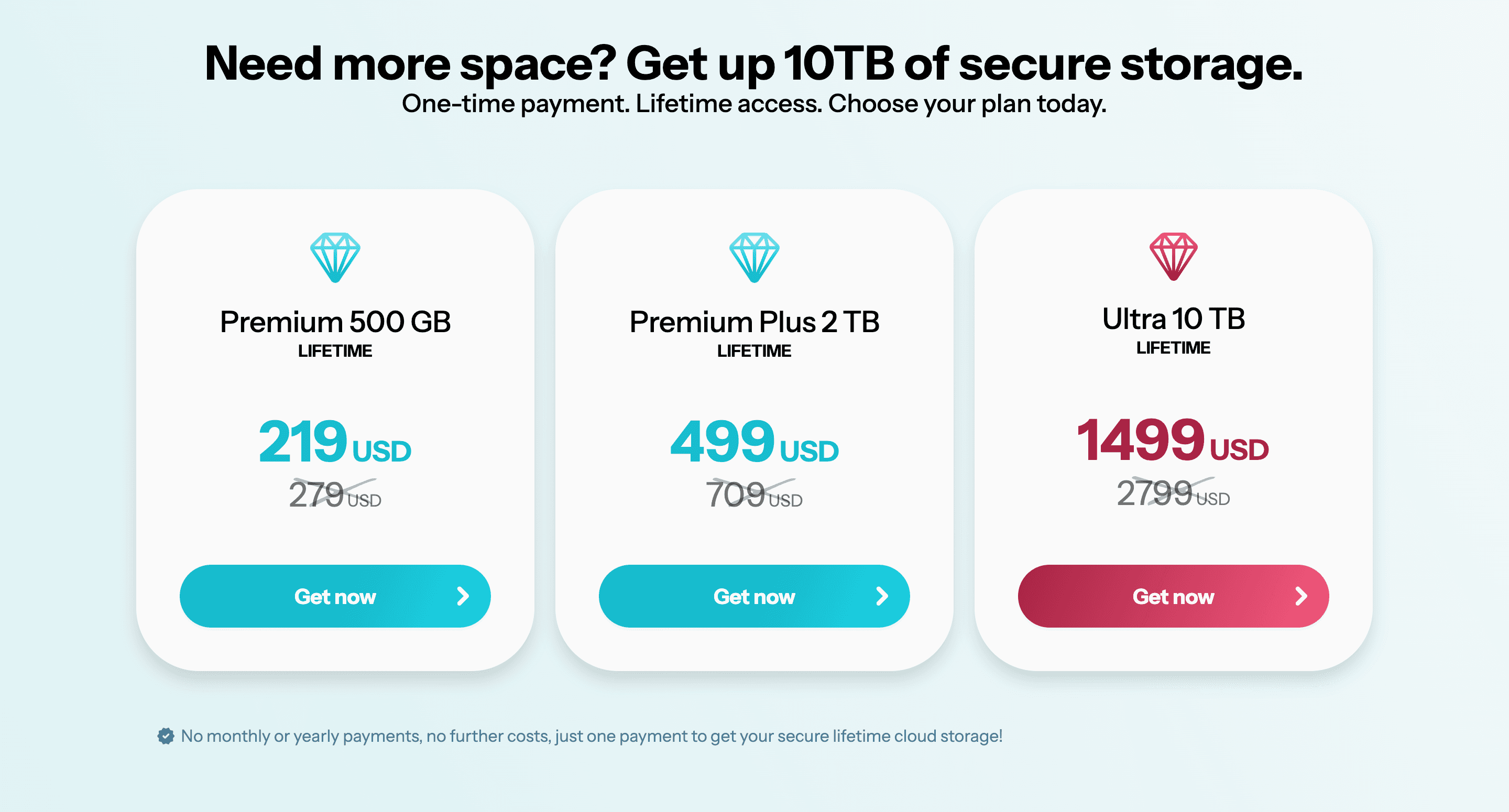
pCloud's United States pricing page lists three lifetime plans. These are one-time payments.
| Lifetime plan | Price | Storage | Notable features |
|---|---|---|---|
| Premium | $219 | 500 GB | Sync, backup, sharing, file requests, media playback, and offline access |
| Premium Plus | $499 | 2 TB | Sync, backup, sharing, media playback, offline access, and virtual-drive use |
| Ultra | $1,499 | 10 TB | More storage with the same main pCloud tools |
These prices were checked on September 21, 2026, using pCloud's United States lifetime pricing page. Prices may differ by country, currency, or a separate promotion.
The lifetime payment covers access under pCloud's terms. It does not mean that the buyer owns part of pCloud's servers or that the service is guaranteed to operate forever.
What pCloud lifetime storage includes
pCloud combines cloud storage with desktop and mobile access, folder synchronization, file backup, media playback, shared links, shared folders, file requests, file recovery, and a virtual drive.
The virtual drive is one of pCloud's main advantages. It lets someone browse cloud files from a computer without keeping a full local copy of every file. A user can also choose folders to synchronize when local access is needed.
pCloud includes desktop and mobile apps, so files can be accessed from several devices. Its photo, music, and video features also make it practical for personal media libraries. These features are more relevant to personal storage than custom domains or business file transfers.
File sharing and file requests
pCloud lets users share files and folders through links. A recipient can open a shared link without creating a pCloud account. Depending on the plan and link settings, the sender can add a password or expiration date.
File requests let another person upload files into a selected pCloud folder. This can be useful when a photographer needs images from a customer or when someone needs documents from another person without giving that person access to the rest of the account.
pCloud also documents statistics for shared links. The information shown can depend on the plan and the type of link, so the exact statistics should be checked in pCloud's current documentation before publication.
Branded pCloud links
pCloud Premium plans let users change how a shared page looks by adding a logo, cover image, title image, and message.
These changes apply to a page hosted through pCloud's sharing system. They do not give the user a file-sharing page on a domain such as files.example.com. If using your own domain is important, check whether the provider explicitly supports custom domains rather than assuming that branded links include them.
Shared-link traffic limits
pCloud separates stored files from the traffic created when other people download or stream files through shared links. The shared-link traffic amount resets monthly.
The attached pCloud source listed 50 GB per month for Basic, 500 GB for Premium, and 2 TB for Premium Plus. Because these allowances can change and the 10 TB plan may follow different rules, verify the amount shown for the selected plan in pCloud's shared-link documentation before publishing or buying.
This distinction matters for anyone sharing large photo galleries, videos, archives, or other frequently downloaded files. Having enough storage does not automatically mean that recipients can download the entire stored amount every month.
Is pCloud lifetime cheaper than a subscription?
A simple comparison divides the one-time price by the monthly price of an equivalent subscription:
Breakeven in months = lifetime price ÷ comparable monthly price
For example, a $499 lifetime purchase compared with a $9.99 monthly subscription reaches the same nominal cost after about 50 months. This calculation does not include discounts, price changes, taxes, currency conversion, or interest that the buyer could earn by keeping the money.
The calculation is useful only if the buyer would otherwise keep the comparable subscription for several years. A lifetime plan may save money when the same storage amount remains useful for a long time. It may be less attractive if the buyer expects to change providers, needs more storage soon, or wants features found only in another product.
pCloud Crypto and privacy
pCloud promotes client-side encryption through pCloud Crypto. Check whether Crypto is included in the lifetime offer being considered or sold separately. Do not assume that purchasing lifetime storage automatically includes every encryption feature shown elsewhere on the pCloud website.
pCloud also offers a choice between European Union and United States storage regions. Its published information identifies Luxembourg for the EU region and Dallas, Texas, for the US region. Anyone choosing a region for legal, contractual, or privacy reasons should review pCloud's current terms and data-region documentation rather than relying only on the country where the company is based.
Individual lifetime storage and pCloud Business are different
pCloud's lifetime offers are primarily individual storage plans. pCloud Business is a separate subscription for organizations that need shared folders, user administration, access levels, activity information, and storage assigned among team members.
Do not assume that buying an individual lifetime plan provides the same team administration found in pCloud Business. Compare the individual and Business pages if several employees need managed access to company files.
Who should choose pCloud lifetime storage?
pCloud is a good fit for someone who wants personal cloud storage, desktop synchronization, mobile apps, a virtual drive, file backup, media playback, or access to the same files from several devices. It can also suit photographers and videographers who mainly need to store their work and access it from different devices.
It is less suited to a business whose main concern is sharing files through its own domain, sending files as large as 200 GB, creating separate pages for logos and brand guidelines, hosting video or audio on focused pages, or collecting payment before a file becomes available.
How Tarkle differs from pCloud
Tarkle is better suited to agencies, freelancers, studios, consultants, law firms, and small teams that store files and regularly share them with customers, partners, or coworkers.
A team can send large file transfers, ask another person to upload files through a file request page, and share files through its own domain. Tarkle also includes Brand Pages for logos, images, documents, and brand guidelines, plus video and audio pages that can be shared or embedded. Password protection, link expiration, access revocation, direct downloads, and file payments are available where supported by the selected plan.
pCloud is the better fit for automatic personal backup, desktop folder synchronization, a virtual drive, mobile apps, or a family photo archive. Tarkle is better suited to the business uses described above.
Tarkle Pro Lifetime pricing
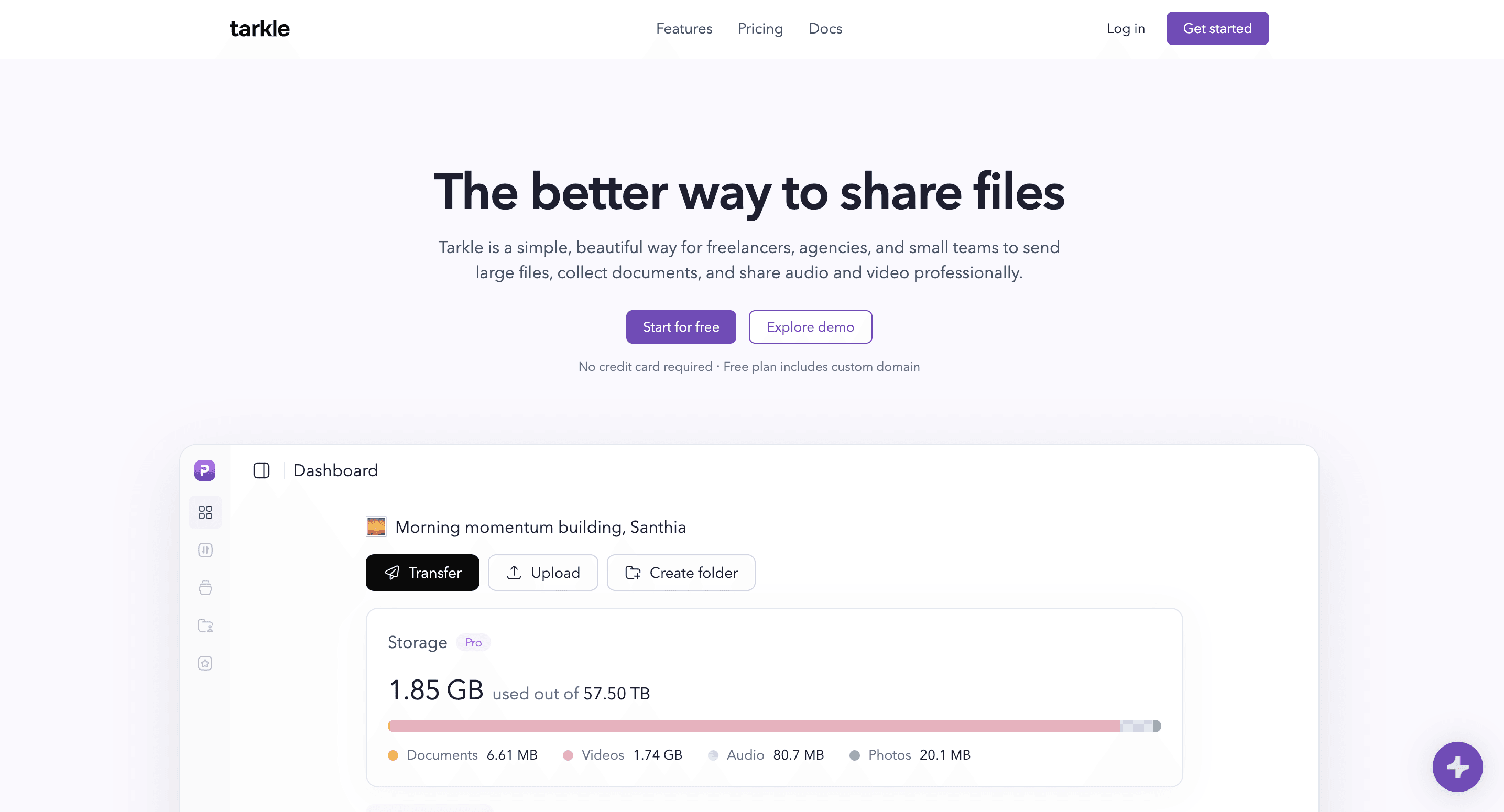
Tarkle has one Pro plan that can be paid monthly, yearly, or once during a lifetime promotion. The lifetime offer may change, pause, sell out, or retire.
One Tarkle Pro Lifetime code costs $29 and includes 500 GB of storage, one team member, one custom domain, five Brand Pages, five Brand Page domains, and uploads or transfers up to 200 GB. Each additional code adds 500 GB of storage, five Brand Pages, and five Brand Page domains. Two or more codes unlock unlimited team members. For every six codes purchased, Tarkle adds one free code while that offer remains available.
Tarkle also has a Free plan with 5 GB of storage, one team member, transfers up to 1 GB, a custom domain, one Brand Page, and 30-day file recovery. No credit card is required. Someone can start for free before deciding whether to purchase the lifetime access.
| Category | pCloud lifetime | Tarkle Pro Lifetime |
|---|---|---|
| Better fit | Personal storage, backup, sync, media, and access across devices | Business storage, large file transfers, file requests, and sharing through a custom domain |
| Starting storage | 500 GB | 500 GB |
| Starting price | $219 | $29 |
| Desktop and mobile apps | Yes | Not currently available |
| Virtual drive and desktop sync | Yes | Not currently available |
| Custom domain | No | Yes |
| File requests | Yes | Yes |
| Maximum upload or transfer | +200 GB | Up to 200 GB |
Can pCloud and Tarkle be used together?
Yes, but many buyers will need only one of them. Someone can use pCloud for personal storage, desktop sync, backup, and mobile access, then use Tarkle when a business needs large transfers, file requests, custom-domain links, Brand Pages, or file payments.
Do not buy both automatically. Start with the work each service needs to perform and choose the one that covers it. Using both makes sense only when personal synchronization and business file sharing are separate needs.
Is pCloud lifetime worth it?
pCloud lifetime storage can be worth the one-time cost for someone who expects to use its storage, sync, backup, virtual drive, apps, and media features for several years. Buyers can choose 500 GB, 2 TB, or 10 TB based on the amount of personal storage they need.
Before buying, compare the one-time price with the subscription you would otherwise use. Check shared-link traffic, the storage region, whether pCloud Crypto costs extra, and whether an individual plan provides the account controls you need.
Choose Tarkle instead when the main need is sending large files, requesting files from other people, sharing through your own domain, creating Brand Pages, hosting video or audio pages, or collecting payment for a file. Tarkle is designed for those business uses, while pCloud remains the stronger choice for personal storage, backup, sync, and access across devices.