Dropbox honest review and alternatives for business file sharing
Public Dropbox reviews highlight recurring questions about support, billing, recovery, and file sharing. See where Dropbox fits and when a specialized file-sharing product may help.
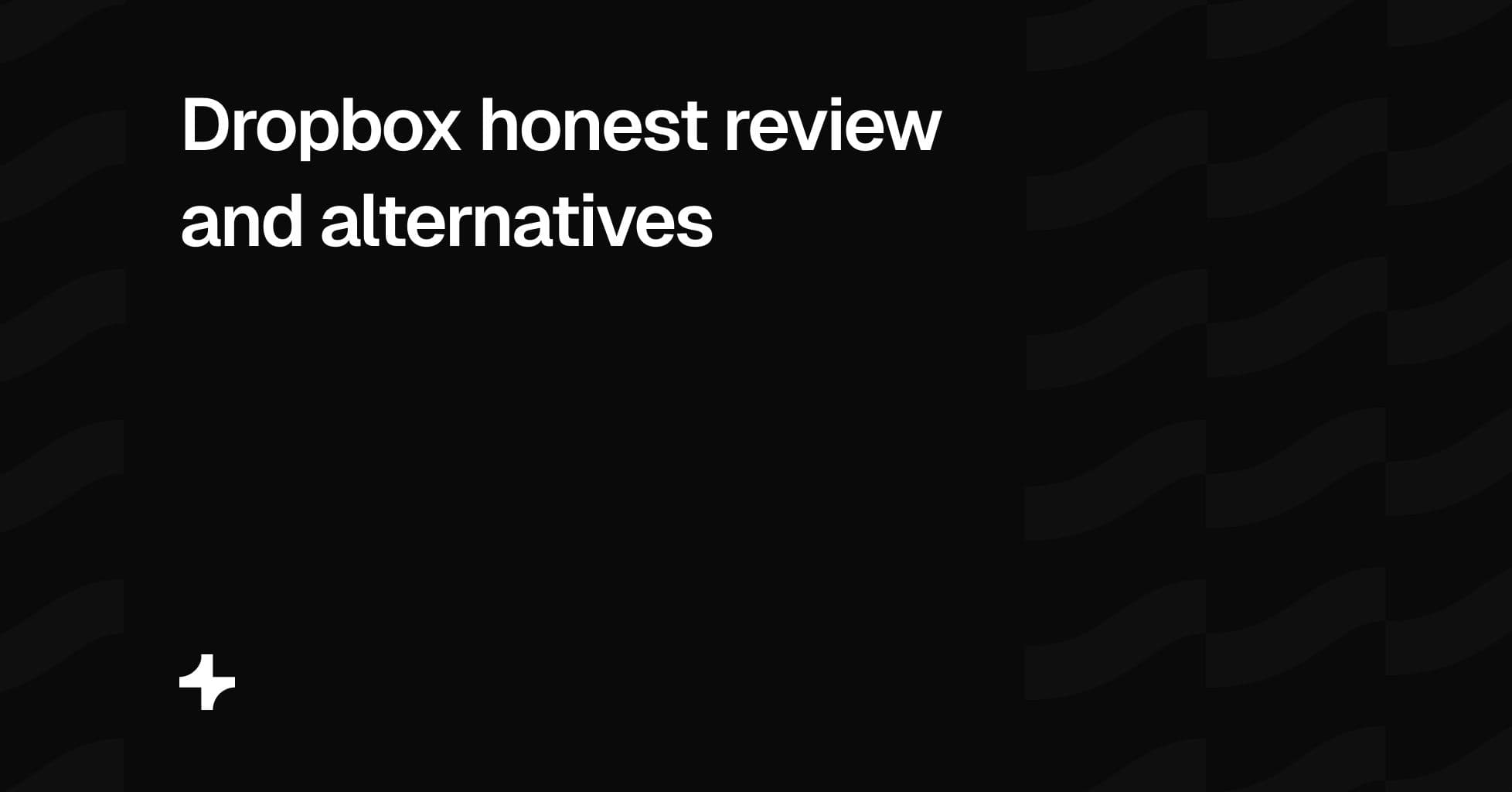
Dropbox is widely used for cloud storage, file sync, shared folders, and collaboration. Many customers use it successfully for everyday file access across devices, and recent Trustpilot reviews include users who describe syncing as fast, sharing as straightforward, and the interface as easy to use. Trustpilot Dropbox reviews
Some public reviews report issues with cancellation, billing, customer support, account recovery, file restoration, and product changes. These reviews are individual customer reports. They do not establish that every Dropbox customer has the same experience or that any one issue has a single cause.
At the time this article was reviewed, Trustpilot displayed 1,555 Dropbox reviews. Its review summary identified concerns about support, subscriptions, technical errors, and navigation, while also noting positive feedback about file storage and sync. Trustpilot says Dropbox has not recently invited customers to review, so the review set may not represent all Dropbox users. Trustpilot Dropbox reviews
This article summarizes the issues reported most often in public reviews and explains where a specialized product such as Tarkle Send may be a better fit for agencies and other client-facing businesses.
What Dropbox is good at
Dropbox is designed for cloud storage and file sync. Its desktop application helps teams keep folders aligned across devices. Shared folders, version history, mobile access, and integrations support internal work where several people need access to the same files.
That core workflow works well for many customers. Some recent Trustpilot reviewers describe Dropbox as dependable for accessing files across devices, syncing files quickly, and sharing folders with colleagues. Those are the jobs Dropbox is primarily designed to handle. Trustpilot Dropbox reviews
Dropbox can also be useful for businesses that need a familiar file-storage platform with established collaboration features. Its broader product ecosystem includes tools such as Dropbox Sign and Dropbox Replay alongside its storage and sync products.
The reported issues below do not mean Dropbox is unsuitable for every business. They identify areas that buyers may want to evaluate carefully before using any storage platform for important business files, large client archives, or deadline-sensitive workflows.
Renewal and plan-change concerns
Several reviews also discuss automatic renewal, annual billing, seat management, and changes between plan types. One long-term business customer said Dropbox applied a notice-period policy and did not approve a requested license reduction before renewal. Other reviewers said they had questions about how inactive invites, plan downgrades, or billing changes were handled.
Before committing to an annual plan, ask how renewal reminders work, whether licenses can be reduced before renewal, how unused invitations are counted, and what happens if your team or storage needs change during a contract period.
Support and escalation concerns
Support access is another frequently discussed issue in the reviews. Some customers say they struggled to reach a human agent, obtain an escalation, or resolve an account-specific problem through chat or email. Others describe Dropbox as easy to use when their core sync and storage workflow is operating normally. Trustpilot Dropbox reviews
For a business with client deadlines, the practical question is not whether a support issue will happen. It is whether the available support channels, response times, escalation path, and plan level are appropriate for the cost of a problem occurring.
Before choosing Dropbox or any storage platform, confirm:
- Which support channels are available on your plan
- Whether phone support is included or limited by plan
- How urgent account-access, billing, and data-recovery cases are handled
- Whether a support case can be escalated
- What response times the provider documents for your plan
Account recovery and verification concerns
Some reviewers describe difficulty recovering access after changing a phone number, losing an authenticator device, moving countries, or losing access to an original email address. Two-factor authentication protects accounts, but any business that enables it should also understand its recovery process.
Public reviews cannot show how often recovery difficulties occur or why each account was unable to be recovered. They do make account recovery a worthwhile evaluation point for businesses with important client files.
Before relying on a storage platform, document your recovery contacts, maintain backup recovery methods, keep billing records accessible, and test the organization’s process for adding or removing administrators. Avoid relying on a single employee’s phone number or personal device for access to business-critical content.
Reports of file loss and restoration problems
Some reviewers report losing access to files, unexpected deletion, or difficulty restoring larger sets of backed-up content. One reviewer reported losing access to years of files and said the files could not be restored. Others describe difficulty downloading or restoring large folders after a storage or device problem. Trustpilot Dropbox reviews
These reports do not establish that Dropbox storage is generally unreliable. They do show why businesses should test restoration procedures, maintain an independent backup for critical content, understand version-history limits, and document where client source files are stored.
This is good practice with any provider. A backup is only useful if a team can restore the required files within the time available. Test a realistic recovery scenario before relying on a backup system for client work, regulated records, or irreplaceable production files.
Backup restoration at scale
Some reviewers reported that Dropbox Backup did not meet their expectations for large-scale restoration. They described problems rebuilding sizeable photo libraries, downloading many folders, or retrieving content after a drive failure.
These are individual experiences. The practical lesson is broader: businesses should test restoration at their actual scale. Confirm whether the provider supports bulk recovery, how large a restore can be, how long it takes, whether local restoration is possible, and whether there are limits on browser downloads or folder size.
How shared folders affect collaborators
Public reviews also raise questions about how shared folders affect storage capacity, invitations, plan limits, and collaboration with people outside the paying team. This is especially relevant for agencies that exchange large files with clients, contractors, and external partners.
Some reviewers said that receiving or collaborating on shared folders created unexpected pressure on their available storage. Storage and collaboration rules vary by plan and workflow, so it is important to test the specific setup your team needs rather than assume every recipient experience works the same way.
Before adopting any storage platform, test:
- Whether recipients need an account
- Whether collaborators use their own storage capacity
- What happens when a shared folder is removed
- Whether an external client can download without joining a team
- How invitations, inactive users, and external collaborators affect billing
- Whether a client can access only the files intended for them
Product and plan changes
Some long-term reviewers discuss changes to product features, storage allowances, or legacy plans. They mention discontinued products or plan terms that changed after they had established a workflow around them.
Product changes are normal in SaaS, especially for products that have existed for many years. The important business question is how dependent your operation is on a feature, plan, or storage allocation that could change later.
Before selecting a long-term storage platform, confirm the current plan terms, retention rules, storage limits, feature roadmap where available, export options, and process for migrating important files if your requirements change.
What businesses should check before choosing Dropbox
Public reviews are useful as a list of questions, not as a universal verdict. A business evaluating Dropbox should review the following before putting important client files or internal archives into a new workflow:
- Cancellation, downgrade, and renewal terms
- Billing contacts and active subscription records
- Support availability, escalation options, and response expectations
- Two-factor authentication and administrator recovery procedures
- Version history, deletion, retention, and restoration processes
- Backup testing for realistic volumes of files
- Shared-folder storage rules and external-collaborator access
- The treatment of inactive users, invitations, and seat changes
- Export and migration options if the business later changes platforms
Dropbox may remain a suitable choice for businesses that prioritize desktop sync, shared folders, internal storage, and established collaboration workflows. For some teams, those benefits outweigh the risks and trade-offs described in individual public reviews.
Where Tarkle Send fits
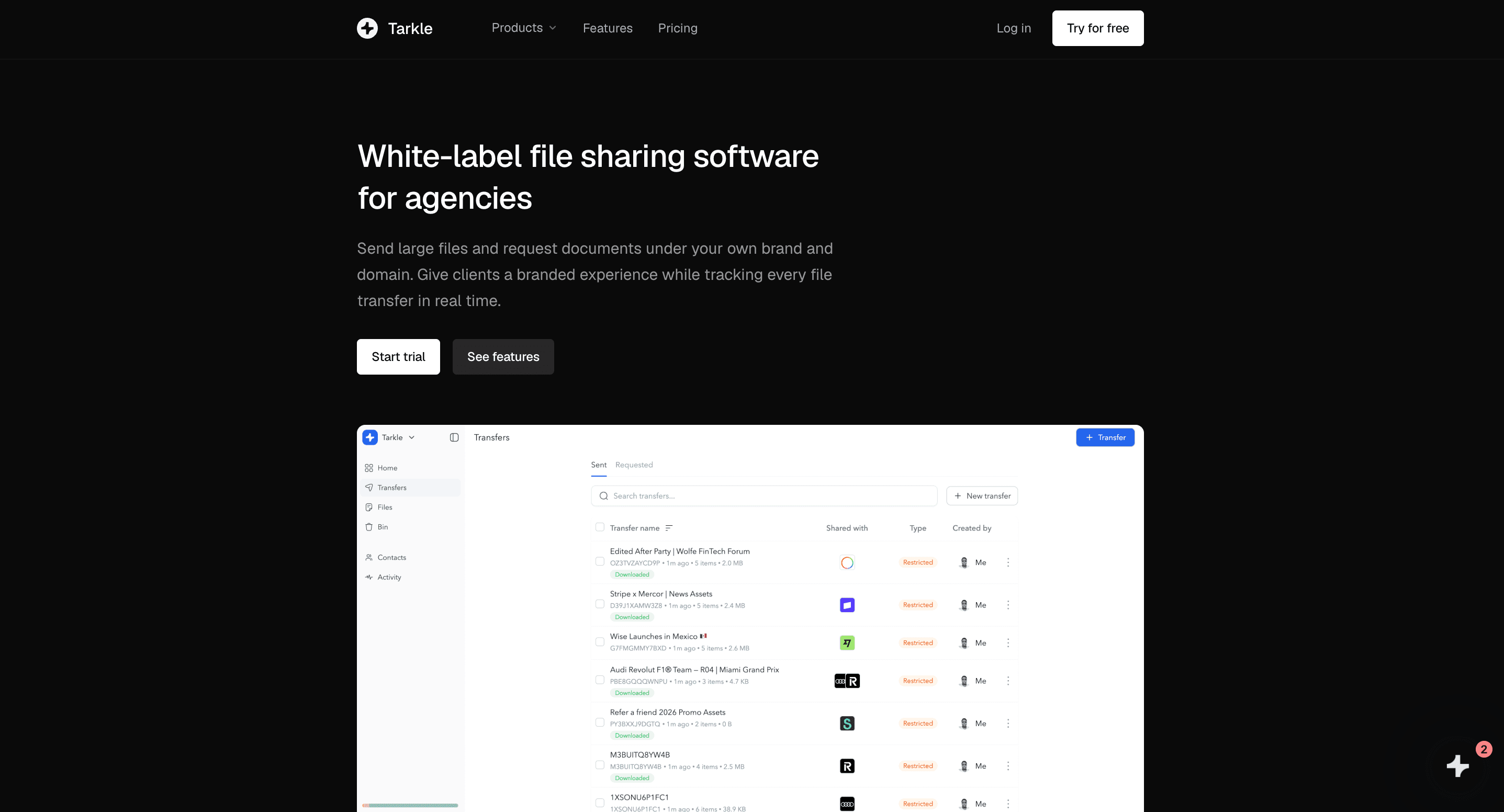
Tarkle Send is not a replacement for Dropbox desktop sync, cloud backup, or internal shared folders. It addresses a different workflow: branded file sharing for agencies, photographers, studios, consultants, law firms, and other client-facing businesses.
Tarkle Starter is $29 per month for five shared team seats, 1 TB of Send storage, and transfers up to 50 GB. Tarkle Pro is $59 per month for ten shared team seats, 3 TB of Send storage, and transfers up to 100 GB.
Tarkle Send includes custom-domain file sharing, white-label branding, passwords, email protection, file expiry, access revocation, file requests, Stripe payment gates, and branded video and audio hosting. Pro adds view-only transfers, burn-after-read controls, real-time Slack notifications, 90-day file recovery, and embeds for files, video, and audio.
Choose Tarkle Send when the primary requirement is branded external file sharing through your own domain. Choose Dropbox when the primary requirement is desktop sync, internal storage, shared folders, and collaboration across devices. Some agencies use both: Dropbox for internal storage and sync, Tarkle Send for branded file sharing with clients.
Closing perspective
Public reviews can identify issues worth investigating, but they do not replace a direct product evaluation. Test the workflow that matters to your business: storage, sync, shared folders, billing, support, account recovery, backup restoration, and external sharing.
Dropbox can be a good fit for internal storage and sync. Tarkle Send serves a narrower need: branded file sharing through an agency-owned domain, with controlled access, payment gates, branded video and audio pages, and regional data-residency choices.
This article summarizes reported issues in publicly available Trustpilot reviews of Dropbox as viewed on August 17, 2026. Reviews are individual opinions and experiences. They are not independently verified by Tarkle, may not represent all Dropbox customers, and should not be interpreted as evidence of universal product or business practices. Product plans, policies, support channels, and pricing can change. Businesses should verify current Dropbox terms directly before making a buying decision.