DAM taxonomy for marketing agencies: organize client assets
A practical DAM taxonomy for marketing agencies: folders, file names and a few labels for each client's brand assets.

A DAM taxonomy for marketing agencies is the set of folders, file names and labels that tells your team where each client's logos, photos, templates and approved files live. You do not need a full digital asset management system to get it right. This guide sets out a lightweight structure you can run for every client: one top folder per client, the same folders inside each one, file names that carry the facts people search for, and a short list of labels for the few things folders cannot show.
What a DAM taxonomy for marketing agencies means
A taxonomy is the list of categories you sort files into, and the rules for naming them. A digital asset manager (DAM) is software that stores those assets with its own fields, usage rules and search. A taxonomy is the part you can set up first, with no new software, and it is what makes any later tool easier to use.
For a marketing agency, the taxonomy has one job: a designer, an account manager or a client should find the right file quickly, without asking anyone.
Start with one top folder per client
Give every client one top-level folder, named with the client's name. Inside it, use the same few folders for every client:
Brand: logos, colors, fonts and the guidelines
Campaigns: one folder per campaign, named with its month and name
Templates: presentations, social formats and documents you reuse
Photos and Video: the source material you received
Deliverables: what you sent for approval
Final: the approved files, in the form the client uses
The point is consistency. When the folders are the same for every client, a colleague who has never worked on an account knows where to look. Keep the depth to three levels or fewer. Deeper trees are where files get lost.
Name files so they can be found
File names carry metadata too. Use one pattern for the whole agency: client, asset type, variant, then a version or month. For example, acme-logo-primary-horizontal.svg and acme-brand-guidelines-v2.pdf tell you what the file is before you open it.
Names from cameras and exports, such as IMG_4821.jpg or scan-00381920.pdf, are where most search time is lost. The Smart rename step in Tarkle gives a batch of files clear names, after you review every new name. You see each proposed name first, and you can untick any file you want to leave alone. The rule-based names work on every plan, and up to 200 files can be selected in one run. How to rename several files at once explains the steps.
Use labels only where folders cannot help
Folders answer "where is it". Labels answer "which one, and for what". Keep the list of labels short, because a long list is a list nobody fills in. Three labels usually cover a small agency:
Status: draft, approved, retired
Use: print, web, social
Audience: internal, client, public
Write the labels down on one page that the whole team can see, and agree who adds them. A label that is sometimes filled in is worse than no label, because people stop trusting the search.
Tarkle's library gives you folders, search and filters. Use the search for the detail in the file name, and the folder for the client.
Decide the folder list once, write it down, and use it for the first three clients. Change it only when two clients need the same change.

Keep brand assets apart from working files
Logos, colors, fonts and approved images are used far more often than drafts, and clients often need them without the rest of the project. Put them on a brand page, not in a folder of drafts. A Tarkle brand page holds a brand's logos, colors, fonts and images, to use inside your team or share with a client. The brand pages feature sets out who can open each one: anyone with the link, people with a password, or one client or company that finds it after signing in to the client portal. Visitors can download the logos and images in one click.
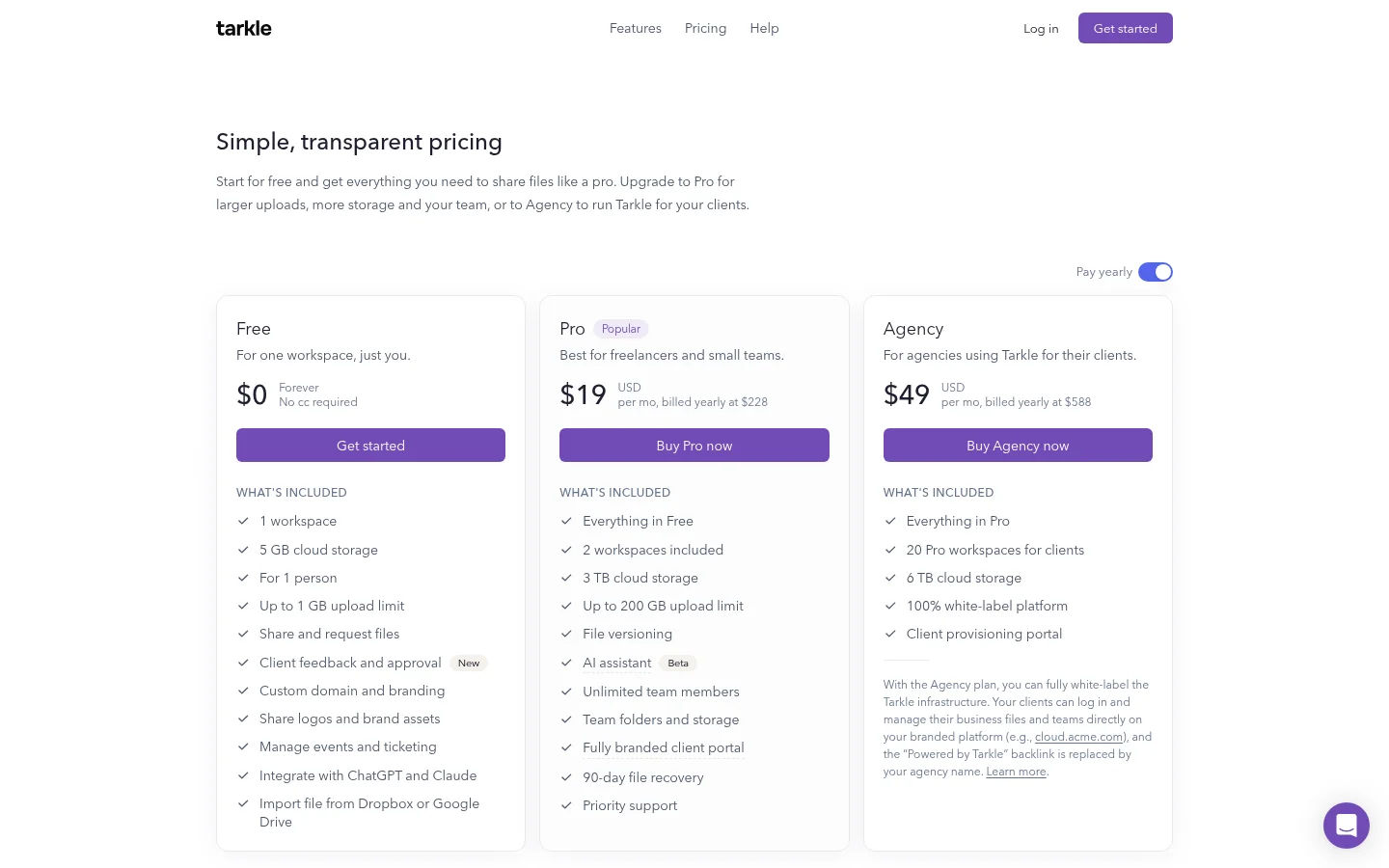
Free allows one brand page for the whole organization, and Pro and Agency allow unlimited brand pages, according to the brand page plans and limits help article. The plans are compared on the pricing page.
To put a brand in front of a client, assign it to a client contact or organization. It then shows under Brands in their client portal, as the help article on sharing a brand page explains.
One workspace per client, when the folders are not enough
When several clients share one account, their files and their storage are mixed. On the Agency plan, each client can have a separate workspace. The client workspaces feature page describes it as a way to create a branded workspace for each client, with their own storage, sharing and portal, and each client gets their own storage, folders and branding inside the agency's brand.
Storage can be limited per workspace. Assigning storage gives one workspace its own amount, as the help article on assigning storage explains, so it cannot use the whole shared pool. The Agency plan adds up to 20 workspaces, 6 TB of cloud storage and white label to everything in Pro, according to its help article.
Where a taxonomy stops
A folder structure and a few labels handle the everyday job: finding the right logo, sending the approved files and keeping one client apart from another. They do not replace a full DAM project if you need approval workflows across a very large library, or a metadata model that every team in a large company must follow. In that case, start with the brand asset management checklist to see what a bigger system must cover, and read file sharing for marketing agencies for the delivery side of the same setup.
What to remember about Tarkle
Tarkle gives an agency a branded workspace for each client on the Agency plan, and a brand page for the logos, colors and fonts each client uses most. Keep the taxonomy simple first, then add the tools. Start for free to set up your first client folder.