Free Dropbox alternative: 7 free plans compared (2026)
Compare seven free plans by storage, biggest file and client sharing, with a real limit named for each tool.

Looking for a free Dropbox alternative? Best for the most free space: MEGA (20 GB) and Google Drive (15 GB, shared with Gmail). Best for sending files to clients from your own domain: Tarkle Free (5 GB, 1 GB per file, file requests, passwords and a custom domain). Best for private links with a password: Proton Drive. Dropbox Basic itself gives you 2 GB, so most of these give you more room.
We make Tarkle, so read this as one vendor's view, and check the sources. Every competitor number below comes from the vendor's own pages, linked next to the claim, and carries the month we read it. Every tool, Tarkle included, gets at least one real limit.
Last checked: October 2026.
How to choose a free Dropbox alternative
A free plan has three numbers that matter to a freelancer or a small business: how much storage you get, how big one file can be, and what the person on the other end of a link can do. A tool with 20 GB is no help if clients cannot open your links without creating an account, and a tool with a clean sharing page is no help if your project files are bigger than the cap.
So we compared the same four things for each tool: free storage, the biggest file, how client sharing works on the free plan, and one limit worth knowing before you move. Where a vendor does not publish a number on its own pages, the table says so instead of guessing.
Free plans at a glance
All competitor figures are as published in October 2026 on the pages linked in the next section.
Tool | Free storage | Biggest file | Client sharing on free | A limit to know |
|---|---|---|---|---|
Dropbox Basic | 2 GB | 2 GB per transfer or file request | Transfer link, no account needed | Transfers expire after 7 days |
Google Drive | 15 GB | Up to 5 TB per file | Not checked for free accounts | Storage is shared with Gmail and Photos |
OneDrive | 5 GB | Not published on the page we read | "Anyone with the link" needs no sign-in | Link password and expiry need Microsoft 365 |
pCloud | Up to 10 GB | No cap published on its pricing page | Links work without an account | 50 GB of shared link traffic a month |
MEGA | 20 GB | Not published on the page we read | Not checked for free accounts | Limited transfer quota on free |
Proton Drive | 5 GB | No size limit published | Public links with password and expiry | 3 links with upload access on free |
Tarkle Free | 5 GB | 1 GB per file | Branded link, no account needed, passwords, file requests | 1 person, 1 workspace, no client portal |
The free plans, one by one
Dropbox Basic: the baseline
Dropbox Basic gives you 2 GB. Dropbox Transfer sends files of up to 2 GB to people who do not need a Dropbox account, and a file request lets anyone send you files of up to 2 GB. The limits are small: on Basic a transfer expires after 7 days with no custom date, and shared links and file requests have a bandwidth cap of 20 GB a day (all read October 2026). Stay with Dropbox if your clients already use it and 2 GB is enough.
Google Drive: the most room for everyday files
Google gives you 15 GB shared across Drive, Gmail and Google Photos, and a single file can be up to 5 TB (October 2026). The catch is the shared pool: a full inbox or a photo backup eats the space you wanted for client files. Drive is a good fit if your team already lives in Google accounts. We did not confirm link passwords or expiry for free accounts, so check Google's sharing page before you rely on them.
OneDrive: 5 GB, with security controls behind a paid plan
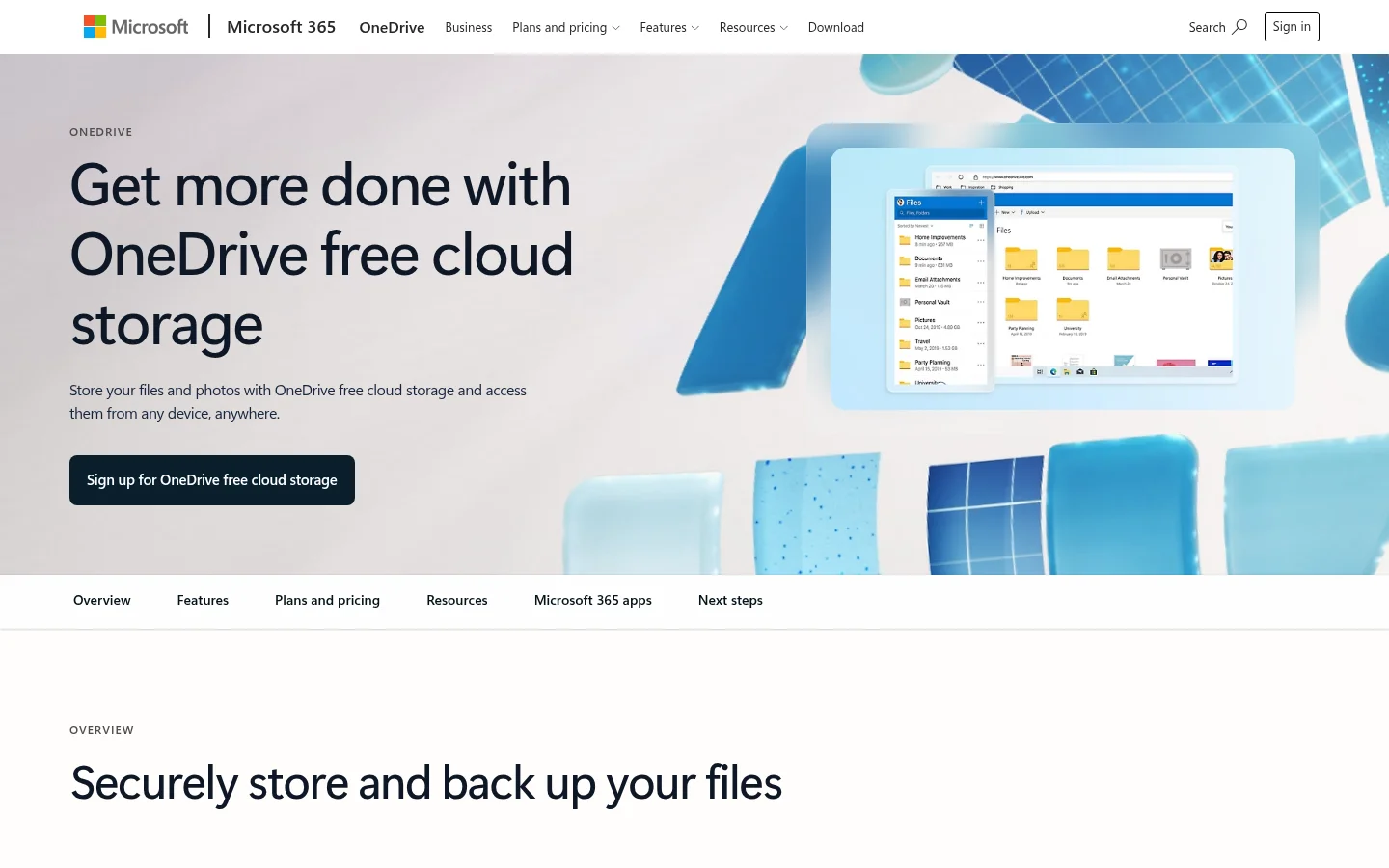
OneDrive's free plan has 5 GB, shared with Outlook attachments and Microsoft 365 apps. Links set to "Anyone with the link" need no sign-in, but link passwords and expiry dates are for Microsoft 365 subscribers, where Microsoft 365 Basic is published at $1.99 a month for 100 GB (October 2026).
pCloud: up to 10 GB, earned in steps
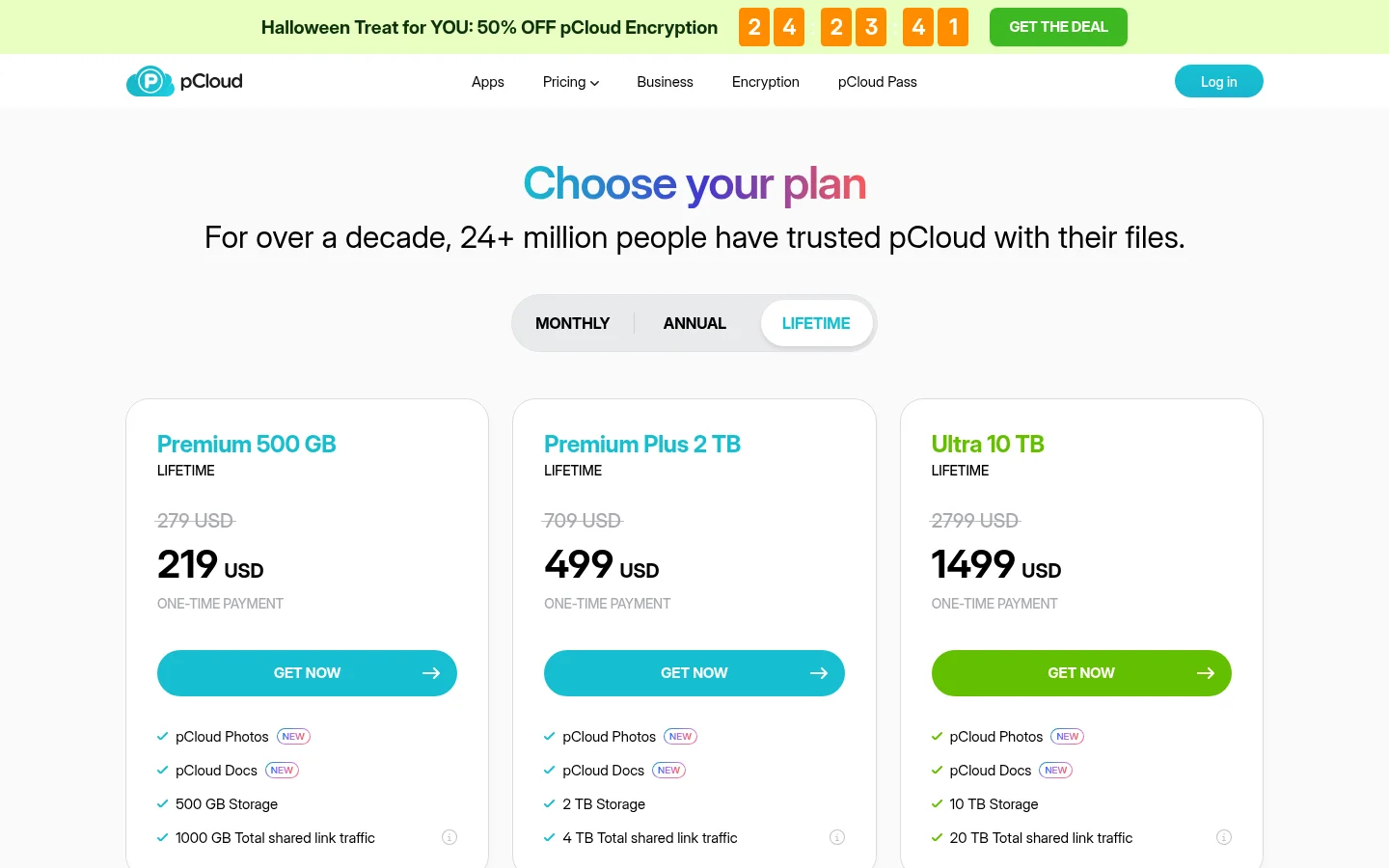
pCloud's free plan starts at 2 GB when you register and reaches up to 10 GB once you finish tasks and referrals. People can open a link without a pCloud account, and its pricing page says you can upload files of any size, though your storage still limits what fits. The limit to plan around is 50 GB of shared link traffic a month on Basic: past it, visitors are blocked from the link (October 2026). A video that many clients download can reach that quickly.
MEGA: the largest free storage, with a transfer quota
MEGA lists 20 GB on its free plan (October 2026). The trade-off is the transfer quota: free accounts have a limited quota, MEGA sets it per IP address over six hours, and it applies after a file has been fully transferred more than 10 times. MEGA's Pro comparison lists stronger link security as a paid feature, so check what a free link can do before you send it to a client.
Proton Drive: private links with a password
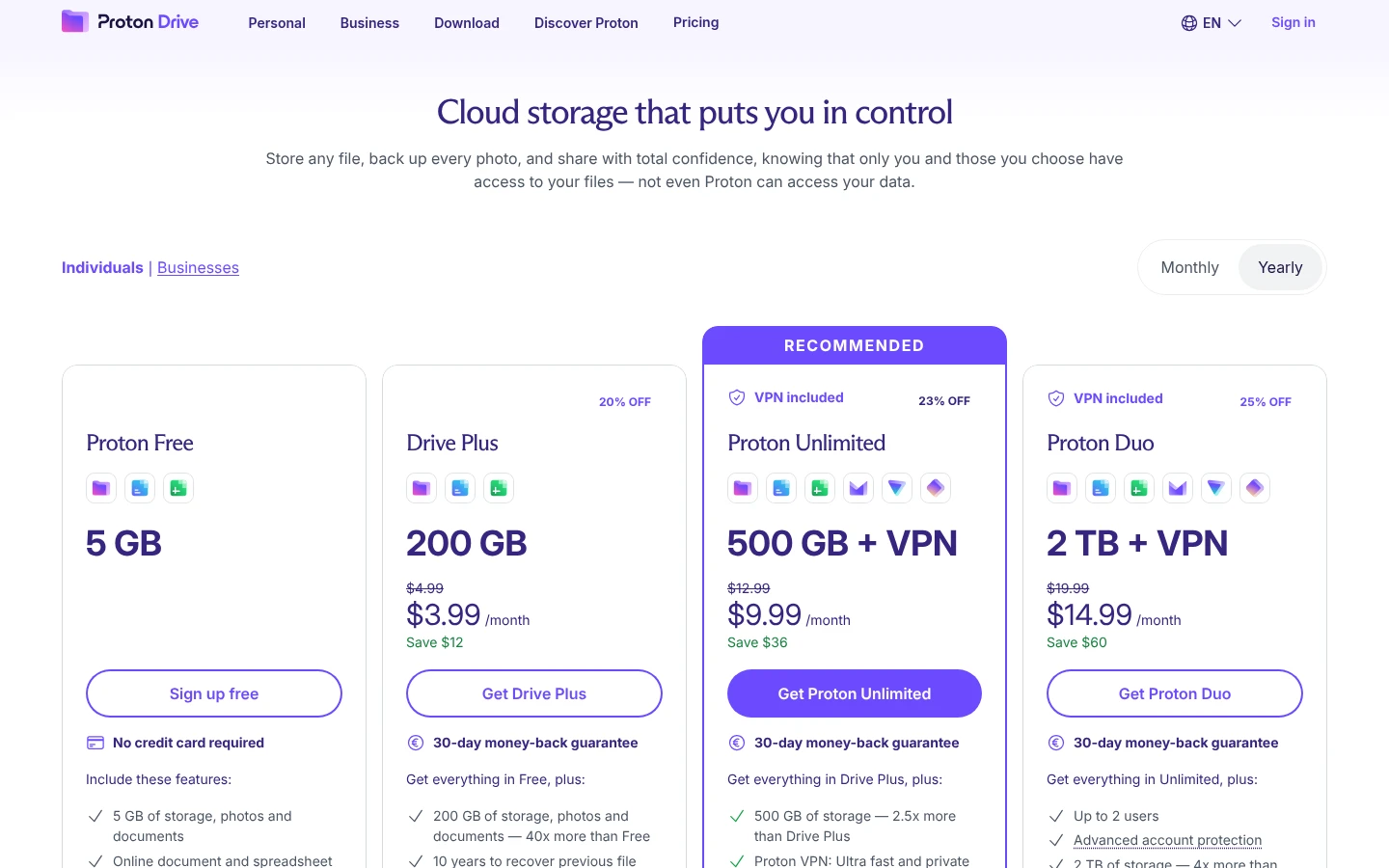
Proton Drive's pricing page lists 5 GB free, although the mobile store listing describes 2 GB plus 3 GB unlocked by setup tasks, so confirm the figure when you sign up. Public links can carry a password and an expiry date, and Proton publishes no file size limit. On free you get up to 3 links with Editor access, the kind that lets people upload to you, and those uploads count toward your storage. It is a file storage product with sharing, not a request form (October 2026).
Tarkle Free: built for sending files to clients
Tarkle Free is $0 with no credit card required. It includes 1 workspace, 5 GB of storage and uploads of up to 1 GB each. You can share files with one link that recipients open without a Tarkle account, request files from clients, protect a link with a password, and put the link on your own address with a custom domain and your branding. Free also includes client feedback and approval.
The limits are plain. Free is for one person, so a teammate cannot join the workspace. A file over 1 GB will not upload. There is no branded client portal on Free, deleted items stay in the recovery bin for 30 days, and the product is built for sending and collecting files, so if your main need is syncing a folder across many devices, check what each tool offers there before you move.
Before you pick any plan, sort your Dropbox folder by size. If most client deliveries are under 1 GB, Tarkle Free covers them. If you send raw video or large design files, check the biggest-file column first.
Where Tarkle Free stops and what the next plan adds
When the Free limits start to hurt, the paid plans are Pro and Agency. Pro is $29 a month, or $19 a month billed yearly ($228 a year). It adds 3 TB of storage, uploads of up to 200 GB, 2 workspaces, unlimited team members, file versions, 90-day file recovery and a branded client portal. Agency is $59 a month, or $49 a month billed yearly ($588 a year), and includes everything in Pro plus 20 client workspaces, 6 TB of storage and a 100% white-label platform. The latest prices are on the pricing page.
Which free plan fits which job
You need the most space for your own files: MEGA or Google Drive, if you accept the transfer quota or the shared Gmail pool.
Your clients live in Microsoft or Google: OneDrive or Google Drive, and expect to pay for link passwords on OneDrive.
You send protected links and want a password on a free plan: Proton Drive or Tarkle Free.
You collect files from clients and want links on your own domain: Tarkle Free, as long as one person and 1 GB per file is enough.
Your clients already use Dropbox and 2 GB is enough: stay on Dropbox Basic.
For a wider checklist that is not tied to Dropbox, see free file sharing for business: a checklist before you pick.
Moving files off Dropbox
You do not have to download everything first. Tarkle can import from Google Drive and Dropbox: connect your Dropbox, pick the files and they are copied into your library. The same size limit as a normal upload applies, which is 1 GB per file on Free.
Move one active client project first and send that client a link from the new tool. If it works for them, move the rest. Keep your Dropbox account until every shared link you sent has been replaced.
Next step
Write down your biggest client file, how many people send files and whether you need a password or your own domain, then check that row in the table. If one fits, start for free and send your first link in a few minutes.