File sharing for agencies: a workflow and checklist
Three jobs agencies need from file sharing, a four-point checklist, and where each kind of tool fits.

File sharing for agencies comes down to three jobs: deliver finished work under your own name, collect files from clients without chasing email attachments, and keep each client's material apart from every other client's. This guide gives you a short checklist to test any tool against those jobs, shows where Box fits and where a branded, per-client setup fits better, and ends with a workflow you can copy this week.
The three jobs agencies need from file sharing
One shared folder tool and one email thread per project can work for a while. It stops working when a client asks which version is final, a logo arrives as a screenshot, or someone opens the wrong client's folder. Each job below fixes one of those problems.
Deliver finished work
A delivery is a link the client opens without creating an account, on a page that carries your name and not the tool's. It should stop working when the project is closed, and you should be able to tell whether the client ever opened it. Tarkle covers this with share files by link: pick files or folders, get one link, and the recipient needs no account to download. An expiry date stops the link from working, and transfer status shows whether the transfer was delivered, viewed or downloaded.
Collect client files
Clients send briefs, logos, product photos and signed documents. A file request gives them one upload link, so files land in the folder you choose instead of in someone's inbox. You can set a deadline on each request, and set the most a visitor can upload at once.
Keep each client separate
This is the job generic storage tools handle worst. Client A should never see client B's files, and neither should see your internal folders. Separation can be a restriction on a single delivery, or, on the Agency plan, a workspace for each client. The right level depends on how many clients you serve and how sensitive the files are.

A checklist for choosing file sharing for agencies
Test every tool on these four points with a real client project, not a demo file.
Branding. Open a link as the client would. Do they see your logo and colors, your domain in the address bar, and emails from your name? Or the vendor's name with your logo in a corner? Check whether the vendor's name can be removed and on which plan.
Per-client access. Can you limit one delivery or request to a single client company? Can a client sign in and see only what you shared with them? Try opening it as a second client.
Expiry and protection. Can you set an end date per link? Can you require a password, or ask for an email address before a download starts? Can you switch a link off before its date?
Download tracking. What does the tool tell you after a delivery: that it was opened, that it was downloaded, when, and by whom? Ask which one you get.
Run the test with a colleague on a personal email address. If the link asks them to sign up, or shows the vendor's name before yours, your client will see the same thing.
Two more checks save time later: the largest file you can send in one go, and what happens to your links when you cancel the plan.
Where Box fits well
Here is what Box's own help pages say about the points in the checklist. Each fact links to the Box page it comes from.
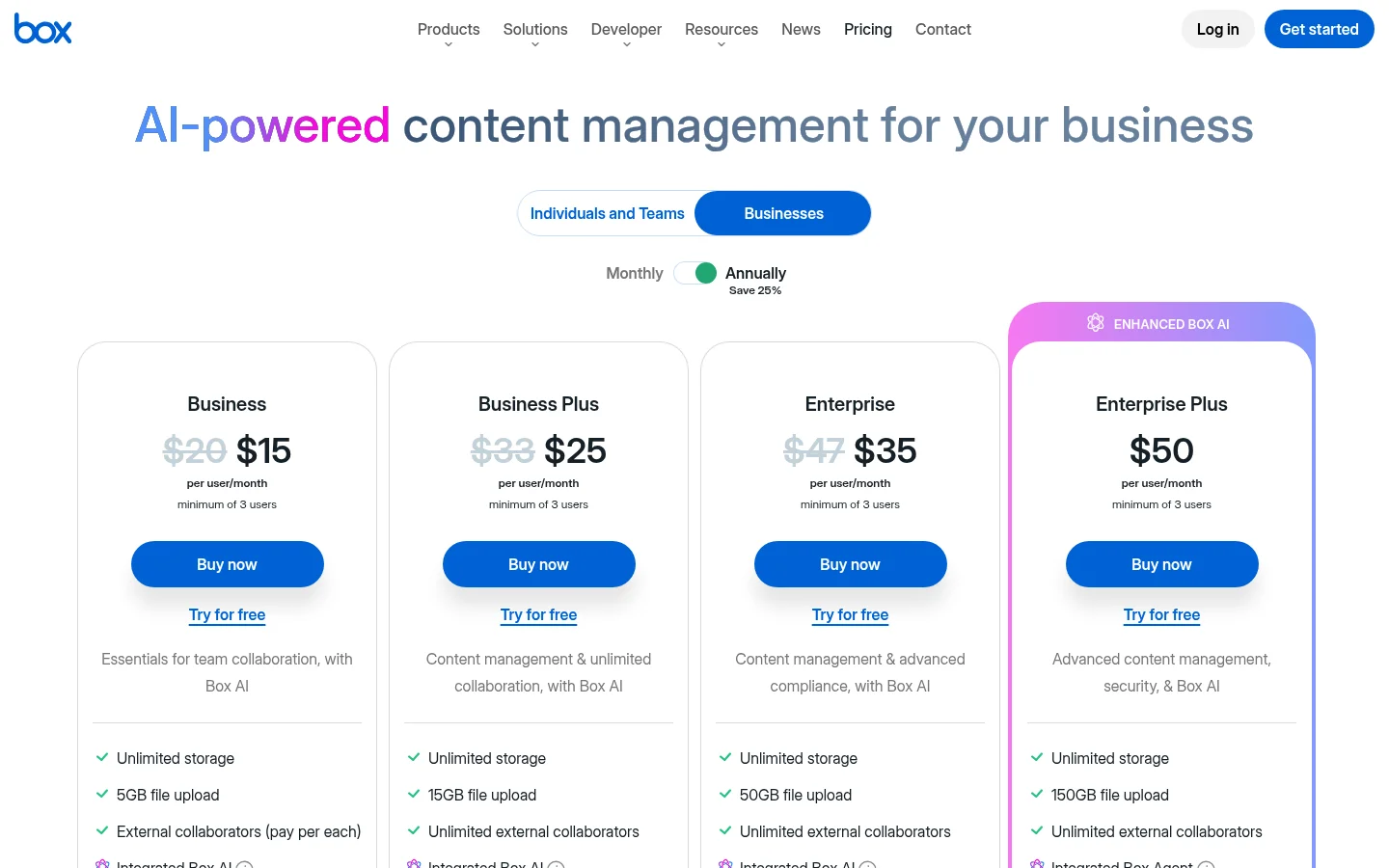
Sharing without an account. Anyone with a link set to "People with the link" can open it: "Anyone with the link can access the item and no Box account is required." Password-protected shared links are available to all paid Box User accounts, and you can restrict download or preview access for link viewers (Box: creating shared links).
Email verification. Email verification is available on Business plans and above at no additional cost. A link can use a password or email verification, but not both (Box: email verification on shared links).
File requests. You must have a Box Business Plan account or higher to build a File Request form. No one needs a Box account to access the finished form and upload content (Box: File Request).
Branding. Custom branding is available on Business, Business Plus, Enterprise, Enterprise Plus, and Enterprise Advanced plans. Box also enables you to apply default custom branding to new File Requests (Box: customize your account's branding).
Tracking. Content Insights shows numbers of previews, people, and downloads over specified time intervals. You can download the insights in a CSV file, and see an event list of users that accessed the content and the time stamp of this access (Box: Content Insights).
Box is a fit when your agency wants one system for internal documents and external sharing, and sharing with clients is one use among several. If the address your client sees matters to you, check the domain options on Box's plan pages before you decide.
Where a branded, per-client setup fits better
If most of your file sharing is external, with clients opening deliveries and sending files back, a setup built around the client works better than one built around folders. In Tarkle that means four things.
Branded links and pages. Custom branding puts your logo, colors and favicon on every transfer page, request page and portal. Free includes custom branding and a custom domain. You can read more on the custom domain page. The "Powered by Tarkle" line stays on Free: it is locked on for the Free plan, Pro can switch it off, and on Agency your agency name replaces it. The article on branded file sharing links walks through each layer.
Per-client access. Create a client organization, add the people from that client to it, and share with all of them at once. Organizations work with the client portal and with restricted transfers. Client organizations are available on Pro, and Agency includes everything in Pro.
A client portal. The client portal is a branded place where each client signs in with their email and sees only what you shared with them. Clients sign in with a link sent to their email, so there is no password to remember. The client portal is available on Pro and Agency.
White label on the Agency plan. On Agency, white label for agencies replaces the Tarkle name with yours. Your clients log in and manage their files and team on your own domain, and the Powered by Tarkle backlink becomes Powered by your agency. Agency includes 20 workspaces for your clients, 6 TB of cloud storage, and a 100% white-label platform. Each client can get a branded workspace, from the agency client workspaces page.

Tarkle's transfer status shows whether a transfer was delivered, viewed or downloaded. If you need a named record of each person who downloaded a file, test that on a real transfer before you rely on it.
Some agencies use both: Box for internal and regulated content, and a branded setup for sending files to clients. The white label Dropbox alternative guide covers the same trade-off for Dropbox users.
A client file workflow you can copy
Set up the client once. Add the client's company and its contacts, and group them in a client organization. On Agency, create a branded workspace for the client.
Ask for inputs. Send a file request with plain instructions, the folder where the files should land and a deadline.
Deliver the work. Create a transfer and either restrict it to the client organization or protect it with a password. Set an expiry date either way. Send the password in a separate message.
Check the delivery. Look at the transfer's Viewed and Downloaded badges to see whether the client opened it and downloaded it. If not, follow up by phone or chat.
Close the project. Let the link expire, or disable it in one click. Keep the finished files in the client's folder for the next job.
Use link expiration as your default, not an extra. A delivery link with an end date means no old project link is still open a year later.
Common mistakes
Judging branding by a logo upload alone, without opening a link as the client.
Sending a password in the same email as the link.
Using one shared folder for every client because it is faster to set up.
Assuming "downloaded" means you know who downloaded it.
Leaving upload requests open with no closing date.
What to remember about Tarkle
Tarkle covers the three agency jobs: branded delivery links, file requests into the folder you choose, and client organizations with a client portal. Free is for one person and includes custom branding and a custom domain. Client organizations and the client portal are Pro features, and Agency adds 20 workspaces for your clients and a white-label platform. Start for free and run the checklist on one real client project.