File sharing for small business: organize files for clients
Sort client files into three folders, collect them with one request link and send finished work as a transfer.

File sharing for small business works best as a routine, not as a string of attachments. Most small businesses that work with clients send files the same way: an email with three attachments, a link nobody can find and a reply asking which version is final. A simple routine fixes that. Sort what comes in, keep work in progress apart and send finished work with one link.
File sharing for small business starts with three kinds of files
Every client project has three kinds of files, and each one belongs in its own place:
Incoming files: what the client sends you, such as a brief, a logo, photos or signed paperwork.
Working files: your drafts, source files and notes. They change often and stay with you.
Delivered files: the final versions you have sent, so you can always point to what the client approved.
Most "which file is the latest?" emails start when these three are mixed in one thread or one folder. One folder per client, with a subfolder for each kind, is enough for most small businesses. Create the structure before the first file arrives, so nothing lands in the wrong place on day one.

Use one naming rule for every client folder, such as "Client name - project - year". Names that follow the same pattern are easy to find a year later.
Collect incoming files with one request link
Asking for files by email gets you a different attachment each time. A better routine is one request for each project. It has a title, short instructions that list the items and formats, a deadline a few days before you need the files, and a folder where every upload lands.
In Tarkle, a file request does this job. It is a link anyone can upload to: set the instructions, choose the destination folder, and send the link. The person uploading never needs an account, and you get an email when files arrive. You can open File requests in your workspace to set one up.
Set a deadline on the request, and say it in your message too. A client who arrives after the date knows whom to email for a new link. The guide to collecting files from clients walks through the same steps in order.
Keep work in progress out of the client folder
Drafts and source files are for you. The client only needs to see what is ready. Keep working files in their own folder, and move each finished version into the delivered folder once it is approved.
When a client asks for changes, save the new version under a new name. Both of you can then see what changed and when, and the approved version stays where it was. This is the step that ends the "is this the one you meant?" thread.
Send finished work as one transfer link
Delivery is where most mistakes happen: the wrong version, the wrong client or a file too big to email. Send one link instead of several attachments. In Tarkle, a file transfer starts with one step: pick files or folders, create a transfer and send the link. Recipients open it in the browser and download straight away. They do not need an account. Every transfer page carries your logo and colours, so the client sees your name on the files they receive.
Before you send, decide who can open the transfer. Add a password when the files are sensitive. The transfer status shows whether it was delivered, viewed or downloaded. You create transfers on the Transfers page of your workspace.
A handoff checklist for every delivery
Check that the folder holds only the approved final versions.
Name each file with the client, the item and the date.
Add a password when the files are sensitive.
Send one link with a short note that lists what is inside.
Check the transfer status the next day, and follow up only on what has not been downloaded.
Where Tarkle covers the routine, and where it stops
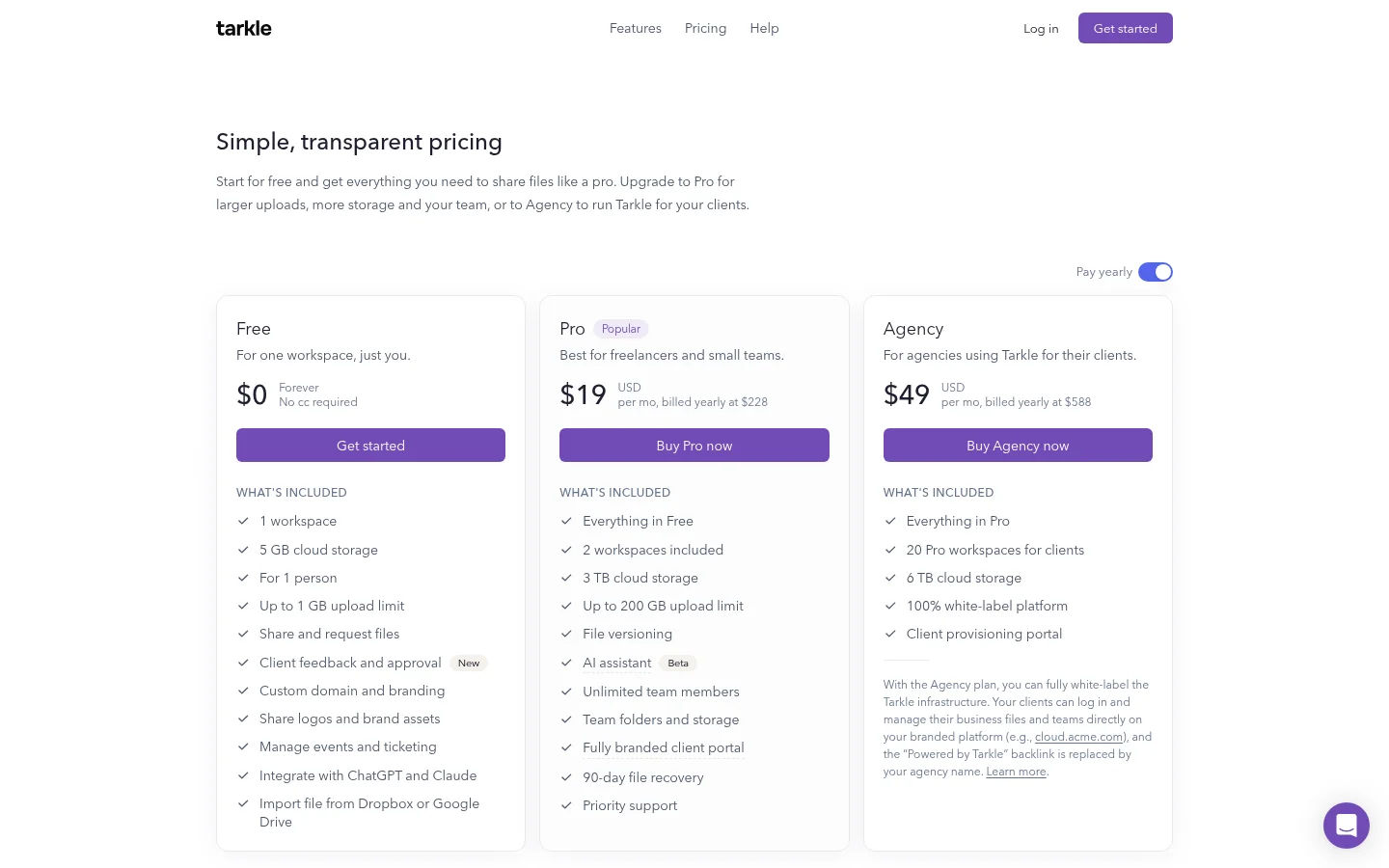
Here is how Tarkle fits the routine. File requests collect incoming files, and transfers deliver finished work with your logo and colours. Free includes file sharing and file requests, and you can also protect shared files with passwords. The limit to know: Free supports uploads and transfers up to 1 GB each. Free is for one person. Pro and Agency include unlimited team members. Pro and Agency support files up to 200 GB. Compare the plans before you choose.
What to remember about Tarkle
A small business file routine has three parts: incoming files in a request, working files kept apart and finished work sent as one transfer link. Tarkle has file requests and transfers with your logo and colours, and Free includes both, so you can try the routine with real files. Start for free or read the plans and pricing page.