Frame.io alternative: client feedback without a review tool
Frame.io reviews video frame by frame. Tarkle lets clients pin comments on images and PDFs, and it has a Free plan.

Looking for a Frame.io alternative? It depends on what you send. Frame.io is the stronger tool when clients must comment on exact moments of a video, or when your edit lives in Adobe apps. Tarkle suits editors and studios who want a simple link where a client can pin comments on stills and PDFs, approve or ask for changes. Client feedback and approval is included on the Free plan.
This comparison uses Frame.io's own pages and what Tarkle does today. Where Tarkle stops short, the article says so.
What a review tool does
A review tool puts the work in front of the client and keeps their answer attached to it. The client sees the cut or the image, says what they want changed, and gives a final yes or no. You get one place to read the feedback instead of a trail of emails.
Good tools also keep versions apart, so "v3 with the new logo" is never confused with v2. Frame.io's pricing page lists version stacks and a comparison viewer. That is a lot of tool, and it is worth asking how much of it your clients will use.
Where clients get stuck: accounts and scattered comments
The first sticking point is the account. A client who has to sign up before leaving a comment often just replies to your email instead. Frame.io asks a reviewer for a name and email on the first comment when they are not signed in (share links guide for clients). On Tarkle a reviewer does not need an account either. A reviewer can enter a name and email once, and comments and reviews cannot be edited or deleted after they are sent.
The second is scattered feedback. One comment arrives by email, another in a chat message, a third as a voice note. Clients drift back to old habits when the review is not where they expect it. One link for each review keeps the answers together, so you read one place instead of three.

Photo by Vitaly Gariev on Unsplash
Say in your delivery message where feedback goes: "Please leave all comments on the link, not by email." One sentence at the top of the message does more than any setting.
How Tarkle handles feedback and approval on stills and PDFs
Client feedback and approval is included on the Free plan. You upload images or PDFs into a review board and share its link. A board holds PDFs or images, not both. You can add a password to a board, and visitors enter it once and stay in for 30 days.

Free includes custom branding and a custom domain. A custom favicon is a Pro feature, and the Powered by Tarkle line stays on tarkle.com addresses, Free included. Agency is the white-label plan: the "Powered by Tarkle" backlink is replaced by your agency name, and white-label review pages are part of it. A custom address for a single board needs a plan with custom URLs.
The client clicks the image to drop a pinned comment on that spot. Replies can be added under a comment. When they are finished, the client clicks Finish review, chooses Approve this work or Request changes, writes an optional note and submits the review. Every answer is kept, and the latest one is the answer shown for the board. The owner gets an email when the review is submitted.
Everyone who took part, not the author, gets an email when comments arrive, at most one per person per board every 5 minutes. Comments held back by that limit arrive as one email after the board is quiet.
Free allows up to five active boards at a time. Archived boards do not count. Pro and above have no limit.
Send stills and layouts as one PDF contact sheet when you can. One board with one review is easier for a client to answer than many separate links.
Where Tarkle stops: video cuts
Tarkle shares video and audio on a page with a built-in player, so people can watch before they download. You can protect a transfer with a password, and see in transfer status whether a transfer was delivered, viewed or downloaded.
What Tarkle does not have is feedback pinned to a moment in a video. A comment is pinned to a spot on the image or the PDF page, and a board holds PDFs or images. There are no timecoded comments on a video timeline. If a client has to say "change the cut at 00:41", Frame.io's range-based comments are the tool for that.
If you mostly deliver finished video, our guide on how to deliver video to clients covers that side of the work.
Frame.io alternative: Frame.io vs Tarkle side by side
Frame.io facts below come from its own pages. Tarkle facts come from its pricing page, its help articles and its code.
Point | Frame.io | Tarkle |
|---|---|---|
Reviewer account | Asks a reviewer for a name and email on the first comment when they are not signed in | A reviewer can enter a name and email once, with no account |
What a comment attaches to | Frame-accurate and range-based comments, and a paintbrush tool that draws directly on the video (pricing) | A spot on an image or a PDF page |
Adobe apps | Lists a Premiere integration (pricing) | Images and PDFs only |
Branding | Custom-branded shares on Pro (pricing) | Custom branding and a custom domain on Free |
Password | Passphrase-protected shares on Pro (pricing) | Shared files can be protected with passwords on Free |
Tracking | Share Activity feed of recent engagement on a share link (Shares help) | Shows whether a transfer was delivered, viewed or downloaded |
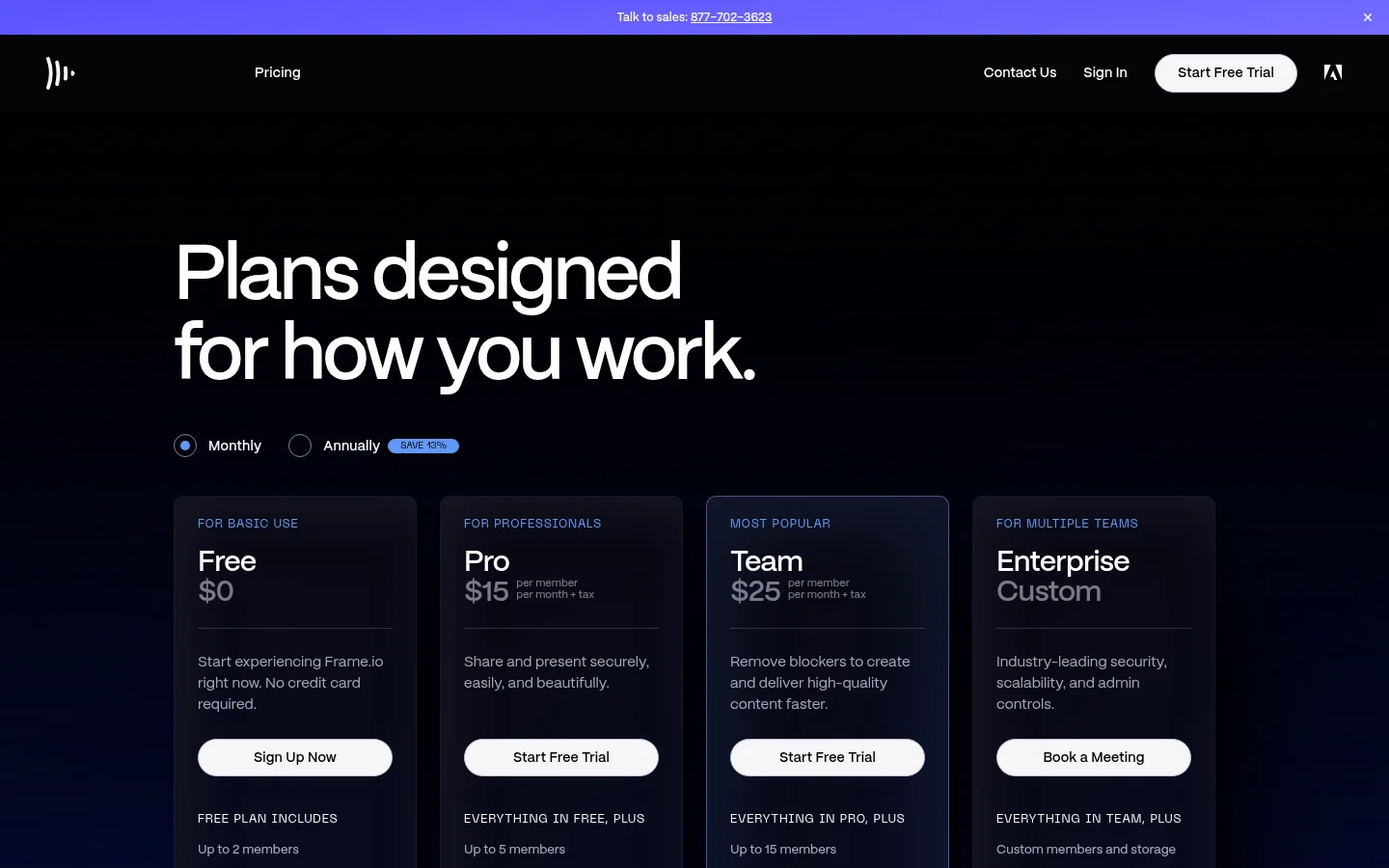
Free plan | Up to 2 members and up to 2 projects | 1 workspace, 5 GB cloud storage, Up to 1 GB upload limit |
A cut larger than 1 GB does not fit the Free upload limit on Tarkle, so a longer video needs a bigger plan than Free.
Who should pick which
Choose Frame.io if you cut in Premiere Pro, if clients must comment on exact frames or ranges of a video, or if your team needs internal comments, which Frame.io lists on its Team plan. It is the broader review tool, and it is the better fit for that job.
Choose Tarkle if your feedback is mostly on stills, layouts and PDFs, if you want custom branding and a custom domain on the Free plan, and if you also send finished video and request files from clients in the same place. Clients can also send you files through a file request and sign in to a client portal. The one part Tarkle does not cover is the video timeline, so if that is the core of your review, Frame.io is the right pick.
You do not have to pick one for everything. You could review the edit in Frame.io and use Tarkle for final delivery and for source files after approval. Our guide on sharing files with clients without Google Drive covers the delivery side.
What to remember about Tarkle
Tarkle lets a client pin comments on images and PDF pages and approve the work or request changes, and client feedback and approval is included on the Free plan. It does not put comments on a video timeline, so Frame.io is the better fit for frame-accurate video review. Around the review, Tarkle also shares and collects files, and it has a client portal for the same clients. Start for free and send your first review.