Kiteworks alternative for small teams: a fair guide (2026)
Kiteworks or a simpler client file tool? A fair guide for small teams, with a side-by-side table.

If you need a Kiteworks alternative for a small team, the short answer depends on your rules, not your size. Kiteworks suits large regulated organisations that must prove every exchange of sensitive data to an auditor. Tarkle is a cloud storage and file-sharing platform for freelancers, agencies and client-facing businesses. For a small agency, studio or office, Tarkle can start on a Free plan with no credit card. We make Tarkle, so read this as one vendor's view and check the sources.
Last checked: October 2026.
What is Kiteworks built for?
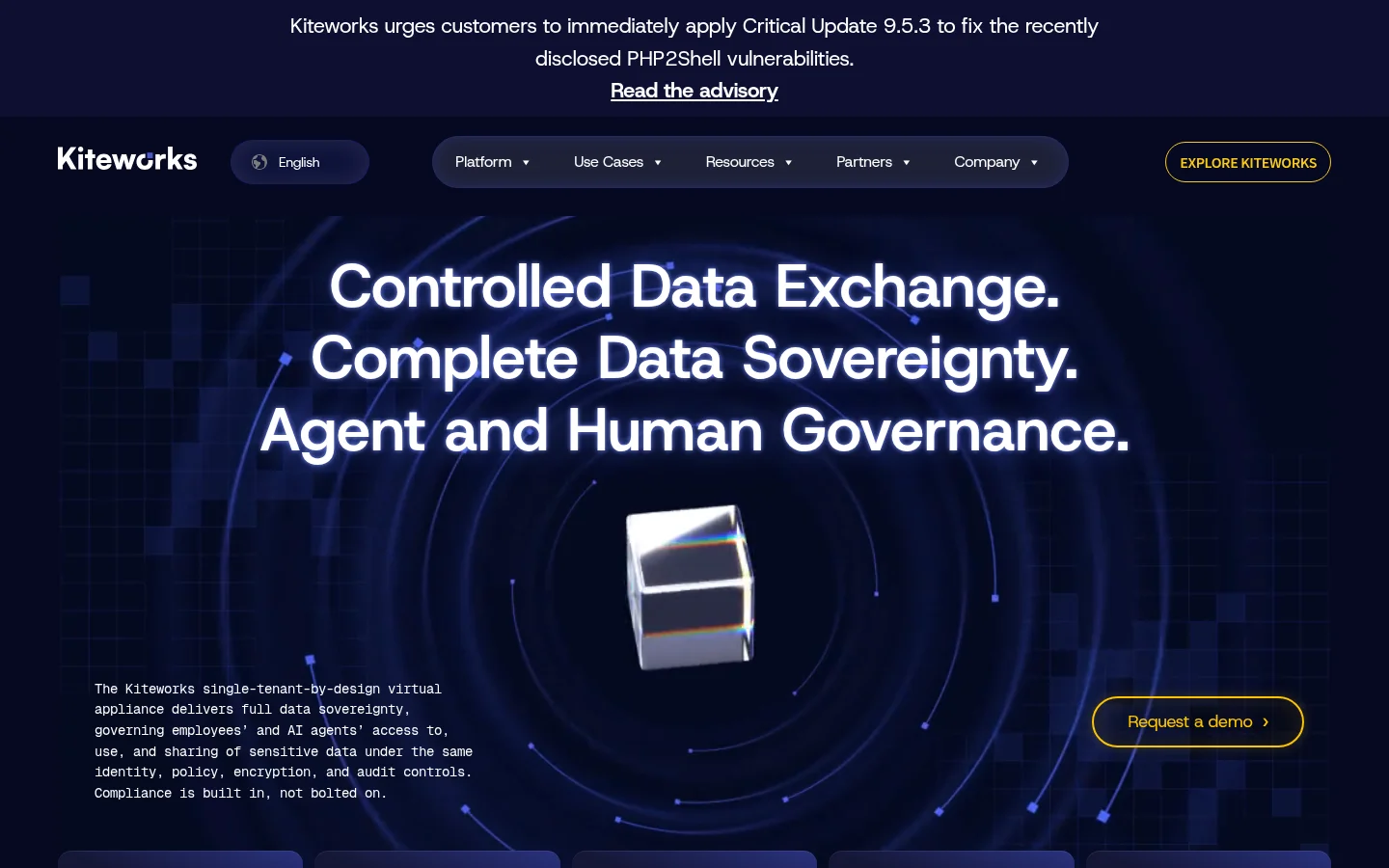
Kiteworks describes itself on its home page as a single-tenant-by-design virtual appliance for data sovereignty, governing employees' and AI agents' access to sensitive data. The page lists FedRAMP authorized status, FIPS 140-3 validated modules and IRAP assessed status, and names HIPAA, CMMC, GDPR, PCI-DSS and IRAP among the frameworks it supports. It offers on-premises and hybrid deployment, and its call to action is "Request a demo".
The platform spans secure email with DLP scanning and link expiration, file sharing with desktop sync and version control, managed file transfer, an SFTP server and branded secure data forms, as its home page lists them. That breadth is the reason to pick it when an auditor sets the rules.
Where does Kiteworks fall short for a small team?
Mostly in scope and buying process. A small office rarely needs a policy engine, an SFTP server or managed file transfer, and it pays in setup effort for tools it will not use. The Kiteworks home page offers a "Request a demo" button rather than a price, so plan for a quote before you set a budget.
What does a small team actually need?
In our view, a small agency, accountant or studio needs five things: send a large file with one link, let the client upload files back, put the firm's name and domain on the link, expire or switch off a link, and show each client only their own files. Plus a price that can be read without a call.
Write down the five or six things your clients do with you every month before you open any demo. If none of them is a compliance rule your auditor or insurer names, you are probably shopping for more than you need.
Kiteworks and Tarkle side by side
Kiteworks | Tarkle | |
|---|---|---|
Built for | Large regulated organisations | Freelancers, agencies and small teams |
Compliance | FedRAMP authorized and FIPS 140-3 validated modules, as stated on its home page | Designed to meet GDPR, per its pricing FAQ |
Deployment | Virtual appliance, on-premises and hybrid | Storage region of your choice: Europe, United States, Asia-Pacific or Oceania |
Client upload | Branded secure data forms and an SFTP server | File requests from anyone with one link |
Link expiry | Link expiration in secure email, expiration policies in file sharing | Link expiration on transfers and file requests |
Per-client access | Policy-based access control | Client portal: each client signs in with their email and sees only what you shared with them |
Price | Request a demo on its home page | Free $0 with no credit card; Pro $29 a month or $19 a month billed yearly; Agency $59 a month or $49 a month billed yearly |
Kiteworks facts come from its home page, read on 30 October 2026.

What does Tarkle do for client files?
A transfer is one link to files or folders, and the person who downloads needs no account. Free supports uploads and transfers up to 1 GB each, and Pro and Agency support files up to 200 GB, so a large video is a send large files job on a paid plan. You can also protect shared files with a password, add a link expiration date, and disable a link in one click.
To collect files, a file request takes files from anyone with one link and puts them in the folder you choose. Custom branding and a custom domain are part of Free, so a link can read files.yourdomain.com.
For clients, the client portal is a branded place where each client signs in with their email and sees only what you shared with them. Clients sign in with a link sent to their email, with no password to remember, as described on the passwordless sign-in page.
For a firm that runs client work for many brands, the Agency plan adds 20 workspaces for clients, 6 TB of cloud storage and a 100% white-label platform. Your clients log in on your own domain, and the Powered by Tarkle backlink becomes Powered by your agency.

Photo by TheStandingDesk on Unsplash
Where does Tarkle fall short?
Tarkle keeps your files in the storage region you pick. Its pricing FAQ says it is designed to meet GDPR. If a framework or a contract names specific controls you must show, Kiteworks is the closer fit.
The Free plan is for one person, with 5 GB of storage and uploads up to 1 GB. The fully branded client portal is on Pro and Agency.
Who should choose which?
Choose Kiteworks if you are a large or regulated organisation, if a framework or contract names the controls you must show, or if you need on-premises deployment or managed file transfer. Choose Tarkle if you run a small agency, consultancy or other client-facing business that mainly sends and collects client files and wants a branded link on your own domain, a posted price and a Free plan to start on. If your work involves regulated data, check your own obligations before moving it to any tool.
Tarkle prices as published: Free is $0 with no credit card required, Pro is $29 a month or $19 a month billed yearly, and Agency is $59 a month or $49 a month billed yearly. For Kiteworks, request a demo on its home page.
How do you try Tarkle as a Kiteworks alternative?
Start with one real client job, not a migration. Create a free account, set up your custom branding, send one transfer with a password and an expiry date, and send one file request to a client. If those cover your five jobs, you have your answer in an afternoon. Start for free. For related reading, see how to share files with clients without Google Drive and how to collect tax documents from clients securely.
What to remember about Tarkle
Tarkle is a cloud storage and file-sharing platform for freelancers, agencies and client-facing businesses: one link to send files, file requests to collect them back, and your own domain and branding. It starts on a Free plan with no credit card, with uploads up to 1 GB, and Pro and Agency support files up to 200 GB. If a framework names controls you must show, check them before you choose any tool. Start for free