
WeTransfer alternative for agencies that need branded file delivery
WeTransfer is fast for large file sends. Tarkle Send is for agencies that need branded delivery on their own domain. Compare both side by side.
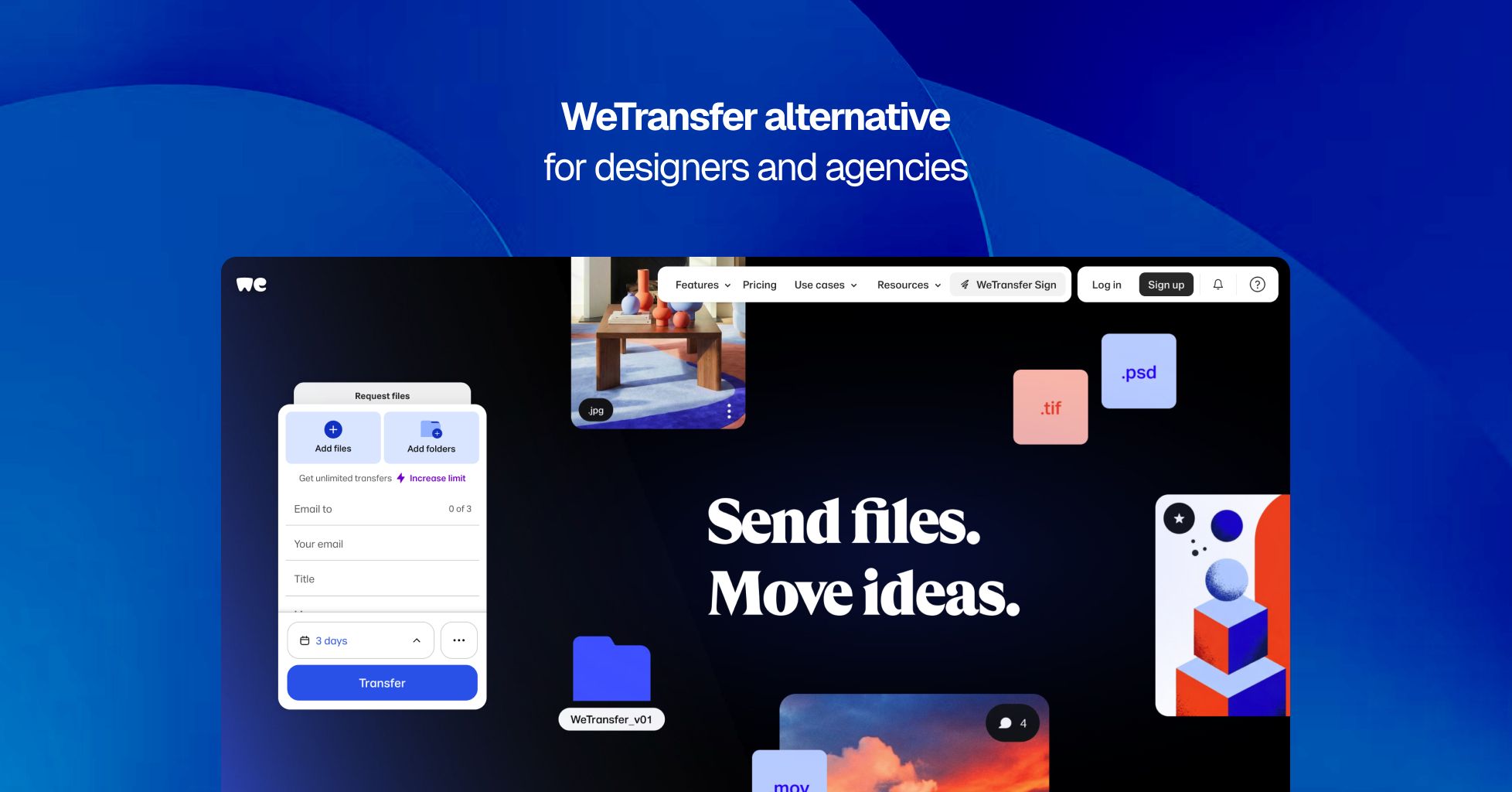
WeTransfer is one of the most widely used file transfer tools in the world. It is fast, the interface is clean, and for sending large files to anyone without requiring them to create an account, it is hard to match. Creative professionals have relied on it for years because it removes friction from the act of sending files. The free tier is generous enough for occasional use, and the paid plans add meaningful features including unlimited transfer sizes, team branding, and a file payment gate through Stripe.
Where WeTransfer and Tarkle Send differ is in what happens after the file is sent. WeTransfer was designed around the transfer as an event. You upload, you send, the recipient downloads, and the transfer eventually expires. The branding you can apply is layered on top of WeTransfer's own interface, and the URL always contains wetransfer.com. Tarkle Send was designed around the client relationship. Files live on your domain, under your brand, in a workspace the client can return to. The recipient never sees Tarkle's name.
For agencies, studios, and service businesses where file delivery is part of the professional experience, that difference shapes how clients perceive the work.
What WeTransfer does well
WeTransfer's strength is speed and simplicity. Uploading a large file takes seconds, the recipient gets a clean download page, and the free plan supports up to 3 GB per month across 10 transfers. For quick, one-off sends to collaborators or friends, WeTransfer remains one of the fastest options available.
The Ultimate plan at $25 per month removes all transfer size limits, adds unlimited transfers, and includes branding features that are genuinely well-designed. You can set a custom background image, add your logo, personalize the transfer emails, and link your social accounts. The download page looks polished. WeTransfer clearly cares about aesthetics, and the result is a branded experience that feels more premium than most competing transfer tools offer.
WeTransfer also includes a file payment gate on Ultimate, letting you charge recipients before they download. For freelancers selling digital files or creative assets, this is a useful feature that works through Stripe with no platform fees.
The Teams plan at $25 per user per month adds shared branding across team members, centralized billing, and admin controls. For organizations that need consistent presentation across a team of senders, this fills a real gap.
Where WeTransfer falls short for client-facing agencies
WeTransfer's branding is cosmetic, not structural. The distinction matters for agencies whose clients judge professionalism by every touchpoint in the engagement, including the file link.
The URL always contains wetransfer.com
Even on the Ultimate plan, your branded page lives at a WeTransfer subdomain like yourname.wetransfer.com. There is no CNAME option, no custom domain mapping, and no way to deliver files at files.youragency.com. Your client sees WeTransfer in the address bar regardless of what background image or logo you upload. For agencies that have invested in a domain and a brand identity, the URL is the one thing branding customization cannot touch.
Branding is applied over WeTransfer's interface
The Ultimate and Teams plans let you upload a background image, add your logo, and customize transfer emails. The result looks good. But the WeTransfer interface frame, navigation elements, and footer remain visible. Your brand shares the page with WeTransfer's. This is personalization, not replacement. On Tarkle Send, the entire experience is yours. Your domain, your logo, your colors, your layout. No shared branding with the platform.
Transfers are temporary by default
WeTransfer was built around disposable transfers. On the free plan, files expire after 3 days. On paid plans, you can configure longer expiration or keep files indefinitely, but the architecture is oriented around individual transfer events, not persistent client workspaces. There is no concept of a client portal where a recipient returns to see all their project files in one place over time. Each transfer is a separate moment.
For agencies managing ongoing client relationships with multiple deliverables across weeks or months, rebuilding file access from individual transfer links creates unnecessary friction.
No file tracking or activity notifications
WeTransfer does not notify you when a recipient opens or downloads a file. There is no activity log showing who accessed what and when. For agencies that need to confirm a client received and reviewed deliverables, or that want to follow up based on download activity, WeTransfer provides no visibility after the transfer is sent.
Tarkle Send tracks every view and download in real time and sends instant Slack notifications when activity occurs.
Teams pricing scales per user
WeTransfer Teams costs $25 per user per month with a minimum of two users. A five-person creative team pays $125 per month. A ten-person agency pays $250. The individual Ultimate plan at $25 per month is for one person only and does not include shared team branding.
Tarkle Send includes 15 team seats on the Send plan at $29 per month and 30 seats on Send Pro at $69 per month. A five-person team on Tarkle Send pays $29 per month versus $125 on WeTransfer Teams. At fifteen people, the comparison is $29 versus $375.
Who benefits from switching
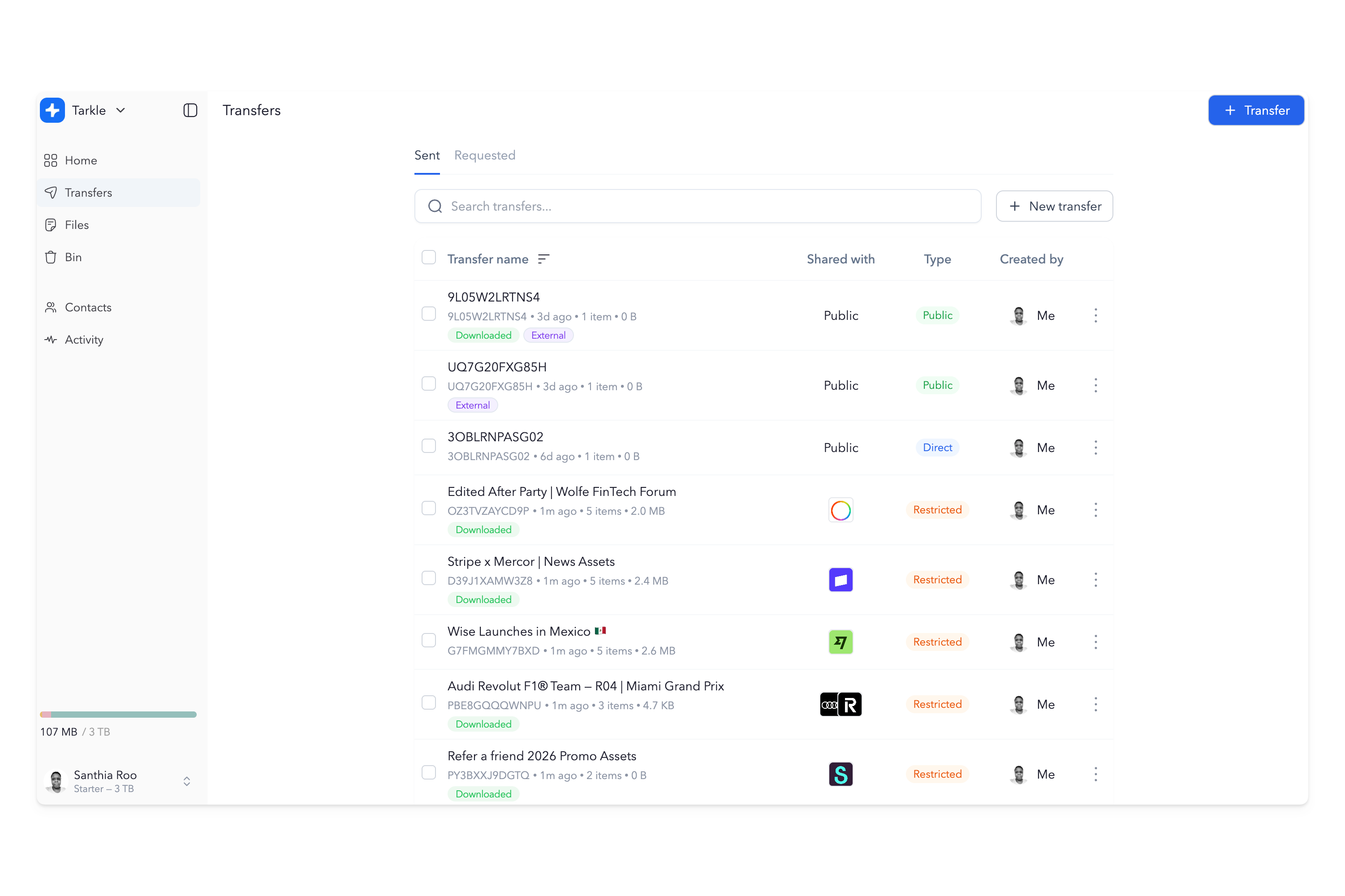
WeTransfer works well for quick, large file sends where speed matters more than long-term brand presentation. The teams that benefit from Tarkle Send are those where the file link is part of the client experience and the download page is a professional touchpoint.
Creative agencies and design studios delivering finished work, brand assets, and campaign materials to clients who expect every interaction to look polished. Photography studios sending high-resolution galleries where the download experience should feel like an extension of the studio's brand. Video production teams delivering final cuts and raw footage under their own name. Marketing firms and content agencies sharing reports, ad creatives, and strategy documents where presentation reflects the quality of the thinking. Architects, consultants, and law firms sending documents where professionalism extends to every file link.
Tarkle Send pricing vs WeTransfer pricing
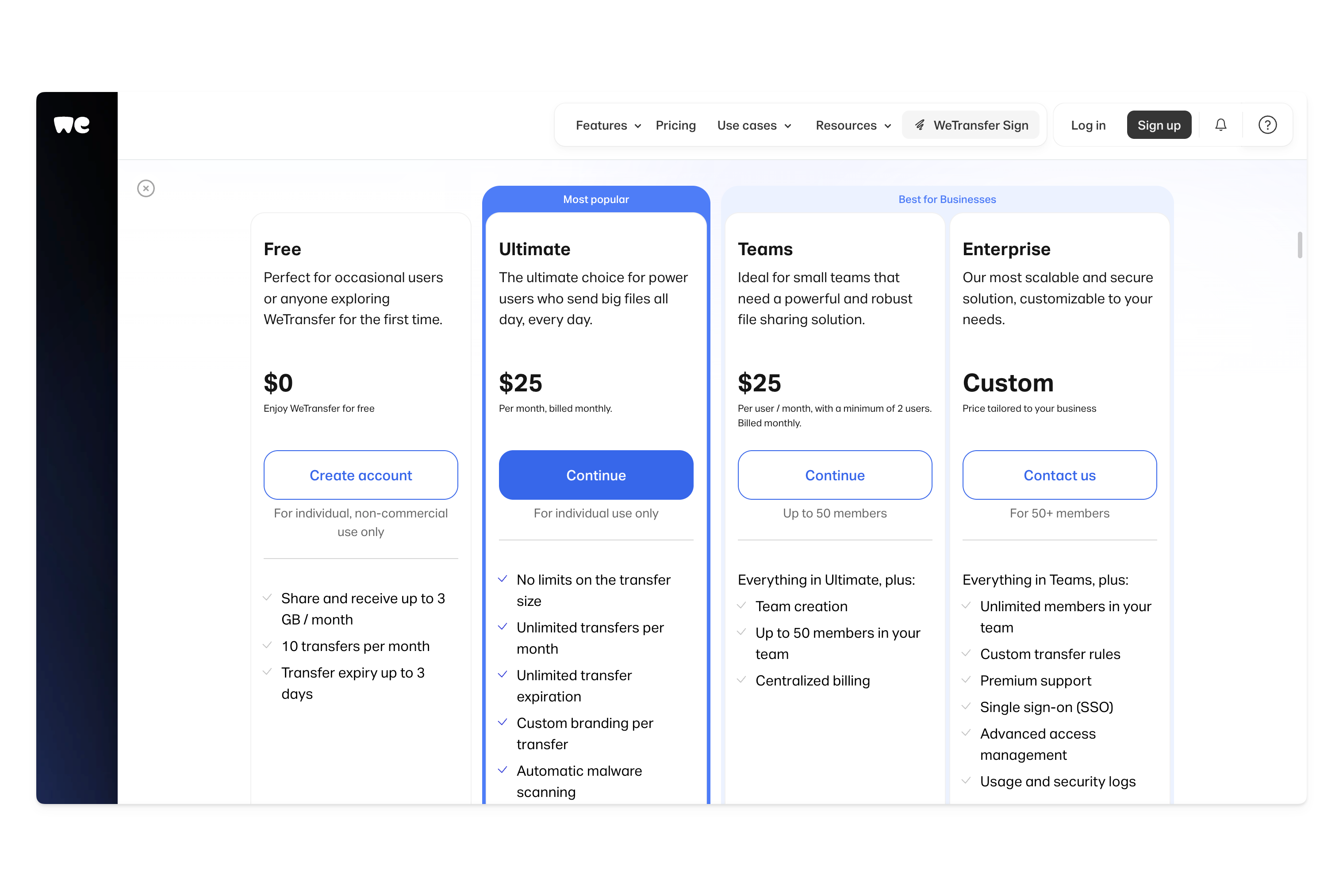
WeTransfer Free supports up to 3 GB per month across 10 transfers, with 3-day expiry and WeTransfer advertising on the download page. WeTransfer Starter at $10 per month increases the monthly allowance to 300 GB and removes ads but includes no branding features. WeTransfer Ultimate at $25 per month is for one person: unlimited transfers, unlimited size, custom branding, and file payments. WeTransfer Teams at $25 per user per month with a two-user minimum provides shared branding across a team.
Tarkle Send is $29 per month (billed yearly) for up to 15 team members, 3 TB storage, 50 GB per transfer, custom domain, branded download pages, file tracking, and Slack notifications. Send Pro is $69 per month (billed yearly) for up to 30 team members, 9 TB storage, and 100 GB per transfer.
For a solo user, WeTransfer Ultimate at $25 and Tarkle Send at $29 are close in price. The difference is the custom domain, file tracking, and persistent storage that Tarkle Send includes. For any team of two or more, the gap widens fast. Two people on WeTransfer Teams costs $50 per month versus $29 on Tarkle Send. Five people costs $125 versus $29. Fifteen people costs $375 versus $29.
You can use both
WeTransfer and Tarkle Send serve different purposes and many teams use both. WeTransfer is excellent for quick, large one-off sends to collaborators, friends, or anyone where speed matters more than branding. Tarkle Send is for everything that reaches a paying client.
Tarkle Send's file masking feature lets you link to files stored anywhere, including external URLs, and deliver them through a branded page on your domain. If you already use WeTransfer for internal transfers and want a branded layer for client-facing delivery, the two tools complement each other.
What Tarkle Send includes
Every plan includes custom domain delivery, branded download pages, file requests, direct download links (no landing page required), password protection, expiry dates, email capture, real-time view and download tracking, Slack notifications, and support for over 200 file types. Send Pro adds embedded upload and download widgets, a branded recipient portal, and expanded storage.
Tarkle Send connects to Slack, Stripe, Figma, Loom, Mailchimp, Fathom, and Plausible. Explore features and integrations.