Google Drive alternative for business: 7 tools compared (2026)
Seven tools for sending and collecting client files, with dated plan facts and when Drive still fits.

Looking for a Google Drive alternative for business usually means one thing: you want clients to receive and send files without sign-in prompts, permission mix-ups or a page that carries someone else's name. This list covers seven tools that do that job, and it says plainly when Drive is still the better answer.
Best for staying inside an office suite: Microsoft OneDrive. Best for file requests and review on a well-known tool: Dropbox. Best for large, structured teams: Box. Best for branded links on cloud storage: pCloud. Best for creative delivery with big files: Hightail. Best for a creative asset library: Air. Best for sending files to clients on your own domain, with a client portal and approvals: Tarkle.
We make Tarkle, so read this as one vendor's view, and check the sources linked next to each claim.
Last checked: November 2026.
What Google Drive does well
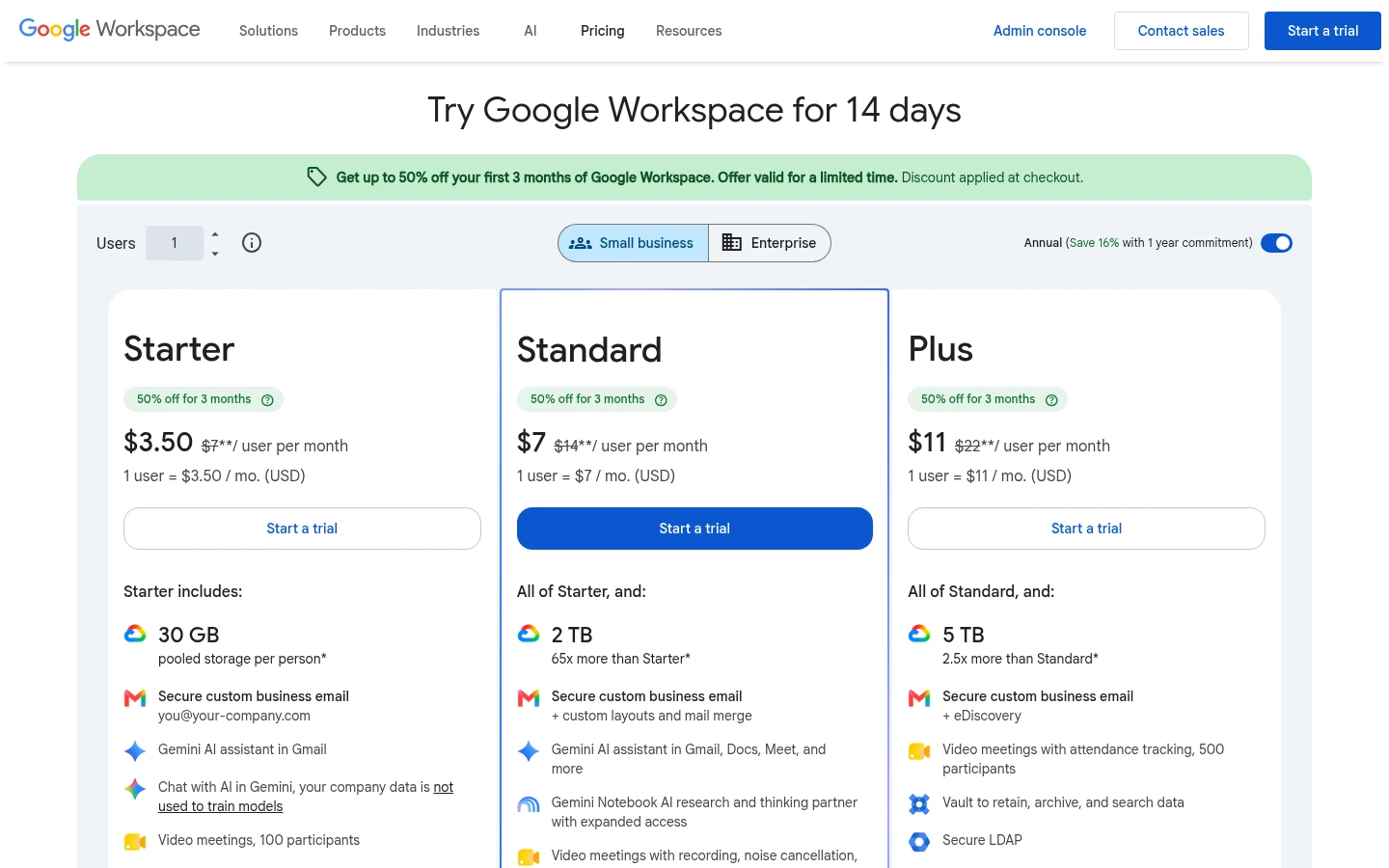
Drive is where many teams already keep their work. Storage comes with Google's business subscription, your colleagues already have Google accounts, and everyone knows how to use it. Google's pricing page shows Business Starter at $7.00 per user per month with 30 GB pooled per user, Standard at $14.00 with 2 TB per user and Plus at $22.00 with 5 TB per user, as published in November 2026 and shown as billed monthly.
Sharing with people outside Google works too. Google's sharing help page says a file shared with "Anyone with the link" opens without a Google account sign-in, as of November 2026. For documents your team edits together, Drive is hard to beat.
Where Drive gets awkward for client files
The friction shows up when the other side is a client, not a colleague. Here is what Google's own pages say:
A Workspace admin can restrict external link sharing, so the same link that worked for one client can be blocked for another.
Recipients see Google's page and Google's sign-in, not your brand. A custom branded page or domain is not something we could confirm on Google's pages.
Drive has an approvals feature, but Google's help page says it is only available on Enterprise and Education Plus accounts, not standard Workspace accounts.
We found no dedicated file request page for collecting files from people who have no Google account.
None of this makes Drive a bad choice. It means Drive is built for working inside a team, and sending files to clients is a different job. For the safety side, see Is Google Drive safe for client files?. For the practical side, see how to share files with clients without Google Drive.
Before you switch anything, write down the one job that annoys you most: sending final files, collecting source files, or getting a yes on a design. Pick the tool for that job, not the longest feature list.
Google Drive alternative for business: seven tools compared
Tool | Suits | Published entry price | Recipient needs an account? |
|---|---|---|---|
Dropbox | Teams that want file requests and review on a familiar tool | Standard $15 per user per month | No, for shared links and file requests |
Microsoft OneDrive | Teams already on Microsoft 365 | Business Basic $5.40 per user per month, paid yearly | Depends on your admin's sharing policy |
Box | Larger teams that need admin controls | See Box's pricing page | No, for links set to "People with the link" |
pCloud | Small teams that want branded links on cloud storage | See pCloud's business page | No, for shared links |
Hightail | Creative studios sending big files | Pro $12 per month, billed annually | No |
Air | Creative teams managing an asset library | See Air's pricing page | Share links can be gated by name and email |
Tarkle | Sending and collecting client files under your own name | Free, then Pro from $19 per month billed yearly | No, to download |
Prices are as published by each vendor in November 2026 and may change. Always confirm on the vendor's page.
Dropbox
Dropbox is the closest match to Drive in how it feels, with more for sending. Its plans page shows Standard at $15 per user per month on the monthly selector, with storage starting at 3,000 GB for the team, as published in November 2026. Its file request help article says file requests are available on all plans and the sender needs no Dropbox account, and the plans table lists creative review and approvals with Dropbox Replay.
The limit: the plans table shows advanced link settings such as custom expiry, passwords and disabling downloads as not included on the Plus column, and we could not confirm from the page which business tier adds branded transfers. See also our Dropbox comparison.
Microsoft OneDrive
If your company already runs on Microsoft 365, OneDrive is the natural choice. Microsoft's page lists Microsoft 365 Business Basic at $5.40 per user per month paid yearly, with 1 TB per user, and lists password-protected and expiring link settings among the features, as published in November 2026.
The limit: what an outside recipient can do depends on how your admin sets sharing policy, and we could not confirm a branded page, a file request tool or an approval step on that page. See Tarkle vs OneDrive.
Box
Box suits larger teams with admin needs. Box's own help page says shared links need no Box account, and its File Request guide says anyone can fill in the form without an account, up to 500 files per submission, though creating one needs a Business plan or higher.
The limit: upload size depends on the tier, so check Box's pricing page for the file size cap of the plan you would buy. We could not read that page ourselves in November 2026, so we give no price. See Tarkle vs Box.
pCloud
pCloud is cloud storage with sharing built in. Its Business page shows a 3-user, 3 TB plan at $9.99 per user in November 2026, with a monthly or annual toggle, so check which one you see. pCloud's blog post of 26 October 2026 says shared links can open on a page dressed in your identity, and its help centre says anyone can upload through a file request link without an account.
The limit: pCloud's Transfer help page says Transfer sends files up to 5 GB each, and its help pages mention that shared-link traffic is limited. Some links to pCloud are partner links: Tarkle may earn a commission if you buy through them, at no cost to you.
Hightail
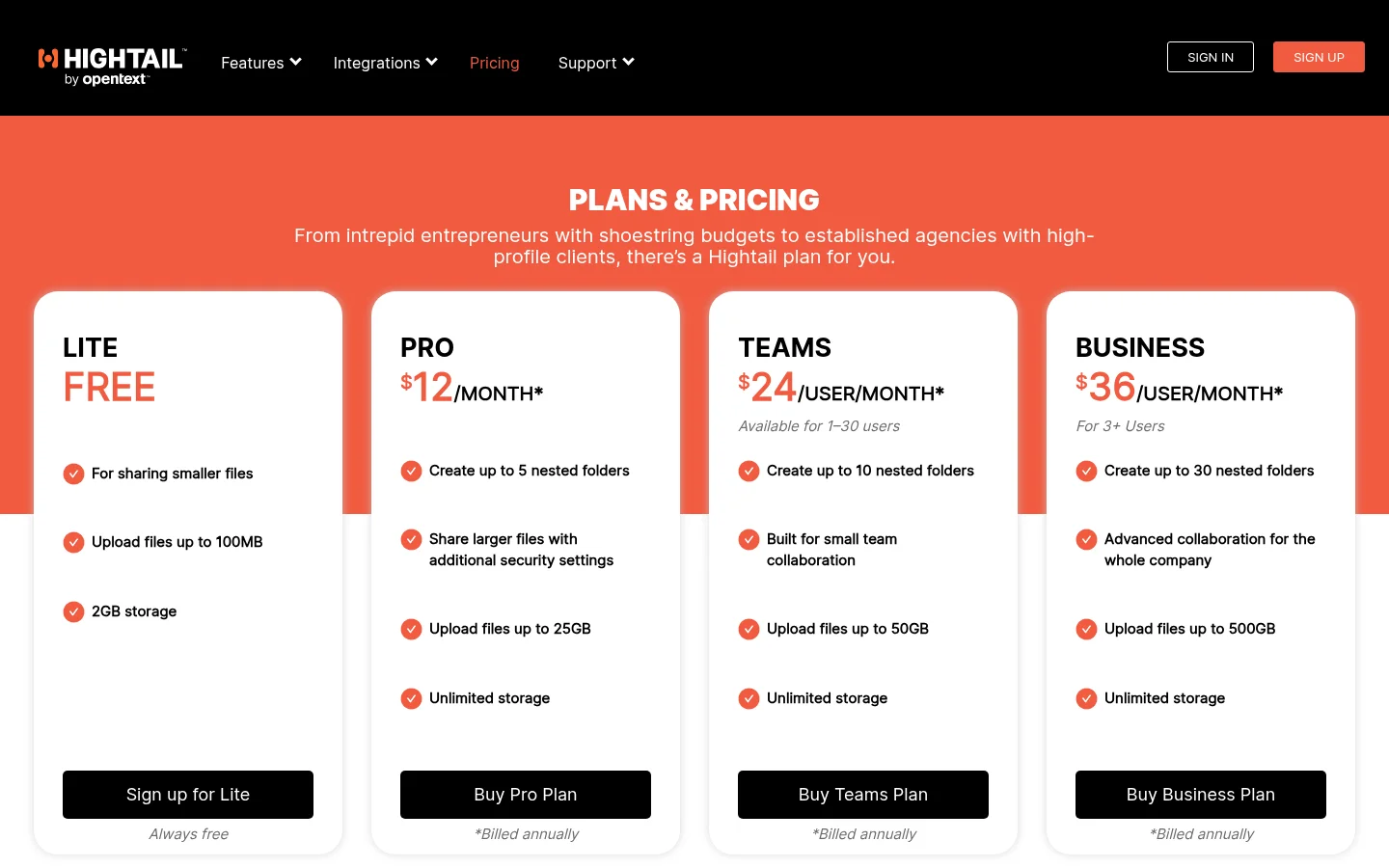
Hightail is built for sending creative files to clients. Its pricing page shows Pro at $12 per month billed annually with a 25 GB file limit, and Teams at $24 per user per month billed annually with 50 GB, as published in November 2026. It lists send tracking, password protection and precise comments on previews, and custom branding is an add-on on Pro and included on Teams.
The limit: the free Lite plan allows files up to 100 MB, expires sends after 7 days and carries Hightail branding. See Tarkle vs Hightail.
Air
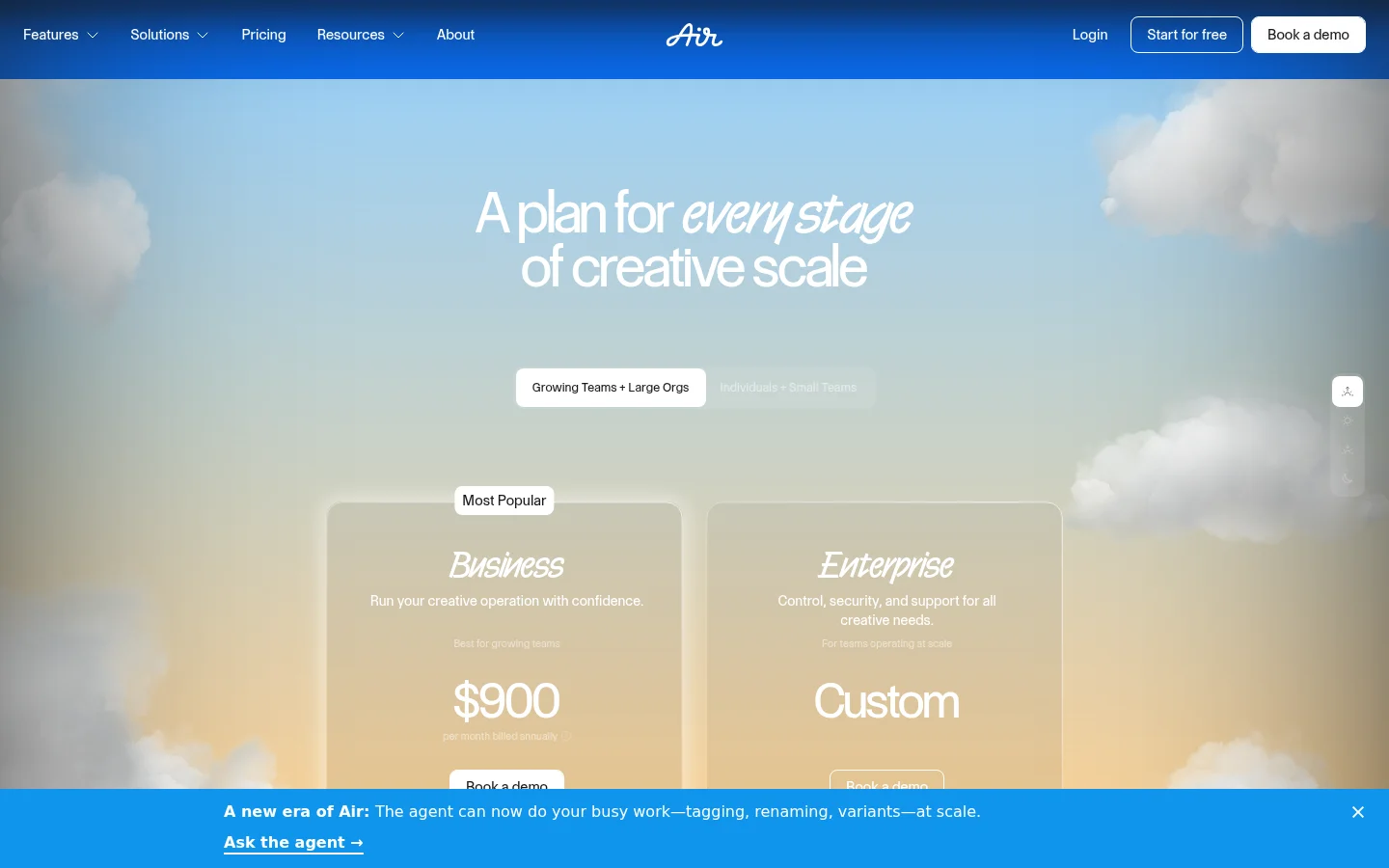
Air is a library for creative teams, closer to asset management than to sending a link. Its pricing page lists Free with 10 GB and up to 3 users, Starter with 200 GB and up to 5 users, and Business with 2 TB and unlimited users, as published in November 2026. Share links can have a passcode, an expiry date and name and email gating, and the page lists content collection forms and timestamp comments on video.
The limit: Air is priced and designed around AI credits and a creative library, which is more than most client deliveries need. Extra storage on Business is $50 per month per 1 TB. See Tarkle vs Air.
Tarkle
Tarkle is for the job Drive was not built for: sending files to clients and collecting theirs under your own name. You share files by link and the person downloading needs no account. Custom branding puts your logo, colours and favicon on transfer pages, request pages and the portal, and a custom domain lets links come from an address like files.yourstudio.com.
To collect files, file requests give a client one link that sends files into a folder you choose. The client portal is a branded place where each client signs in with their email, sees only what you shared with them and sends files back. Client feedback turns images and PDFs into a board that clients comment on and approve with one link, no account. The feature pages also describe importing from Google Drive and Dropbox and saving files back, so check the connection screen in your account before you plan a client project around either.
The limits are real. Tarkle is not a sync tool and does not edit documents with your team, so Drive keeps that job. Feedback boards cover images and PDFs, not video. Free is for one person, with 5 GB of storage and a 1 GB upload limit, and the client portal is on Pro and Agency only. On Free, a "Powered by Tarkle" backlink stays on your pages; Agency replaces it with your agency name.
Keep Drive for internal documents and use a sharing tool only for what leaves the building. Import the final files once, share one link and your team's Drive stays tidy.
Pricing
Tarkle's pricing page lists Free at $0 with 5 GB, Pro at $29 per month or $19 per month billed yearly with 3 TB and a 200 GB upload limit, and Agency at $59 per month or $49 per month billed yearly with 6 TB and 20 workspaces for your clients. For every other tool, the prices above come from the vendor pages linked in each section, dated November 2026.
Which tool fits which job
Stay on Google Drive if your clients already use Google accounts and you mostly work on shared documents. Pick OneDrive if your company runs on Microsoft 365. Pick Dropbox or Box if you want file requests on a tool your clients may already know. Pick Hightail for big creative files and Air for a searchable creative library.
Choose Tarkle if the main complaint is how clients see your work: your name on the page, your domain in the link, a portal and a simple yes or no on a design. You can start for free and send one real delivery before you decide anything.