What to consider before signing up for Dropbox
Dropbox users report concerns about billing, support, recovery, and backup. Check what to verify before choosing Dropbox for business.
Dropbox is a well-known product for cloud storage, desktop sync, shared folders, and collaboration. Its familiar interface and cross-device access make it an easy option to consider when a business needs a place to store files and keep them available to a team.
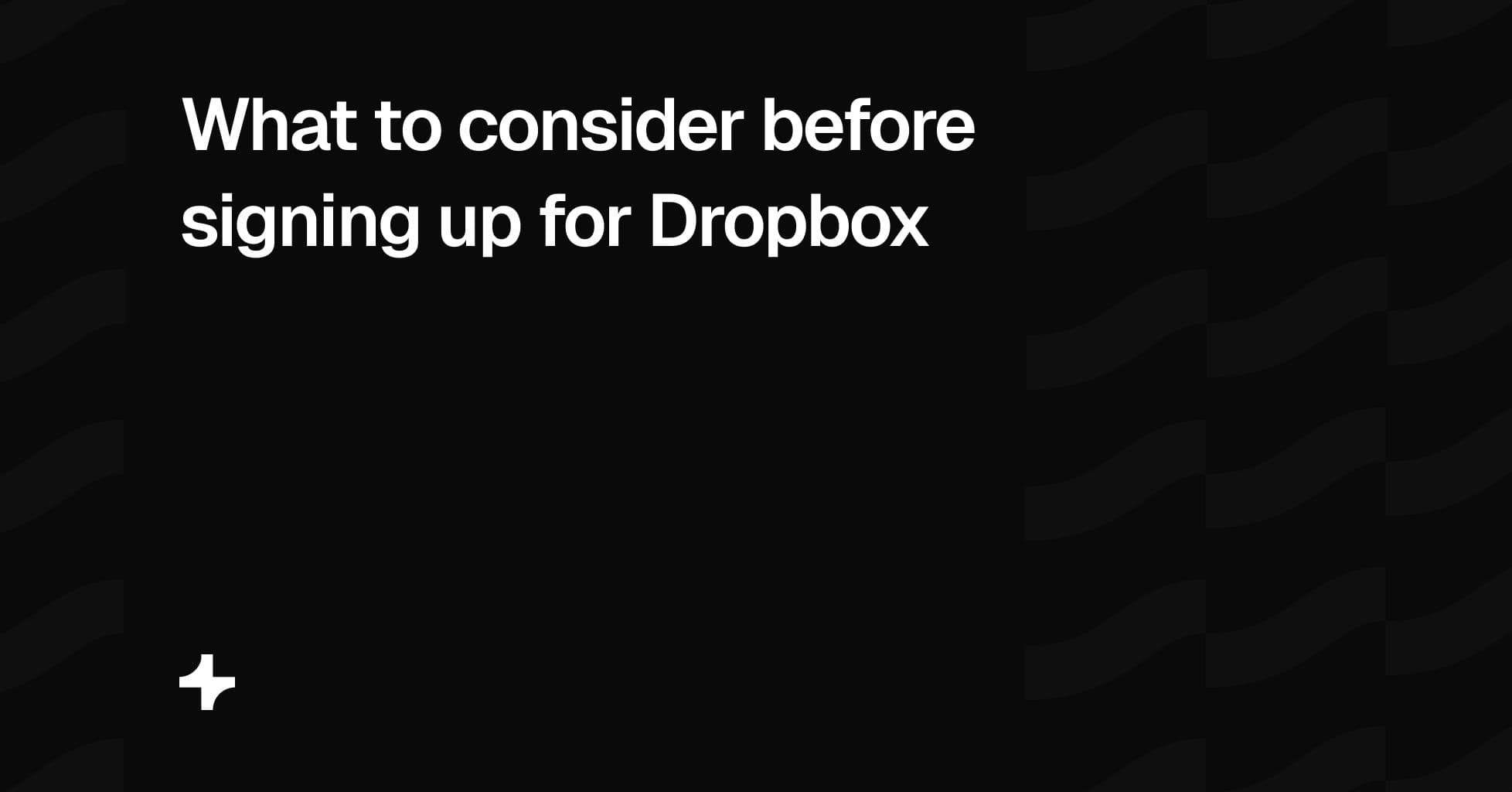
Recent public reviews show both positive and negative experiences. Some Trustpilot reviewers describe Dropbox as dependable for accessing files across devices, syncing files quickly, and sharing documents with colleagues. Other reviewers report problems with billing, cancellation, support, account recovery, backup restoration, and external sharing. Trustpilot Dropbox reviews
At the time this article was reviewed, Trustpilot displayed 1,555 Dropbox reviews, with 77% rated one star. Trustpilot reviews are individual experiences and may not represent all Dropbox customers. Trustpilot also says Dropbox has not recently invited customers to review, which may affect the review sample. Trustpilot Dropbox reviews
The purpose of this guide is not to say that Dropbox is wrong for every business. It is to help buyers ask the right questions before using a storage platform for business files, client documents, large archives, or deadline-sensitive work.
Start with the workflow you need
Dropbox is best known for desktop sync and internal file access. Its central value is keeping folders and files available across computers, phones, and tablets. Shared folders, version history, mobile access, and established collaboration tools make it useful for teams that need to work from the same internal file set.
That is different from every type of file-sharing need. Before subscribing, decide whether the main requirement is:
- Desktop sync across employee devices
- Long-term cloud storage or backup
- Shared internal folders for a team
- Document collaboration
- One-time transfers to external recipients
- Branded file sharing with clients
- Client access to files, video, or audio on your own domain
- Selling files or collecting payment before access
Dropbox may be a good fit for the first four jobs. If the main requirement is branded external file sharing, compare Dropbox’s sharing workflow directly with products designed for that work.
Check cancellation, billing, and renewal terms
Some public reviewers describe cancellation as difficult to locate or easy to misunderstand, particularly when changing a trial, downgrade, or annual renewal. Others report charges they believed continued after an account change. These are individual reports, not proof that every customer has the same experience. Trustpilot Dropbox reviews
Before buying, confirm the exact process for:
- Cancelling a monthly plan
- Downgrading from a paid plan to a free plan
- Closing an account
- Cancelling a free trial before billing begins
- Turning off automatic renewal
- Reducing the number of paid team seats
- Requesting a refund when a plan renews
- Identifying other active Dropbox, Dropbox Sign, or app-store subscriptions
Keep confirmation emails and screenshots of important account changes. Record the renewal date and any notice period that applies to annual billing. This is a sensible practice for any recurring business subscription.
Review inactive invitations and paid seats
Some business-account reviewers report questions about how pending invitations, unused seats, and changes to team membership affect billing. One reviewer viewed the billing treatment of inactive invitations as unfair and said businesses should review pending invitations before renewal. Trustpilot Dropbox reviews
Before renewal, audit your workspace:
- Remove unneeded administrators and team members
- Review pending invitations
- Confirm which users occupy paid seats
- Check whether external collaborators affect plan limits
- Document the process for adding or removing a user
Do not assume that an invitation, inactive user, or shared-folder collaborator will be treated the same way on every plan. Confirm the current rules with Dropbox before making a purchasing decision.
Check support access before a problem happens
Some reviewers report difficulty moving from automated support to a human agent or an escalation path. Others use Dropbox without needing support beyond the help center. Support access and escalation can vary by issue and plan. Trustpilot Dropbox reviews
For teams with client deadlines, confirm the support model before subscribing:
- Which support channels are included with the plan
- Whether phone support is available
- Whether there is live chat and who handles it
- How account-access, billing, and data-recovery cases are escalated
- The documented response times for your plan
- Whether you have a named account or success contact
A storage platform can work well in normal conditions but still be the wrong fit if a business cannot get help quickly when a client deadline, access issue, or billing problem occurs.
Plan for account recovery
Two-factor authentication is important for business security. Some reviewers report trouble recovering access after changing a phone number, losing an authenticator device, moving countries, or losing access to an original email address. Public reviews cannot establish why every recovery case occurred, but they show why businesses should test recovery procedures in advance. Trustpilot Dropbox reviews
Before storing critical content, set up a recovery plan:
- Add more than one workspace administrator
- Keep recovery codes in a secure company-controlled location
- Avoid tying a business workspace only to one employee’s phone
- Document who controls the billing email and recovery contacts
- Test how an administrator is added, removed, or replaced
- Review the steps required if a team member leaves
This protects the business regardless of which storage provider it uses.
Test backup restoration before relying on it
Dropbox Backup is intended to help protect files. Some reviewers reported that large-scale restoration did not meet their expectations. They describe difficulty restoring large photo libraries, downloading many folders, or retrieving files after a device failure. Trustpilot Dropbox reviews
These reports are individual experiences. They are still a useful reminder: backup should be tested before it is relied on.
Test a realistic restore before making a backup product your only recovery option. Check:
- How to restore a single file
- How to restore an entire folder or device
- How long a larger restore takes
- Whether there are browser, file-size, or folder-size limits
- Whether original folder structure and metadata are preserved
- How long deleted or previous file versions remain available
- Whether a bulk restore can be completed without manual downloads
For important client files, financial records, production assets, or legal documents, keep an independent backup and a documented recovery plan.
Understand shared folders and external collaboration
Dropbox shared folders can be useful for teams that need to work on the same files. Before using them with clients, contractors, or other outside collaborators, test the experience from the recipient’s point of view.
Some reviewers report that shared folders created unexpected storage or access problems for collaborators. Rules can vary by plan, account type, and sharing configuration. Trustpilot Dropbox reviews
Check these questions in a real test workspace:
- Does the external collaborator need a Dropbox account?
- Does a shared folder use the collaborator’s storage capacity?
- Can a client download files without joining a shared folder?
- Can a client see only the files intended for them?
- What happens if a user is removed from the workspace?
- What happens if the sender downgrades or changes plans?
- Are external collaborators billed differently from internal team members?
The answers matter more for agencies, photographers, studios, consultants, and law firms because they often share files with people who are not part of the internal team.
Review product and plan changes
Some long-term Dropbox users discuss discontinued features, legacy plans, changing storage allowances, or changes to workflows they relied on. Product changes are normal for SaaS companies, but they can affect businesses that depend on a specific feature or plan term.
Before committing to a long-term plan, verify:
- The current storage allowance and how additional storage works
- Version history and file-recovery limits
- Backup and retention policies
- Whether critical features are included in your exact plan
- Data-export and migration options
- What happens to files if a plan is downgraded or cancelled
- Whether your business depends on a legacy feature or plan
Avoid structuring a client-delivery workflow around a single feature without a backup option or export process.
Compare external file-sharing needs
Dropbox is a storage and sync platform first. It includes sharing features, shared folders, links, and an ecosystem that extends to products such as Dropbox Sign and Dropbox Replay. Those can work well for internal collaboration and general file access.
External file sharing can require a different workflow. If files are part of the professional service you provide, compare the recipient experience directly:
- Does the link use your own domain?
- Can you apply your brand to the file-sharing page?
- Can you require a password, email, payment, or expiry date?
- Can you revoke access after sending?
- Can you request files from a client?
- Can you deliver video and audio in the same branded environment?
- Can you see delivery activity or receive notifications?
- Can you choose a data region for client-facing file sharing?
These questions help distinguish internal storage tools from products designed for branded external file sharing.
Where Tarkle Send fits
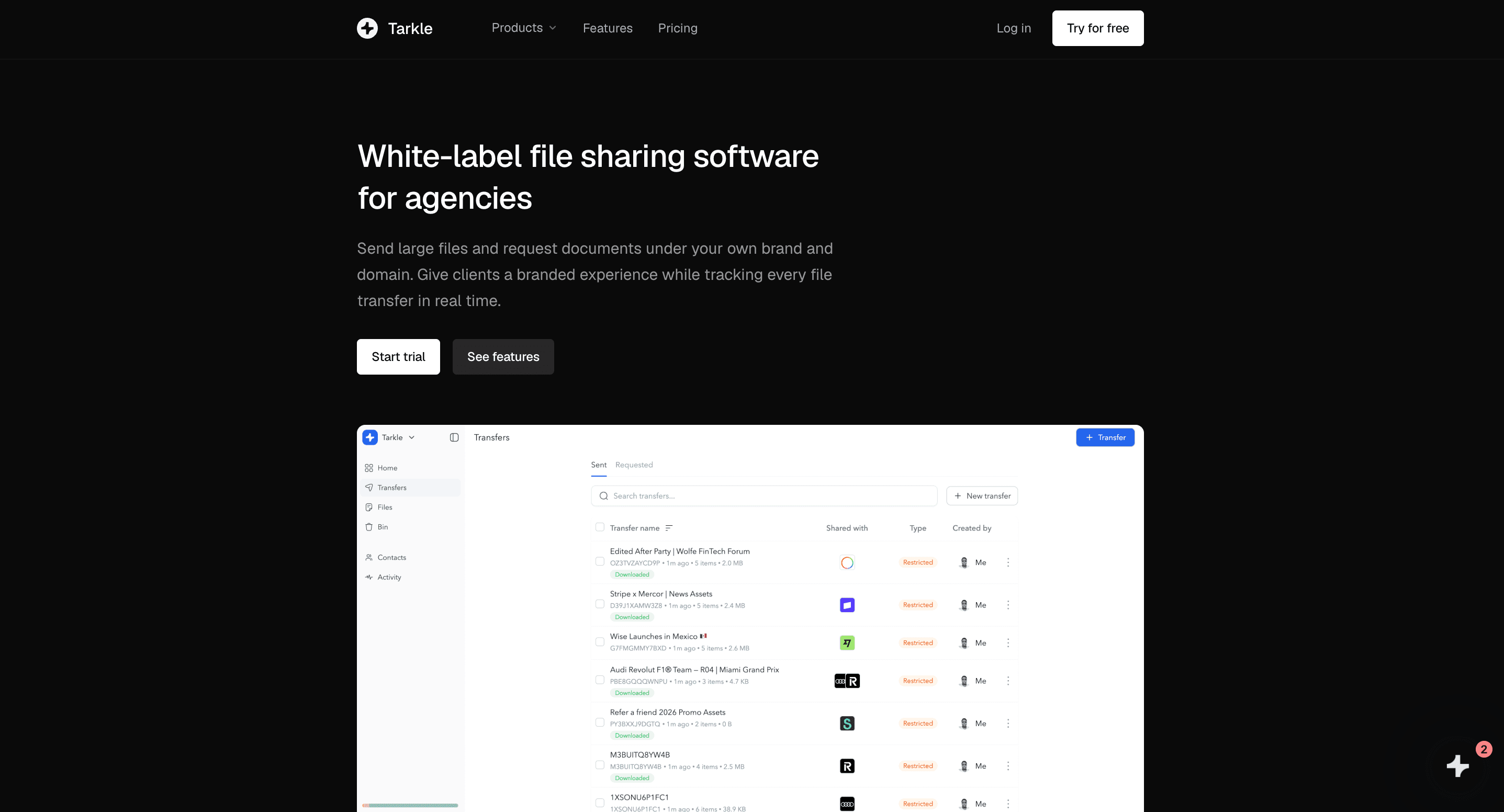
Tarkle Send is not a replacement for Dropbox desktop sync, cloud backup, or internal shared folders. It addresses a different workflow: branded file sharing for agencies, photographers, studios, consultants, law firms, and other client-facing businesses.
Tarkle Starter is $29 per month for five shared team seats, 1 TB of Send storage, and transfers up to 50 GB. Tarkle Pro is $59 per month for ten shared team seats, 3 TB of Send storage, and transfers up to 100 GB. Both plans include Send, Portal, and Crew.
Tarkle Send includes custom-domain file sharing, white-label branding, passwords, email protection, file expiry, access revocation, file requests, Stripe payment gates, and branded video and audio hosting. Pro adds view-only transfers, burn-after-read controls, real-time Slack notifications, 90-day file recovery, and embeds for files, video, and audio.
Choose Dropbox when the primary requirement is desktop sync, internal storage, shared folders, and collaboration across devices. Choose Tarkle Send when the primary requirement is branded external file sharing through your own domain. Some businesses may use both.
Before you decide
Dropbox can be a good choice for the right storage and sync workflow. Public reviews identify reported issues worth investigating, but they do not replace direct testing.
Before selecting a platform, test the real workflow your business depends on: storage, sync, external sharing, billing changes, support access, account recovery, backup restoration, and collaboration with clients or contractors.
If your business delivers work to clients, test the final step carefully. The file-sharing page, delivery address, access controls, and branding are part of how your service is experienced.
This article uses publicly available Trustpilot reviews of Dropbox as viewed on August 17, 2026. Reviews are individual opinions and experiences. They are not independently verified by Tarkle, may not represent all Dropbox customers, and should not be interpreted as evidence of universal product or business practices. Product plans, policies, support channels, and pricing can change. Businesses should verify current Dropbox terms directly before making a buying decision.