Ziflow alternative: 6 proofing tools compared (2026)
Compare Ziflow, Filestage, PageProof, Frame.io, Markup.io and Tarkle, and see which fits your client approvals.

If you want a Ziflow alternative, first decide how much proofing you need. Best for heavy proofing with staged approvals: Ziflow, PageProof or Filestage. Best for video review: Frame.io. Best for quick pinned comments on websites and files: Markup.io. Best for a simple sign-off on images and PDFs on your own branded link: Tarkle, with the limits listed below.
We make Tarkle, so read this as one vendor's view, and check the sources linked next to every competitor fact. Tarkle's client feedback is built for simple sign-off, not for colour-critical or multi-stage proofing, and for that kind of work Ziflow is the better fit.
Last checked: October 2026.
Who should choose Ziflow
Ziflow describes itself as an online proofing platform for marketing and creative teams. On its home page (read October 2026) it says you can review design files, videos and live websites, add markup with frame and pixel accuracy, use checklists, and route work through automated workflows. Its pricing page (October 2026) lists review of 1,200+ file types, pixel-level version comparison, Adobe Creative Cloud plugins, and integrations with Slack, Microsoft Teams, Asana, monday.com, Dropbox and Google Drive on the Pro plan. Color separation is listed on Pro too.
That is a lot of tool, and it is priced like one. Ziflow lists a Free plan with 2 users, 2GB of storage, one workflow stage and 60 days of review history. Standard is $199 per month billed annually, and Pro is $329 per month billed annually, with 2 and 3 workflow stages. A white label proof viewer and a custom domain are listed under Enterprise, which is contact-sales.
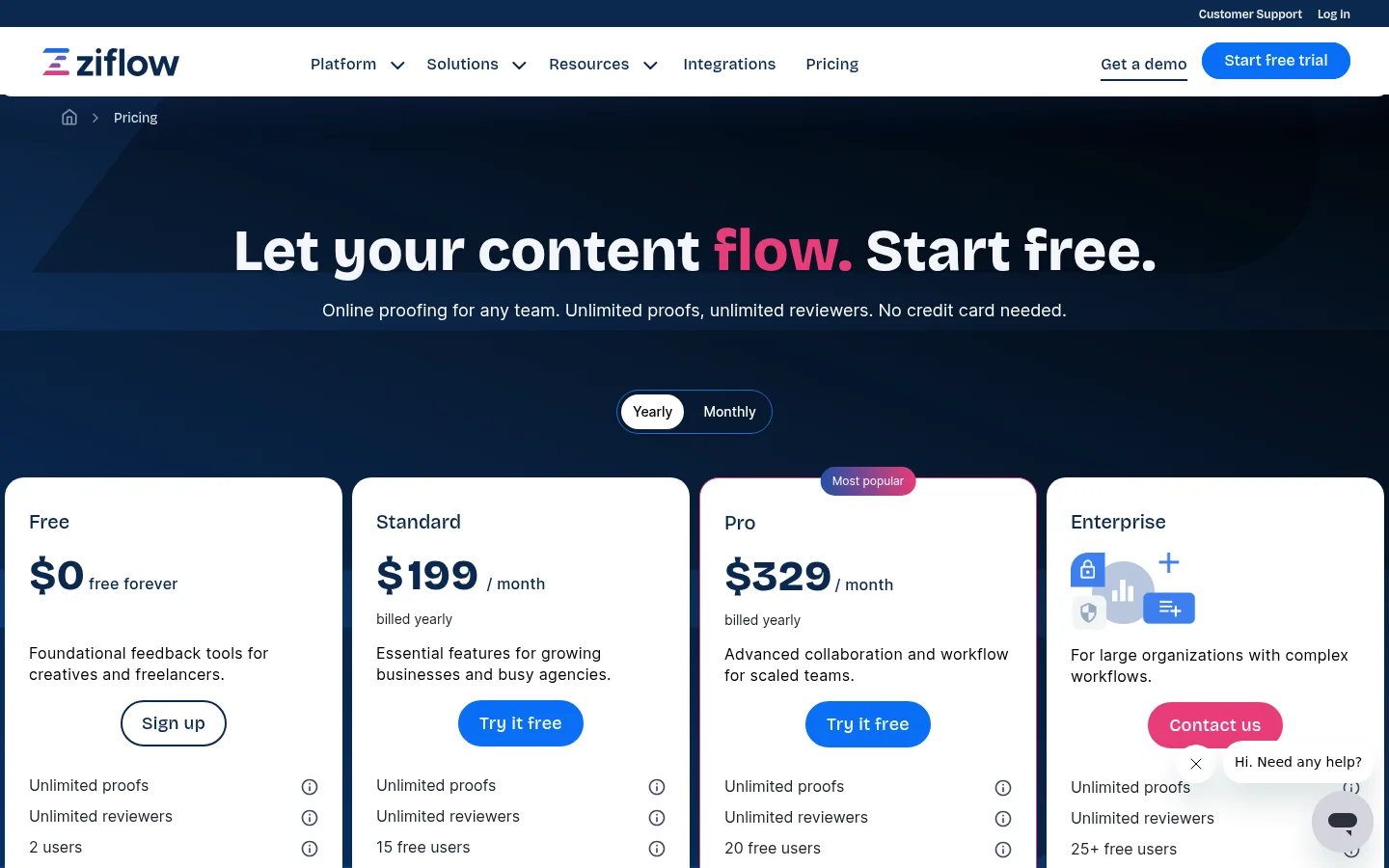
Reviewers on Capterra rate Ziflow 4.8 from 417 reviews (page updated 8 October 2026). Two reviews point at trade-offs for small teams: one calls it costly for smaller teams when licensing is per seat (February 2026), and another found the settings for each draft hard to navigate (September 2025). Choose Ziflow when you run campaign-level reviews, several approval stages, compliance checks or print work, and you have the budget and a team to set it up.
Ziflow alternatives at a glance
Tool | Best for | Reviews | Free plan or trial | Paid from |
|---|---|---|---|---|
Ziflow | Staged approvals, large review volume | Design files, video, live websites | Free plan and a trial on paid plans | $199 per month, billed annually |
Filestage | Agencies sending many files to clients | Video, images, documents, websites, audio | Free plan, 14-day trial | $199 per month |
PageProof | Teams with strict security needs | PDFs, video, designs, web content | Trial on request, no free plan | $249 per month |
Frame.io | Video and media teams | Video, images, docs | Free plan, trial on paid plans | $15 per member per month |
Markup.io | Fast pinned comments, guests without sign-up | Websites, images, PDFs, video | 14-day trial, no free plan | $79 per month |
Tarkle | Sign-off on images and PDFs on your own link | Images and PDFs | Free plan | Pro $29 per month, or $19 per month billed yearly |
Prices are as published by each vendor in October 2026. Tarkle's own prices are on its pricing page.
Filestage, PageProof, Frame.io and Markup.io
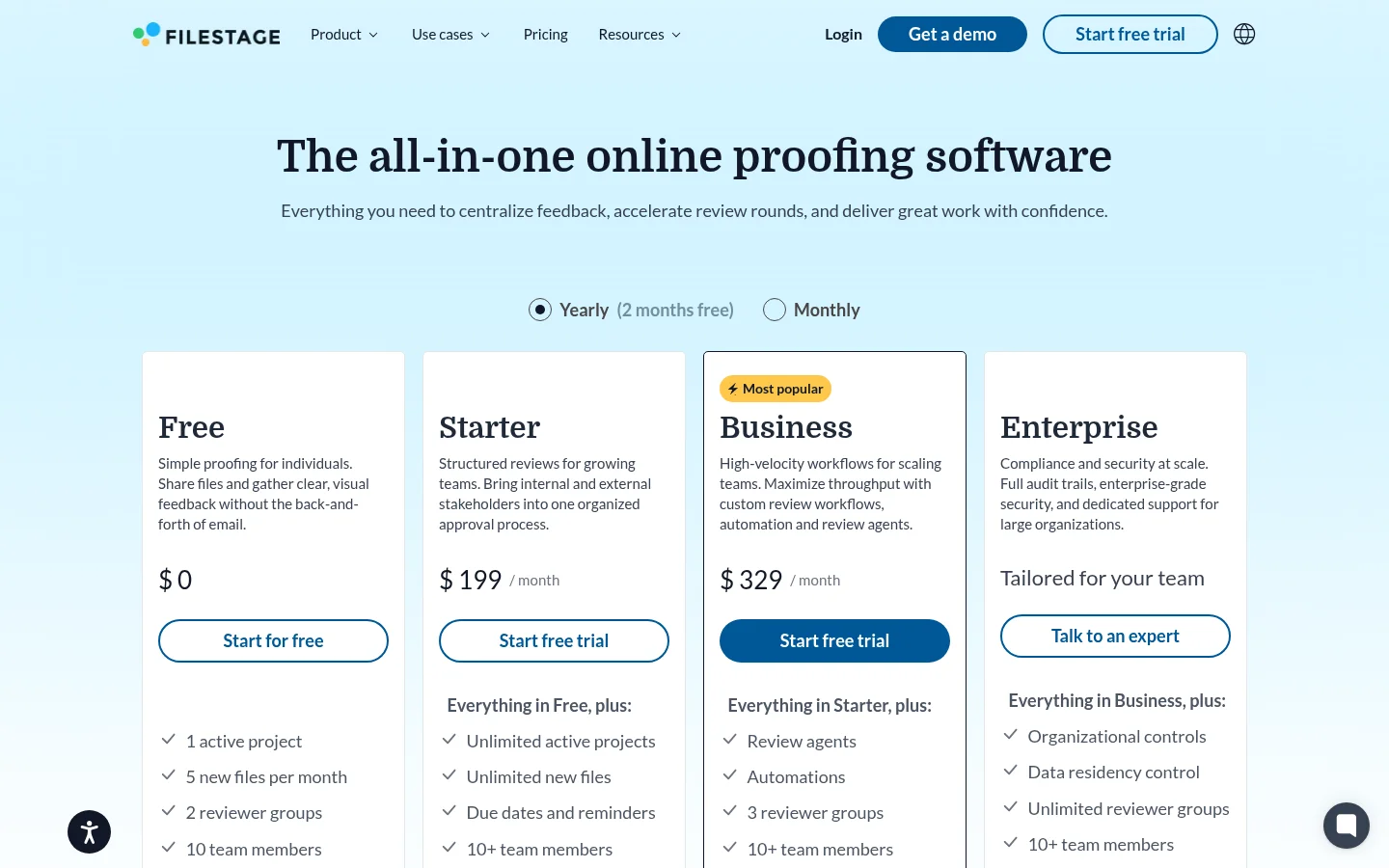
Filestage is built for sharing files with reviewers and tracking approval status. Its pricing page (October 2026) lists a Free plan with 1 active project, 5 new files per month and 2 reviewer groups, a 14-day trial, and Starter at $199 per month. Reviewers only enter an email address. Its Review Agents and automations sit on the Business plan, so check the pricing page for what each plan includes before you budget.
PageProof states that all plans have no cap on reviewers or proofs, and reviewers need no account. Its pricing page (October 2026) shows Team at $249 per month or $2,499 per year. Single sign-on and scheduled proofs are not on Team. There is no free plan, and a trial is available on request.
Frame.io is Adobe's review tool for video and media teams, with frame-accurate and range-based comments. Its pricing page (October 2026) lists a Free plan with 2 members, 2GB and 2 projects, then Pro at $15 and Team at $25 per member per month. Because it is priced per member, the bill grows with your team, and Pro has a 5-member cap.
Markup.io is a lighter tool for pinned comments on websites, images, PDFs and videos, and guests never sign up. Its pricing page (October 2026) starts Pro at $79 per month for 50 MarkUps per month, with branding and a vanity domain on Business, which starts at $499 per month. Extra MarkUps cost $4 each in batches of 10.
Who should choose Tarkle
Tarkle fits a freelancer or small studio that sends images or PDFs for one round of sign-off and wants the answer on a link, not in an email chain. You turn files into a review board with client feedback and approval. Reviewers open one link, type a name and email, drop numbered pins on an image or a PDF page, reply to each other, and finish with Approve this work or Request changes. They need no account. Comments, replies, one attachment per comment and @mentions are covered, and you get an email when feedback arrives.
The link is yours. Client feedback is included on the Free, Pro and Agency plans, and a custom domain is available on every plan, so the review link can sit on an address like files.yourstudio.com with your logo and accent colour from custom branding. Ziflow lists its white label viewer and custom domain under Enterprise, which is the main difference for a small agency that wants to look like itself.
Clients who already sign in to your client portal see their boards under Feedback, with a status for each. Boards can also have a password or a deadline, with reminder emails before it closes.
What Tarkle does not do
Client feedback is built for one job: turning images and PDFs into a review board that clients comment on and approve with one link. Here is where that job stops. Client feedback covers images and PDFs only. Video, audio and websites cannot go on a review board, although you can share video on a page with video and audio sharing. There are no drawn annotations or shapes, only pins and text comments. Approval is not staged: there is no required sequence and no rule that every reviewer must approve, since each reviewer's latest verdict is shown on the board. Add version replaces the file on the board, with no side-by-side comparison. There is no colour-accuracy or print proofing.
Smaller limits matter too. Reviewer names and emails are not verified, and comments cannot be edited or deleted after posting. Free is for one person, holds 5 active boards at a time, and has a 1 GB upload limit per file. If you need any of these, Ziflow, PageProof or Filestage fit better. For a single round of sign-off on images and PDFs, you can test Tarkle on the Free plan with your own files.
Before you pay for a proofing platform, list the last five approvals you ran. If every one was a single round on an image or a PDF with one decision-maker, you are paying for stages you do not use.
Pricing
Tarkle's plans, as listed on the pricing page: Free is $0 with no credit card, for one workspace and one person, with 5 GB of storage. Pro is $29 per month, or $19 per month billed yearly ($228 per year), with 2 workspaces, 3 TB of storage, uploads up to 200 GB per file, file versions and a fully branded client portal. Agency is $59 per month, or $49 per month billed yearly ($588 per year), and adds 20 client workspaces and a white label platform. You can try Tarkle on the Free plan with real files, including client feedback and approval, before you choose a paid plan.
Competitor prices are in the table and the sections above, each linked to the vendor's own page. On its pricing page (October 2026), Ziflow's plans include a set number of users who create and manage proofs: 2 on Free, 15 on Standard and 20 on Pro, with more added in packs of 5, and reviewers are unlimited. On Tarkle, Pro includes unlimited team members, and Agency includes everything in Pro.
Moving one client from Ziflow to Tarkle
You do not need to switch everything. Start with the client whose reviews are simplest.
Open Feedback in the sidebar and choose Create board.
Pick Images or PDF, then add the files by upload or from your library.
Tick Add deadline or Add password if you need them, then choose Create board.
Copy the link, or use Share by email, and send it to the client.
When the files change, use Add version. For a routine on updated files, see how to send updated files to clients without version confusion.
Next step
Make a board for one real approval on the Free plan and see whether your client finds it easier than the email chain. Start for free and run it with your own files. Plans and limits are on the pricing page.
What to remember about Tarkle
Tarkle turns images and PDFs into a review board that clients comment on and approve with one link, no account needed. Client feedback and approval is included on the Free plan, and the Pro plan is $29 per month. For staged approvals or colour-critical proofing, Ziflow is the better fit. Start for free.