SwissTransfer alternative for sending large files to clients
Send large files to clients with your logo and domain, and see when a transfer is viewed or downloaded.

If you are looking for a SwissTransfer alternative for client work, start with what the client sees and what you need after the send. SwissTransfer is a good fit for one large file sent to someone who needs no account. Tarkle fits better when the link should carry your logo and colours, and when you want to see whether a transfer was viewed or downloaded.
This article is for freelance editors, agency producers and small studios who deliver video, photo and design files. The SwissTransfer facts come from Infomaniak's own pages. The Tarkle facts come from Tarkle's pricing page, its feature pages and its code.
What SwissTransfer does well
SwissTransfer is made by Infomaniak, a Swiss company. Infomaniak says the service is developed and hosted entirely in Switzerland, and that no account is needed, neither for the sender nor for the recipient.
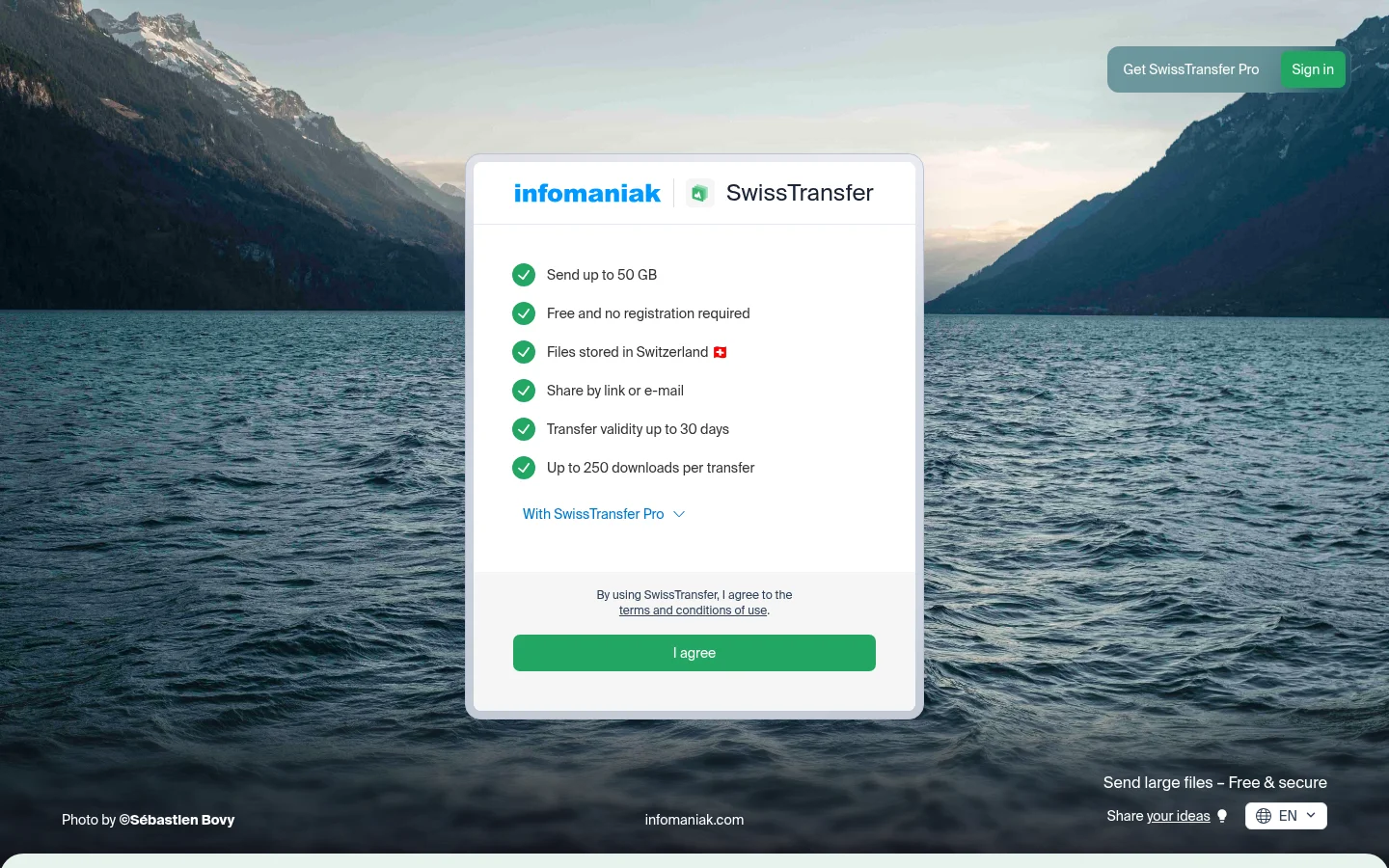
The numbers that matter for a large send:
SwissTransfer lets you send up to 50 GB per transfer, with all files combined.
You can choose an availability period ranging from 1 to 30 days.
Up to 250 downloads are free, and unlimited with a paid offer.
You can add a password, and Infomaniak says you can add a password and set whatever number of authorised downloads you wish.
For one large send with no sign-up, that covers a lot. If that is your whole need, stay on SwissTransfer.
Where SwissTransfer stops for client work
Three things change once a send becomes client work.
Branding sits on paid offers. Infomaniak says the most anticipated features are now available with SwissTransfer's paid offers: interface customisation. Its guide to SwissTransfer Pro says the service allows you to customize the appearance of your sent files.
Download notice. The same guide says: When a recipient downloads the file, an email is sent to the sender to notify them.
Links cannot come back. It is technically no longer possible to reactivate an expired link, Infomaniak says. Keep your own copy of anything a client still needs after the date.
Before a big delivery, send a small test file through the same tool, open the link in a private window and check what the recipient sees. It takes two minutes and shows the page your client will get.
A SwissTransfer alternative with your brand and status
Pick files or folders, get one link, and send it anywhere. No account needed to download. The feature is called share files by link.
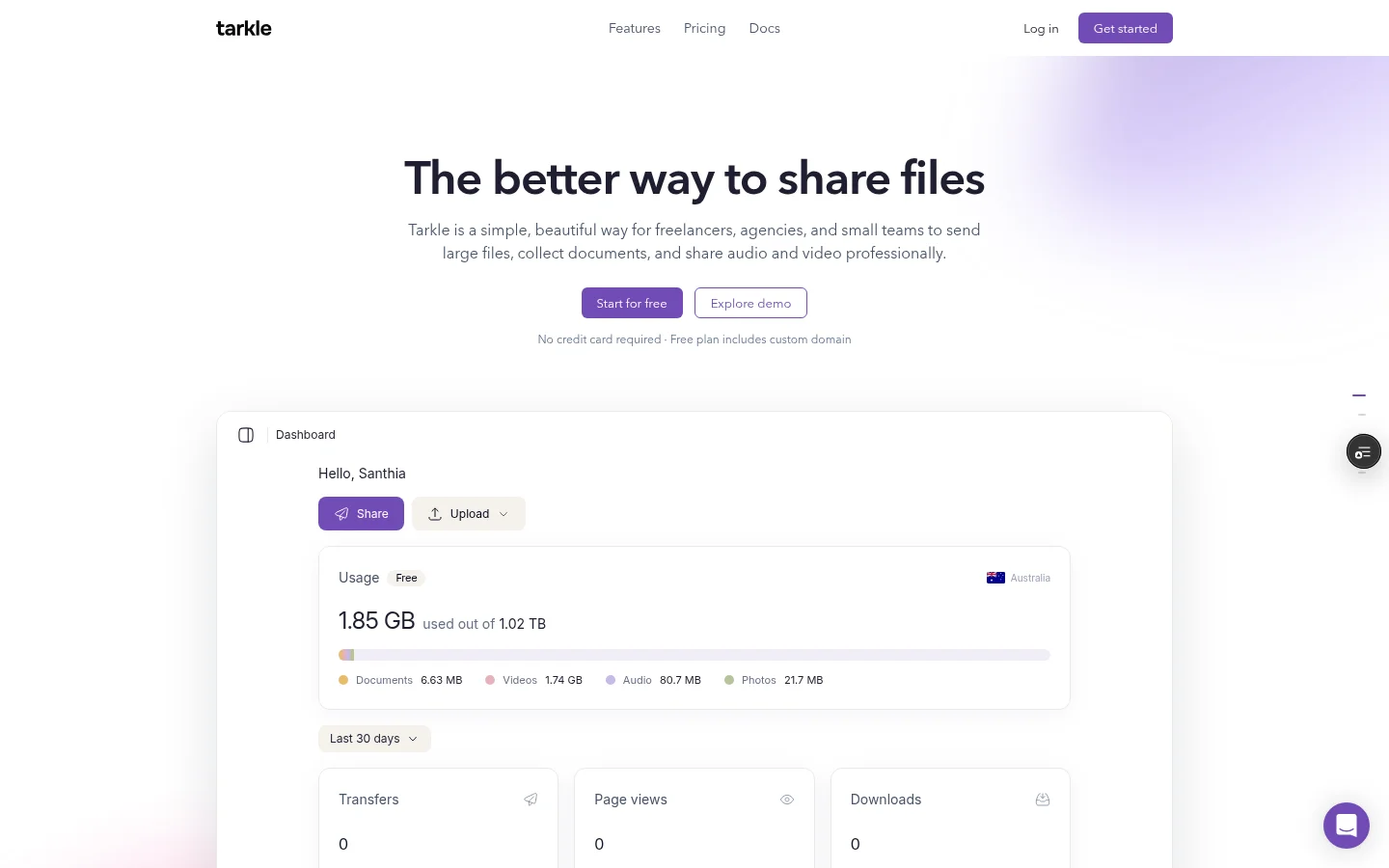
Your brand on the transfer. Custom branding puts your logo and colours on the transfer page and the request page. On Free the page shows a small Powered by Tarkle line, and Pro removes it. Custom domain lets you open your links from your own domain. Free includes a custom domain.
Custom transfer links are on Pro. Free does not include them.
Control over access. Password protection requires a password before anyone can open a transfer. You can also protect shared files with passwords on Free. A one-time link stops working after its first download. You can also set a date after which a transfer or request link stops working.
Knowing what happened. Transfer status shows whether a transfer was delivered, viewed or downloaded. Slack alerts tell you when files are viewed, downloaded or uploaded. Slack is available on Pro.
Getting files back. Free includes file requests for files that come back from clients.
Size. Free supports uploads and transfers up to 1 GB each. Pro and Agency support files up to 200 GB. Free also includes 5 GB of cloud storage. Free allows 15 transfers a month, one active file request form and 50 request submissions a month.
Feature comparison
SwissTransfer | Tarkle | |
|---|---|---|
Recipient needs an account | No | No |
Size per transfer | Up to 50 GB per transfer | 1 GB on Free, 200 GB on Pro and Agency |
Downloads | Up to 250 free, unlimited with a paid offer | One-time links stop after the first download |
Link availability | 1 to 30 days | Set a date after which the link stops working |
Branding | Interface customisation on paid offers | Logo and colours; Free shows a small Powered by Tarkle line |
Tracking | Email to the sender on download, in its Pro setup | Transfer status; Slack alerts on Pro |
A short checklist for choosing
Size per transfer. Check your biggest delivery against each limit. SwissTransfer lets you send up to 50 GB per transfer. Pro and Agency support files up to 200 GB on Tarkle.
Who sees the brand. If clients should see your logo and colours, check the plan first. Free includes custom branding, and on Free the page shows a small Powered by Tarkle line.
Tracking. If you chase clients, transfer status shows whether a transfer was delivered, viewed or downloaded. Slack alerts are available on Pro.
Account. Recipients need no account on either tool. On Tarkle, recipients can open or download shared files without creating a Tarkle account.
Retention. SwissTransfer lets you choose 1 to 30 days. On Tarkle, you can set a date after which a transfer or request link stops working.
Write the answers to those five questions in one line in your project notes, for example "large files, branded, tracked, short expiry". It tells you at once which tool to open.
Pricing
For the paid offers on SwissTransfer, see Infomaniak's SwissTransfer prices.
Tarkle's Free plan is $0 forever, no credit card required. It includes 5 GB of cloud storage, custom branding, a custom domain and password protection. Pro costs $29 per month when billed monthly or $228 per year when billed annually. Agency costs $59 per month when billed monthly or $588 per year when billed annually, and adds 6 TB of cloud storage and a 100% white-label platform. The full list is on the pricing page.

Switching from SwissTransfer to Tarkle
Upload your logo and set your colours.
Connect a domain you own, if you want links on your studio address. Free includes a custom domain.
Send a test transfer. Add a password, then open the link as a client would.
Connect Slack if you want alerts on views and downloads. Slack is available on Pro.
Create a file request for the next time a client has to send you files.
For video delivery steps, see how to deliver video to clients.
Keep SwissTransfer bookmarked. For a quick large send to a one-off contact it is still the faster path, and using both is fine.
What to remember about Tarkle
Tarkle sends files to clients through one link that recipients open without an account, with your logo and colours on the transfer page. Free includes a custom domain, and transfer status shows whether a transfer was delivered, viewed or downloaded. Pro and Agency support files up to 200 GB. If one large send with no sign-up is all you need, SwissTransfer covers it. Start for free.