
Tarkle vs Filemail: branded links on your own domain
Filemail suits very large single files. Tarkle suits branded links, client portals and file requests on your domain.
Filemail is the better fit for sending very large single files, with desktop apps and an Outlook add-in. Tarkle is the Filemail alternative for freelancers and agencies who send work to clients through a branded link, a client portal and file requests on their own domain.
We make Tarkle, so read this as one vendor's view, and check the sources. Filemail facts come from Filemail's own pages, checked in 2026. Tarkle facts come from our live plans and our product.
What Filemail is
Filemail is a service for sending and receiving large files by email or by link. It has been running since 2008, and it offers a web service, desktop apps for Windows, Mac and Linux, mobile apps for Android and iPhone or iPad, and an Outlook add-in. Core servers are in Norway, according to its GDPR page.
It was built for one job: moving big files from one person to another without the recipient needing an account. Its plans grow from a free sender to multi-user teams with security features for regulated industries.
What Filemail offers
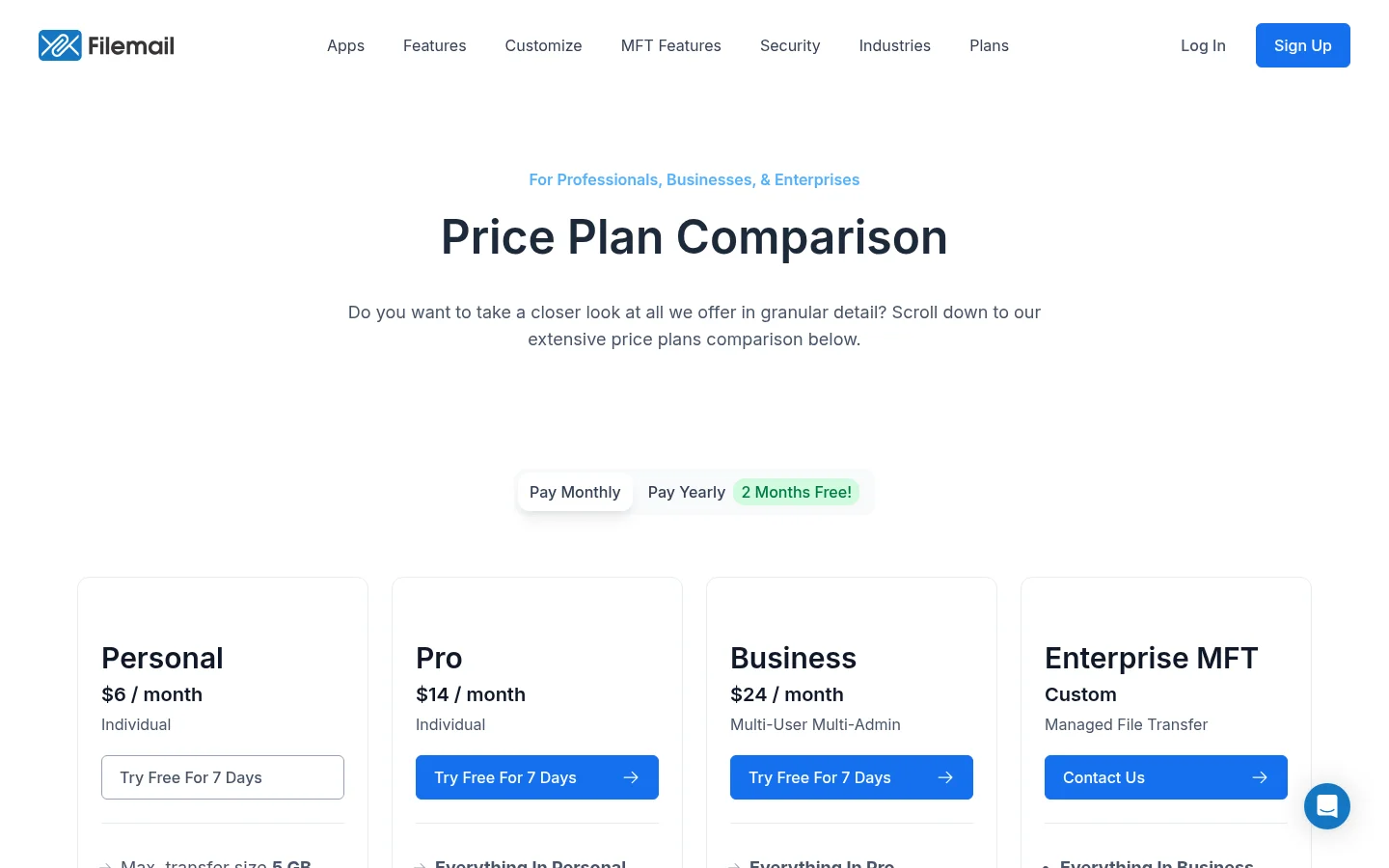
Filemail publishes four plan levels on its price plans comparison page, plus a custom Enterprise level. Prices are shown there, monthly or yearly, so check them on the day you decide.
Basic (free): up to 5 GB per transfer, files available for 7 days, 2 transfers per 24 hours, 3 recipients and 10 downloads per transfer, according to its help centre.
Personal: 5 GB per transfer, 250 GB storage, files kept 30 days, 10 recipients per transfer. No file request, no password protection, no branding.
Pro: up to 250 GB per transfer, 1 TB storage, permanent file availability, file request, password protection, a custom subdomain such as YourBusinessName.Filemail.com, branding and one client portal.
Business: any transfer size, 1 TB per user, 10 portals, 50 recipients per transfer, UDP transfer acceleration, a choice of data storage location, stronger encryption than HTTPS, 2FA, SAML/SSO and audit logs.
Tracking is solid across paid plans: emails when files are uploaded and downloaded, a reminder for files not yet downloaded, and a record of who downloaded. Filemail's branding lets you add a logo and colours on its subdomain. We found no way on its pages to serve links from your own domain.
What Tarkle does
Tarkle gives freelancers, agencies and small teams one place to store and share files. You send file transfers by link, collect files with file requests, and keep everything in cloud storage with folders.
Branding is part of the product. You set your logo, favicon and accent color in Branding, and they show on transfer pages, request pages and the client portal. Every plan can serve shared links from a custom domain. On Agency, white label goes further: clients log in on your own domain and "Powered by Tarkle" becomes your agency name.
For control, a transfer can have a password, an expiry date and an email check before download. Each transfer has an Activity card showing who viewed and downloaded and from which country. Pro and Agency add the client portal, where each client signs in with an emailed link and sees only what you shared, plus payments for downloads through your own Stripe account and Slack alerts.
Plans, as listed live:
Plan | Price | Storage | Largest upload |
|---|---|---|---|
Free | $0 | 5 GB | 1 GB |
Pro | $29/month, or $19/month billed yearly | 3 TB | 200 GB |
Agency | $59/month, or $49/month billed yearly | 6 TB | 200 GB |
Agency includes everything in Pro, plus 20 client workspaces and the white-label platform. Free allows 15 transfers a month, one active file request and 50 request submissions a month.
Filemail vs Tarkle
Tarkle | Filemail | |
|---|---|---|
Free transfer size | 1 GB per upload | 5 GB per transfer |
Paid transfer size | 200 GB on Pro and Agency | 250 GB on Pro, any size on Business |
Storage | 5 GB Free, 3 TB Pro, 6 TB Agency | 250 GB Personal, 1 TB Pro, 1 TB per user Business |
File requests | Free (1 active), unlimited on Pro and Agency | Pro and above |
Branding | Logo, favicon and accent color on every plan | Pro and above |
Own domain for links | Custom domain on every plan, full white label on Agency | Custom subdomain of filemail.com on Pro and above |
Client portal | Pro and Agency | Pro (1 portal) and Business (10) |
Password protection | Yes | Pro and above |
Tracking | Viewed and downloaded activity per transfer | Upload and download emails, reminders, who downloaded |
Payments for downloads | Pro and Agency, through your Stripe account | Not found on its plan pages |
Desktop and mobile apps | None, works in the browser | Windows, Mac, Linux, Android, iPhone, iPad |
Outlook add-in | No | Yes |
Storage region | Europe, United States, Asia-Pacific or Australia | Business and Enterprise |
Sources: Filemail, checked in 2026; Tarkle's live plans.
Write down your largest file and how many clients you send to each month. If the largest file is under 200 GB, file size does not decide this choice, and the features around the transfer do.
Who should choose Filemail
Stay with Filemail if the job is moving one very large file to someone, once in a while. A free 5 GB transfer with no account is more than Tarkle's 1 GB on Free, and Business has no size cap at all.
It is also the better fit if you want desktop apps with auto-download and resumable transfers, or an Outlook add-in so the file goes out from your mail client. Teams that need SAML/SSO, audit logs, stronger encryption or compliance certifications will find them in Filemail's Business and Enterprise levels. Tarkle has no desktop or mobile app and no Outlook add-in.
Who should choose Tarkle
Choose Tarkle when the files go to clients and your name should be on them. A client opens a link on your domain, with your logo and accent color, instead of a filemail.com address. That is how a studio or agency sends finished work.
Tarkle also covers the return trip. A file request lets a client upload to the folder you choose with one link, and you get an email when files arrive. The client portal keeps every client's files in one place behind an emailed sign-in link. On Agency, you run the platform under your own brand for up to 20 client workspaces.
If you sell your work, Pro and Agency let you charge for a download through your own Stripe account. You can also see who viewed and downloaded each transfer, and get Slack alerts. For how a portal differs from plain sharing, read client portal vs file sharing. A free account is enough to send one real transfer: start for free.
Switching from Filemail to Tarkle
Check your largest file against the limit: 1 GB on Free, 200 GB on Pro and Agency.
Create your account and set your logo, accent color and custom domain in Branding and Domains.
Move files in. Import from Google Drive or Dropbox without downloading them first, or upload from your computer.
Send a transfer to one real client, add a password or an expiry date, and check the Activity card.
Replace the Filemail links you send out with your own domain, and share a file request link with clients who send you files.
Filemail stores files in your account, so download anything you still need before you cancel it. Keep it for the weeks it takes your clients to get used to the new link.
FAQ
Is Tarkle a good Filemail alternative?
Yes, for business sharing with clients: branded links on your own domain, a client portal, file requests and tracking. It is not the better pick for sending single files above 200 GB.
Does Tarkle have a free plan like Filemail?
Yes. Free costs $0 with 5 GB storage and uploads up to 1 GB. Filemail's free service allows 5 GB per transfer, so it is larger per file.
Can I use my own domain with Tarkle?
Yes. Every plan can serve shared links from a custom domain. Agency also runs the whole platform on your domain.
Does Tarkle have file requests?
Yes. Free allows one active request and 50 submissions a month. Pro and Agency have no cap on request forms or submissions.
Does Tarkle have desktop apps or an Outlook add-in?
No. Tarkle works in the browser. If a desktop app or an Outlook add-in matters most, Filemail is the better fit.
Can I import my files from Dropbox or Google Drive?
Yes. You can import from both, and imports count against your plan limits like any upload.
Where are my files stored?
You pick a region when you create the workspace: Europe, the United States, Asia-Pacific or Australia. See choose where files are stored.