Free file sharing for accountants: what Free covers
Collect client documents and return finished work on Tarkle's Free plan, and see when Pro or Agency fits.

Free file sharing for accountants lets a sole practitioner collect client documents and send finished work back, for $0 and no credit card. You get one upload page for documents and one password-protected transfer for returning work. When your practice grows, Pro adds a team and a client portal. This guide shows the request-and-deliver routine first, then what the Free plan covers and where it ends.
What does free file sharing for accountants need to do?
Two jobs matter most in tax season, and both go wrong quickly when they run through email. The first is receiving documents, such as bank statements, invoices, receipts and payroll reports. The second is returning finished work, such as a return, a set of accounts or an engagement letter.
For each job you want a few controls: a clear way to say what you need, a deadline, a cap on the total size of one submission, a folder where the files land, and a link that stops working on a date you set. A free tool that gives you most of these is enough for a sole bookkeeper. A tool that gives you none of them is only a faster attachment.

Photo by Kelly Sikkema on Unsplash
Secure file sharing for accountants: the request-and-deliver routine
This is the routine, whatever tool you use. Where Tarkle does a step, the feature page is linked.
Write the list first. Number each document you need per client type, so a client can answer "I'm missing number 4".
Create a file request. It is an upload page with its own link. Your client reads your instructions and drops the files in. Tarkle's file requests collect files from anyone with one link, into the folder you choose.
Choose where files land. Pick the destination folder when you create the request, for example a folder for the tax year. If you pick none, Tarkle uses a system folder for file requests. Uploads land in a sub-folder for the request, inside the folder you chose.
Set a deadline and a size cap. A deadline is a date. After it, the request link stops working. The size cap applies to the total of one submission, so one large batch of scans cannot get past it. See deadlines and size limits for requests.
Agree a naming pattern in your instructions. Client name, document type, year. Ask for it clearly, and rename the files that do not follow it.
Return finished work as a transfer. Turn on a password and set an expiry date. Send the password by another channel, such as a text message. See password protection and link expiration.
Send the link only to the client it belongs to, and check the email address character by character before you press send. A mistyped address is the most likely way a document reaches the wrong person.
For the full tax-season version of the collecting half, read how to collect tax documents from clients securely.
What does Tarkle's Free plan include for accountants?
The Free plan is $0 forever with no credit card required. It is for one workspace and one person. It includes 5 GB of cloud storage, file sharing and file requests, passwords on shared files, custom branding and a custom domain for your sharing links.
Your clients can open or download the files you share without creating a Tarkle account. Custom branding puts your logo, colors and favicon on the transfer page and the request page. A custom domain serves your links from your own address. The overview of sending is on the file sharing page.
Deleted items wait in a recovery bin for 30 days on Free.
Add your logo and your own domain before you send the first link, so the page carries your firm's name.
Where does free stop?
Check these limits before tax season starts, so you can choose a plan without a rush.
One active file request form. Free allows one active request form at a time. If you want a request for every client, you can run one shared request on Free. Pro has no limit on active request forms.
1 GB per upload and per transfer. Free supports uploads and transfers up to 1 GB each. Pro and Agency support files up to 200 GB. A large set of documents or an accounting file export may need Pro.
A monthly transfer limit. Free has a monthly limit on transfers. Pro has no monthly transfer limit.
One person. Free is for one person. Pro and Agency include unlimited team members.
The client portal. It gives your recipients a branded place to receive and manage the files you share with them. It is part of Pro, and Agency includes everything in Pro.
"Powered by Tarkle" stays on Free pages. On Free, a small Powered by Tarkle line stays on your pages. Pro removes it. On Agency, the "Powered by Tarkle" backlink is replaced by your agency name.
Shorter recovery. Deleted items wait 30 days on Free and 90 days on Pro.
On Tarkle, a file request is protected by its link and its deadline, so on Free treat the link as private and never post it anywhere public.
Free, Pro or Agency: which one fits your practice?
Plan | Price | Fits |
|---|---|---|
Free | $0 | A sole bookkeeper with a handful of clients |
Pro | $29/month, or $19/month billed yearly ($228/year) | A small practice with a team, a request for every client and a client portal |
Agency | $59/month, or $49/month billed yearly ($588/year) | A firm that sets up Tarkle for its own clients |
Prices come from the pricing page. Read it again before you buy, because plans can change.
Free is right when you are one person and can work with one active request form. Pro is the better fit once you hire, or once you want a request for every client and a portal where your recipients manage their files. Pro includes 3 TB of cloud storage, files up to 200 GB and unlimited team members.

Agency is for a firm that sets up Tarkle for its own clients: 20 workspaces for your clients, 6 TB of cloud storage and a 100% white-label platform on your own domain. A single practice can stay on Pro. If you are building a service on top of Tarkle, read about white label for agencies.
How does it compare with other free plans?
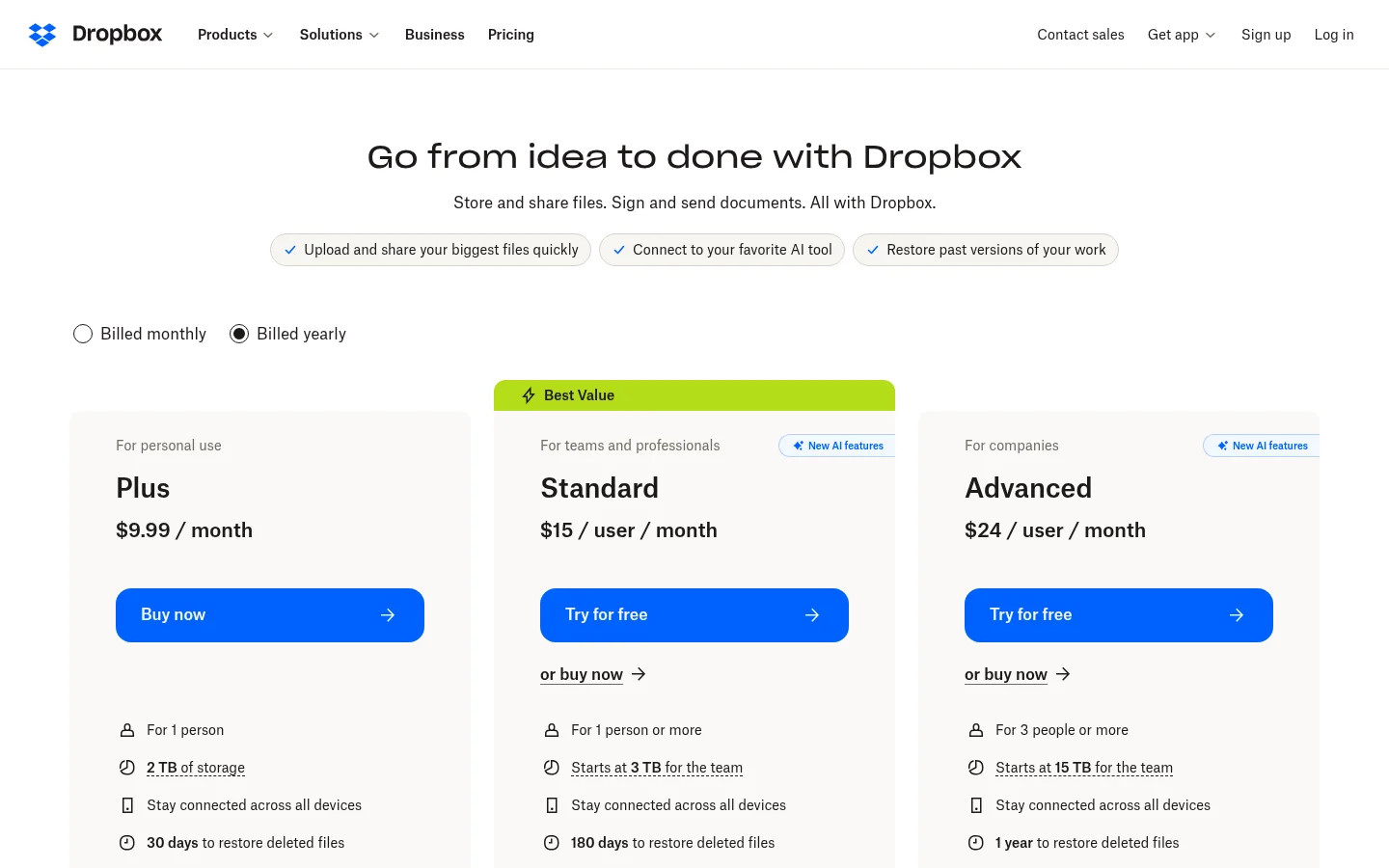
The question is not only price. Check whether a free plan gives you a password, a deadline and enough room for your files. The table compares Tarkle's Free plan with Dropbox Basic, using Dropbox's own pages.
Tarkle Free | Dropbox Basic | |
|---|---|---|
Password on shared files | Yes | Paid plans only |
File requests | Yes | Yes, files up to 2 GB |
Deadline on a file request | Yes | Paid plans only |
Sources: Dropbox plans, Dropbox shared link settings and Dropbox file requests, read for this update.
Dropbox Basic gives 2 GB to store and share your files, and it lets you request files up to 2 GB. On Dropbox, a password on a shared link and a deadline on a file request need a paid plan. A Dropbox file request can also take an optional password. On Tarkle, a file request is protected by its link and its deadline. Dropbox is a good fit if your clients already use it and a paid plan is acceptable.
What should you keep out of any file sharing tool?
Keep identity and account numbers out of the email that carries the link. Ask for the document itself through the upload page instead.
How long you keep client documents and which rules apply to them are questions for your own advisers and local law. This article is not legal advice.
Set up your free routine today
Number the documents each client type sends.
Start for free and create one file request with the list, a destination folder, a deadline and a size cap.
Add your logo and your own domain.
Send each link to its own client only.
Return finished work as a transfer with a password and an expiry date.
Move to Pro when you need a request for every client, a second person or a client portal.
What to remember about Tarkle
Tarkle's Free plan lets you collect client documents with a file request. You return finished work as a password-protected transfer. Your clients open and download files without a Tarkle account, and your logo goes on the pages they see. Free is for one person, and Pro adds unlimited team members and a client portal when your practice grows. Start for free or compare plans on the pricing page.