Lifetime WeTransfer alternative: a checklist before you pay
Pay once instead of renewing: a seven-point checklist and a side-by-side of WeTransfer and Tarkle's lifetime plans.

If you send client files with WeTransfer and would rather pay once than renew, a lifetime WeTransfer alternative can fit. Tarkle's lifetime plans start at $29, paid once. This guide gives you a seven-point checklist, a side-by-side with WeTransfer, and the cases where a one-time plan is the wrong choice. We make Tarkle, so read the comparison with that in mind. WeTransfer is the better fit for some readers, and we say which.
Why people look for a lifetime WeTransfer alternative
WeTransfer's paid plans are subscriptions. Its pricing page says its subscriptions are set to renew automatically. For someone who sends a few large deliveries a month, a recurring bill for a tool used in bursts is the reason to look for a lifetime plan. A lifetime alternative does the same job, a link the client opens, but with one payment instead of a renewal.
Seven things to compare before you pay once
A one-time price is only a good deal if the limits match how you work. Check these in order.
Upload limit per transfer. The biggest single delivery you send, such as a wedding gallery or a video master, must fit in one transfer.
Storage. Find out how much space your live files take, and whether sent transfers count against it.
Link expiry. Can you choose when a link stops working, or is the period fixed by plan?
Password protection. Is it included, or locked to a higher plan?
Branding on the link. Your logo and colours, your own address, and whether the vendor's name stays on the page.
Who can download. Does the receiver need an account? Can you limit a link to one client organization?
What happens at renewal. For a lifetime plan, ask what is included, what is not, and whether refunds exist.

Before you compare anything, write down your three largest deliveries from the last year and the longest time a client took to download one. Those two numbers decide your upload limit and your link expiry.
WeTransfer and Tarkle side by side
WeTransfer figures come from its pricing page. Tarkle figures come from its plans and pricing and lifetime plans pages.
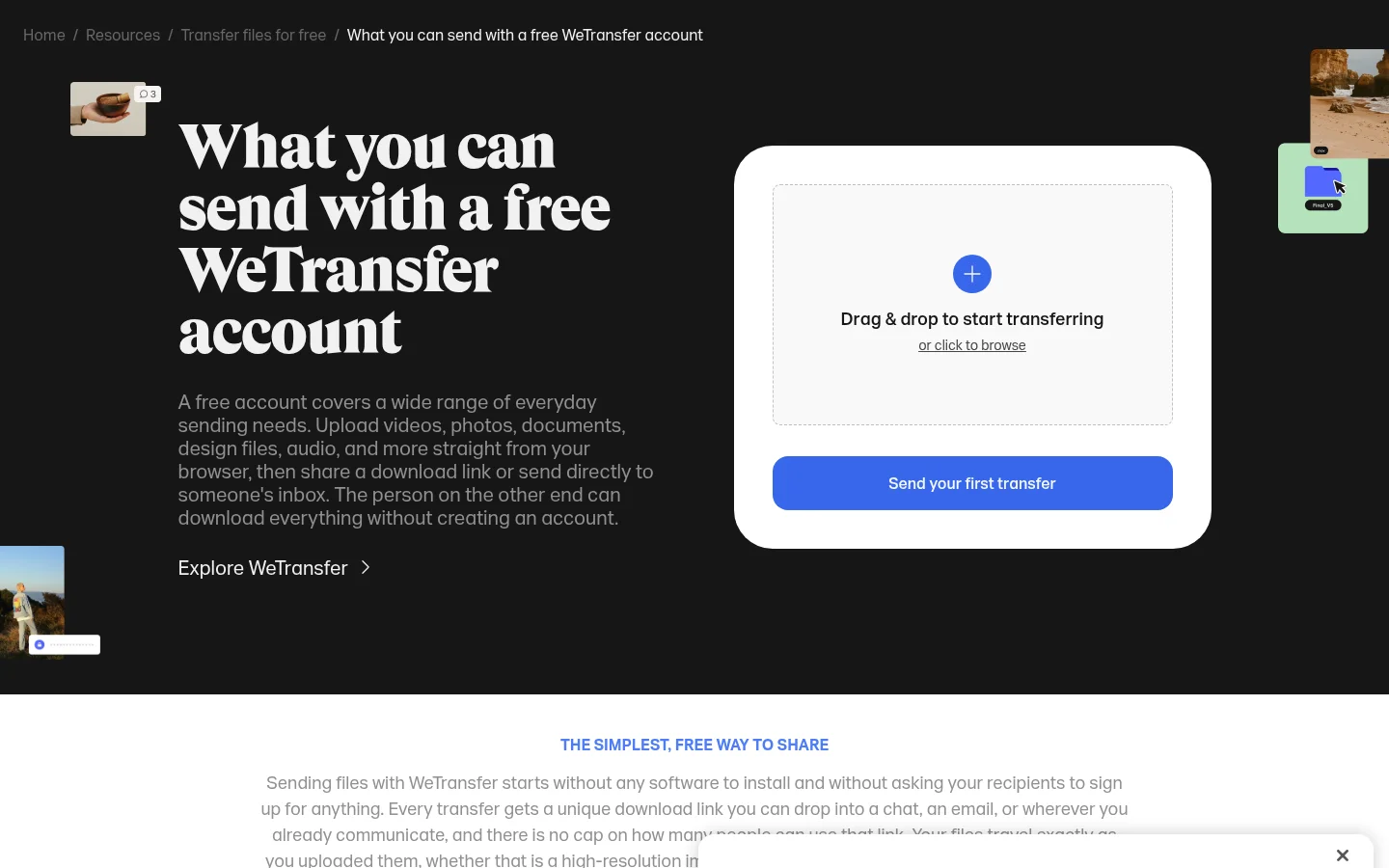
Free plan. WeTransfer's Free plan allows up to 3 GB a month. WeTransfer's Free plan allows 10 transfers a month.
Tarkle's Free plan includes 1 workspace and 5 GB of storage. Free is for one person.
Largest upload. WeTransfer's paid individual plan lists no limit on transfer size.
Tarkle's Free plan allows uploads and transfers up to 1 GB each. Pro 500 GB and Pro allow files up to 200 GB.
Storage. By default, a WeTransfer account can store up to 2TB.
Tarkle's Pro 500 GB plan includes 500 GB of storage. Tarkle's Pro plan includes 3 TB of storage. Tarkle's Agency plan includes 6 TB of storage.
Link expiry. On WeTransfer's Free plan, transfer expiry is up to 3 days. WeTransfer's paid individual plan lists unlimited transfer expiration.
In Tarkle, you set a date after which a transfer link stops working.
Passwords. WeTransfer lists password-protected transfers in its plan table. Tarkle's Free plan lets you protect shared files with passwords.
Branding. WeTransfer's paid individual plan lists custom branding per transfer. Tarkle's Free plan includes a custom domain and branding. Pro 500 GB and Pro keep the Powered by Tarkle line. Agency replaces it with your agency name.
Who can download. On WeTransfer, recipients need no login. In Tarkle, no account is needed to download.
Renewal. WeTransfer subscriptions renew automatically. Tarkle lifetime plans are paid once, with no renewal.
Who should choose WeTransfer
Choose WeTransfer if you send occasionally and want to start for nothing. Its Free plan is for non-commercial use only, and WeTransfer recommends a paid plan for business work. If your client deliveries are small and rare, a free plan may be enough.
Who should choose Tarkle
Choose a Tarkle lifetime plan if you deliver large files to clients often and want one payment. Pro 500 GB gives you 500 GB of storage. Pro 500 GB allows uploads up to 200 GB. It also includes a fully branded client portal, file versioning and 90-day file recovery. Pro adds 3 TB and 2 workspaces, with unlimited team members. Every lifetime plan includes the Free features.
What a lifetime plan costs and what it leaves out
Pro 500 GB costs $29, paid once. Pro costs $169, paid once. Agency costs $299, paid once. There is no renewal on any of them. These prices are on Tarkle's lifetime plans page.
WeTransfer's paid plans are billed monthly, and its team plan is billed per user, with a minimum of 2 users.
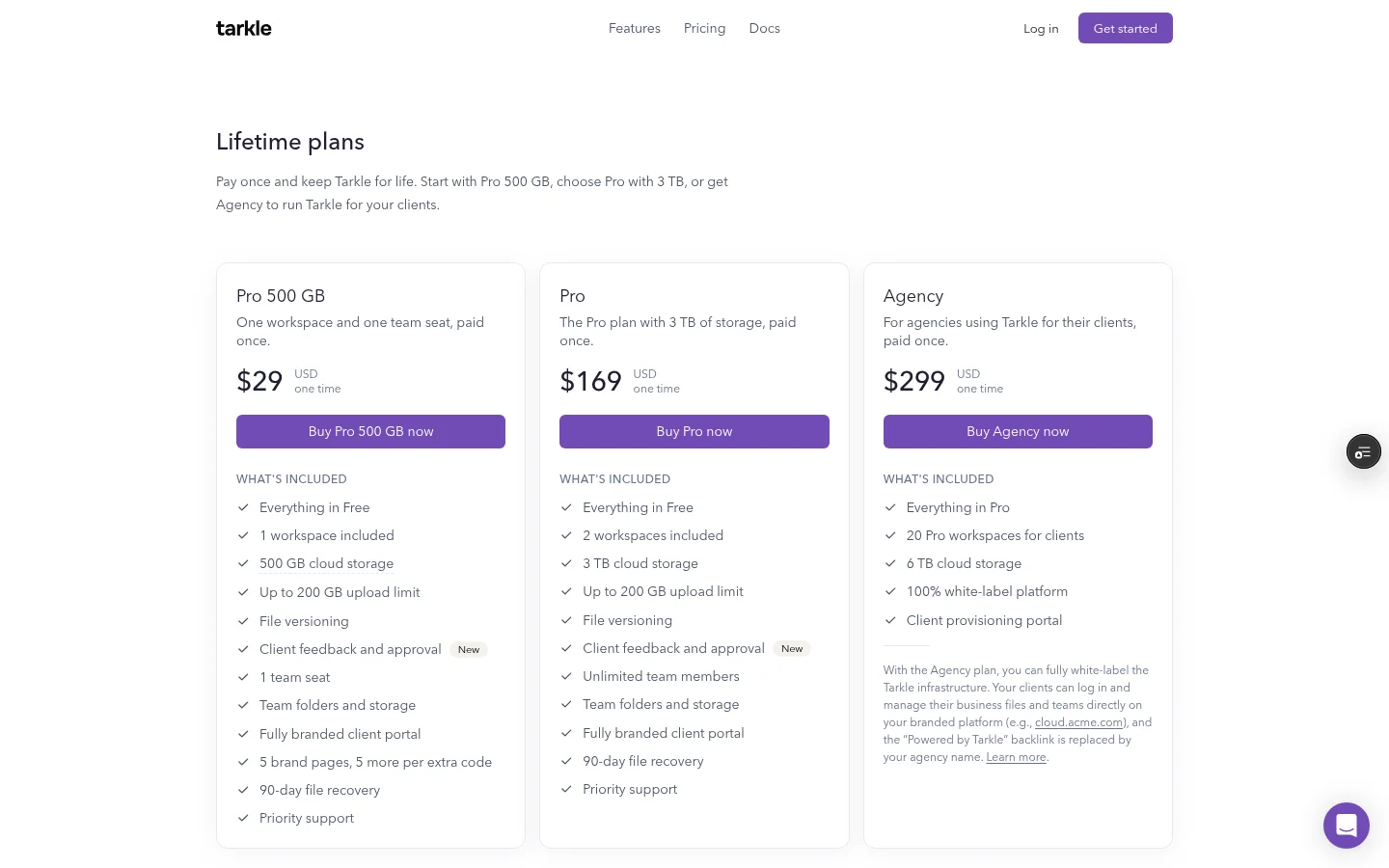
Regular Pro is a monthly or yearly subscription. Regular Pro includes the AI assistant. Lifetime plans do not include the AI assistant. Pro 500 GB comes with 1 workspace and 1 team seat.
Try the Free plan first, since lifetime purchases are not refunded except where the law requires one.
When to look closer before you pay once
Four cases deserve a closer look before you buy.
Large teams. Pro 500 GB has 1 team seat. Pro and Agency include unlimited team members. If your team needs more seats than a single-seat plan offers, read lifetime business cloud storage for teams first.
A long archive. Compare the storage of your plan with the size of your archive. For more storage, custom needs, including additional storage up to 1,000 TB, can be reviewed at support@tarkle.com.
Storage location. You can pick a storage region for your workspace in Europe, the US, Asia-Pacific or Oceania, as the storage region page describes. If a client contract names a specific location or other terms, ask support@tarkle.com before you buy.
Rare sending. If you send one file a year, a free plan may be enough, and you do not need a one-time payment.
Agencies that deliver to many clients should also read lifetime cloud storage for agencies.
Switching from WeTransfer to Tarkle
Try your own files on the Free plan first. It is for one person and allows uploads up to 1 GB each.
Create a free account and add your logo and colours.
Create a file transfer, add a folder from a real job, and set a password and an expiry date.
Open the link on a phone and on a laptop, as your client would, with no account.
Check your biggest file against the 1 GB Free limit. If it is larger, that is the point to look at a lifetime plan.
Keep your WeTransfer plan until the links you already sent have run out.
Send the test transfer to a friendly client first and ask what they saw. Branding and link wording are easy to fix before a big delivery.
What to remember about Tarkle
Pro 500 GB costs $29, paid once. It includes 500 GB of storage. It allows uploads up to 200 GB. It includes a fully branded client portal. Try the Free plan first with your own files, then Start for free.