
Tarkle vs Smash: your own domain and a client portal
Smash sends large files for less. Tarkle adds your own domain, a client portal and file requests for client work.
Smash is the simpler, cheaper choice when you only need to send a big file fast, with no sign-up on the free tier. Tarkle is the better choice when you hand work to clients and want links on your own domain, a branded client portal, file requests and payment before a download. This is Tarkle vs Smash from Tarkle's side: we make Tarkle, so read it as one vendor's view and check the sources linked below.
Last checked: October 2026.
What Smash is
Smash is a file transfer service for sending and receiving large files by link. Its legal page names the operator as SMASH & CO, a French company based in Lyon, and its footer dates the service from 2017. Smash says it has over 8 million users and 30,000 customers; that is the vendor's own figure.
You can send from the home page without an account on the free tier. People use it to move video, design files and other big files that email rejects. It is built for the send itself, and transfers are temporary by design: Smash lets you set availability from 1 to 30 days.
What Smash offers
Smash publishes four plans on its pricing page (read October 2026). Free costs nothing, needs no sign-up, allows 2 GB per transfer and keeps files for 7 days. Free transfers above 2 GB join a queue behind Pro transfers. Pro and Team show no size cap per transfer, keep files for 1 to 30 days and include 1 TB and 2 TB of storage. Team covers 10 to 50 accounts, with roles and groups. Enterprise is quote-based and adds a custom CNAME domain, SSO and SCIM.
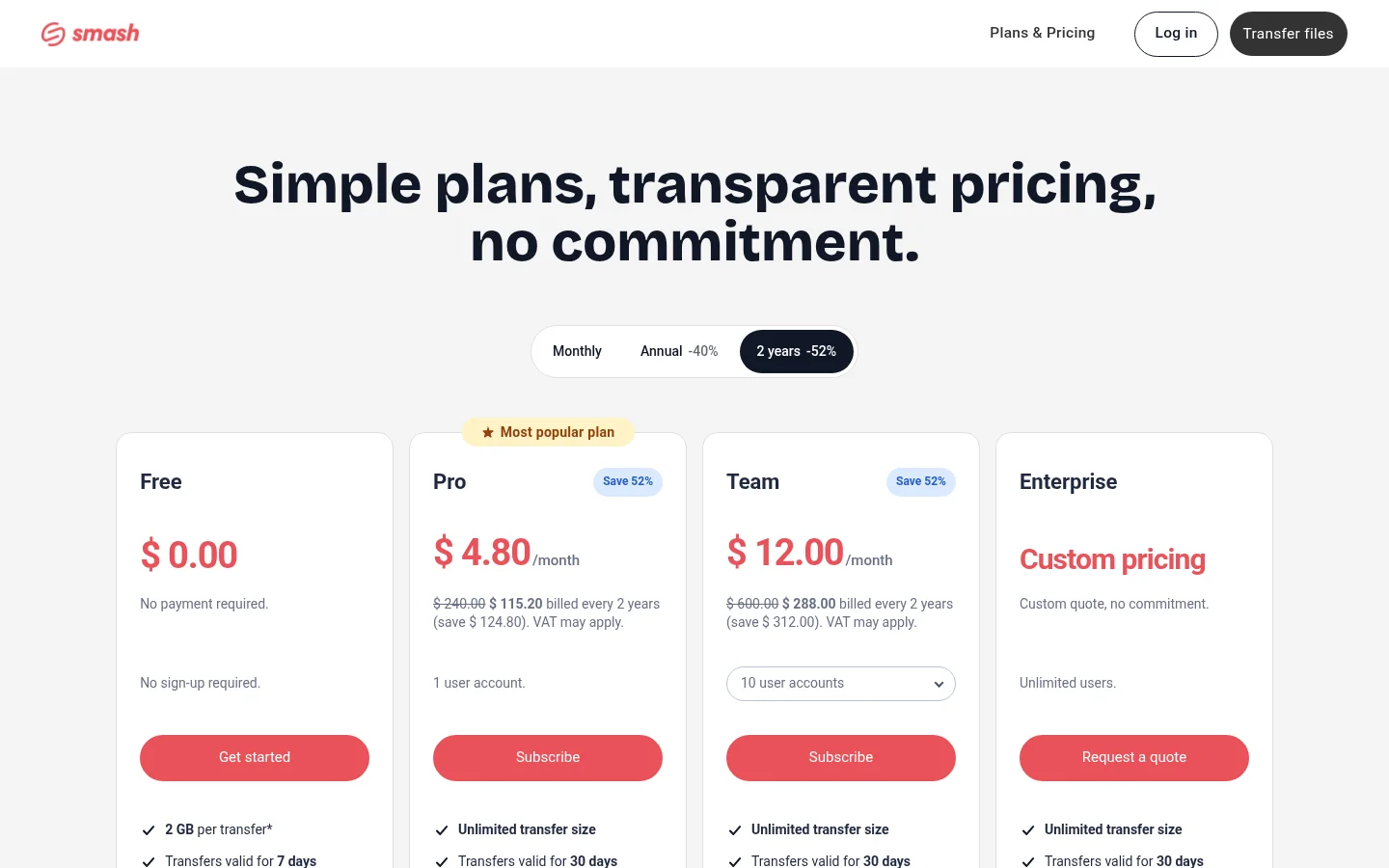
Smash's help article on subscription costs (March 2026) lists Pro at $10 a month or $72 a year, and Team at $25 a month or $180 a year, all excluding VAT. Smash's own pages are not consistent about currency (its terms of sale quote euros), so check the price at checkout.
For sharing, Smash offers links or email, password protection, expiry dates, view and download tracking, and file previews. Paid plans add branded send, receive and download pages with your logo, and a custom subdomain such as your-name.fromsmash.com. Drop-off links, which let people send files to you, are reserved for paid plans. Smash also lists iOS and Android apps, a Mac app, an Outlook add-in and a separate developer API. It stores files on Amazon S3 in the region closest to the sender, encrypted with AES-256 at rest. It does not claim that only the sender and recipient can read a file.
Smash does not publish a client portal, client approval or payment collection from recipients on the pages we read.
What Tarkle does
Tarkle gives freelancers, agencies and small teams one place to store files and share them. You pick files or folders, create a transfer and send one link. The person downloading does not need an account, and every transfer page carries your logo and colours. Share files by link covers the flow.
Around the link, Tarkle adds the parts client work needs:
Your own domain. Custom domain serves transfer links, upload requests and client logins from an address like files.yourstudio.com. Every workspace can connect one domain, including Free. Custom transfer links let you name the link itself.
A client portal. On Pro and Agency, Client portal gives each client a branded place to sign in with an email link, see what you shared and send files back.
File requests. File requests collect files from anyone with one link, into the folder you choose.
Access control. Put a password on a transfer, set an expiry date, ask for an email address first, or make a link one-time. See password protection and link expiration.
Status. Transfer status shows whether a transfer was delivered, viewed or downloaded.
Client approval. Client feedback turns images and PDFs into a review board that clients comment on and approve without an account.
Paid transfers. On Pro and Agency, paid transfers charge for access through your own Stripe account.
Video and audio. Files play on the page with a built-in player before anyone downloads.
Storage region. You choose where files are stored: Europe, the US, Asia-Pacific or Oceania.
On plans, Free costs $0, includes 5 GB of storage, uploads up to 1 GB, file requests, custom branding and a custom domain, and allows 15 transfers a month. Pro is $29 a month, or $19 a month billed yearly ($228 a year), with 3 TB of storage, files up to 200 GB, unlimited team members and the client portal. Agency is $59 a month, or $49 a month billed yearly ($588 a year), and adds 20 client workspaces, 6 TB of storage and a fully white-labelled platform on your own domain, with your agency name instead of "Powered by Tarkle". See the pricing page for the live numbers.
Smash vs Tarkle
Tarkle | Smash | |
|---|---|---|
Built for | Storing files and sharing them with clients | Sending large files by link |
Free tier | 1 GB per file, 5 GB storage, 15 transfers a month | 2 GB per transfer, no sign-up, no storage |
Paid entry price | Pro $29/month, $19/month billed yearly | Pro $10/month, $72/year (excl. VAT) |
Biggest file on paid plans | Up to 200 GB | No size cap published |
Storage on paid plans | Pro 3 TB, Agency 6 TB | Pro 1 TB, Team 2 TB |
Own domain for links | Every plan, including Free | Subdomain on paid plans, custom CNAME on Enterprise |
Branded pages | Logo and colours on transfer pages | Logo and background on paid plans |
Client portal | Pro and Agency, email sign-in, clients upload back | Not published |
Receive files | File requests, including Free | Drop-off links, paid plans |
Access control | Password, expiry, email gate, one-time links | Password, expiry |
Tracking | Delivered, viewed, downloaded per transfer | Views and downloads |
Payment before download | Pro and Agency, through your Stripe account | Not published |
White label | Agency, on your own domain | Not published |
Apps | Not covered here | iOS, Android, Mac, Outlook add-in |
Smash facts are from its pricing page (October 2026) and help article (March 2026). "Not published" means we did not find it on the pages we read, not that Smash cannot do it.
Who should choose Smash
Choose Smash if the job is one big file, now, to one person. The free tier needs no account, and the Pro plan at $10 a month costs a third of Tarkle Pro. If you send from Outlook or from a phone, Smash's add-in and apps fit that habit. Smash also has a separate API priced by data volume if you want to build transfers into your own product.
Smash may also suit you if transfers are meant to be short-lived. Files vanish after at most 30 days, which suits a one-off handover where you do not want a library.
Be aware of the reported downsides. Some Trustpilot and App Store reviewers describe downloads stalling and uploads that do not resume, and free users mention waiting in the queue. Those are reviewer opinions, not a pattern we can prove.
Who should choose Tarkle
Choose Tarkle if files are part of how you work with clients, not a one-off send. Each point below ties to a job:
Looking like your own business. A link on files.yourstudio.com with your logo reads as yours. This works on every Tarkle plan, while Smash keeps a custom domain for Enterprise.
Giving clients one place. The client portal means a client signs in once and finds everything you shared, instead of searching old emails for links.
Getting files back. A file request link lets a client upload straight into the folder you chose, with no account.
Getting approval. Clients can comment on images and PDFs and approve them on one link.
Getting paid first. A paid transfer charges through your Stripe account before the download.
Running it for your clients. On Agency, you white-label the platform on your own domain, with a workspace per client.
Tarkle also keeps files in storage until you delete them, with a 30-day recovery bin on Free and 90 days on Pro, rather than expiring them after a set number of days. You can try it with a real transfer on the Free plan. Start for free.
Switching from Smash to Tarkle
Switching means uploading what you still need to Tarkle. Most Smash files have expired anyway, so you rarely have a backlog to move.
Create a free Tarkle account and your workspace.
Connect your domain in Custom domain: choose a subdomain, add the DNS record Tarkle shows, and the certificate is issued for you.
Add your logo and colours, so transfer pages match your brand.
Upload one real project and create a transfer. Set a password and an expiry date if the client needs them.
Send the link, then check transfer status to see when it was viewed and downloaded.
When you want a client portal or payments, move to Pro.
Send your next handover through both tools once. Compare the link the client sees, the page they land on and how you find out they downloaded.
Smash vs Tarkle: common questions
Is Smash free? Yes. Smash's Free plan needs no sign-up and allows 2 GB per transfer, kept for 7 days. Transfers above 2 GB wait in a queue behind Pro (pricing page, October 2026).
Is Tarkle free? Yes. Free includes 5 GB of storage, uploads up to 1 GB, file requests, custom branding and a custom domain, with 15 transfers a month.
Is there a Smash alternative for sending files on my own domain? Tarkle connects your own domain on every plan, including Free. Smash offers a your-name.fromsmash.com subdomain on paid plans and a custom CNAME on Enterprise.
Does Smash have a client portal? We found none on its published pages. Tarkle's client portal is on Pro and Agency.
Can I send files over 2 GB with Tarkle? Free allows up to 1 GB per file. Pro and Agency allow files up to 200 GB.
Does the person downloading need an account? Not on a Tarkle transfer link.
Is Smash cheaper than Tarkle? For a single sender, yes: Smash Pro is $10 a month and Tarkle Pro is $29 a month ($19 a month billed yearly). The price gap buys the portal, requests, payments, a larger storage allowance and your own domain.