
Tarkle vs Wayfront: client files or productized billing
Wayfront runs orders and billing for productized services. Tarkle delivers client files on your own domain.
Wayfront is better when you sell productized services and want checkout, billing, projects and a client portal in one tool. Tarkle is better when your main job is delivering, collecting and getting approval on client files under your own name and domain. We make Tarkle, so read this as one vendor's view, and check the sources linked below.
Last checked: October 2026.
What Wayfront is
Wayfront is client portal software for digital agencies that sell repeatable, productized services. Its about page describes checkout, intake, projects, billing, support, CRM and reporting on one client record. It was called Service Provider Pro until 12 February 2026, when the company renamed it, with the same product, pricing and workspaces (rebrand notice).
The agencies it names on its home page include SEO, link-building, social media, video editing, podcast editing and web development agencies. Wayfront says thousands of agencies use it. That is a vendor claim and we have not verified it.
What Wayfront offers
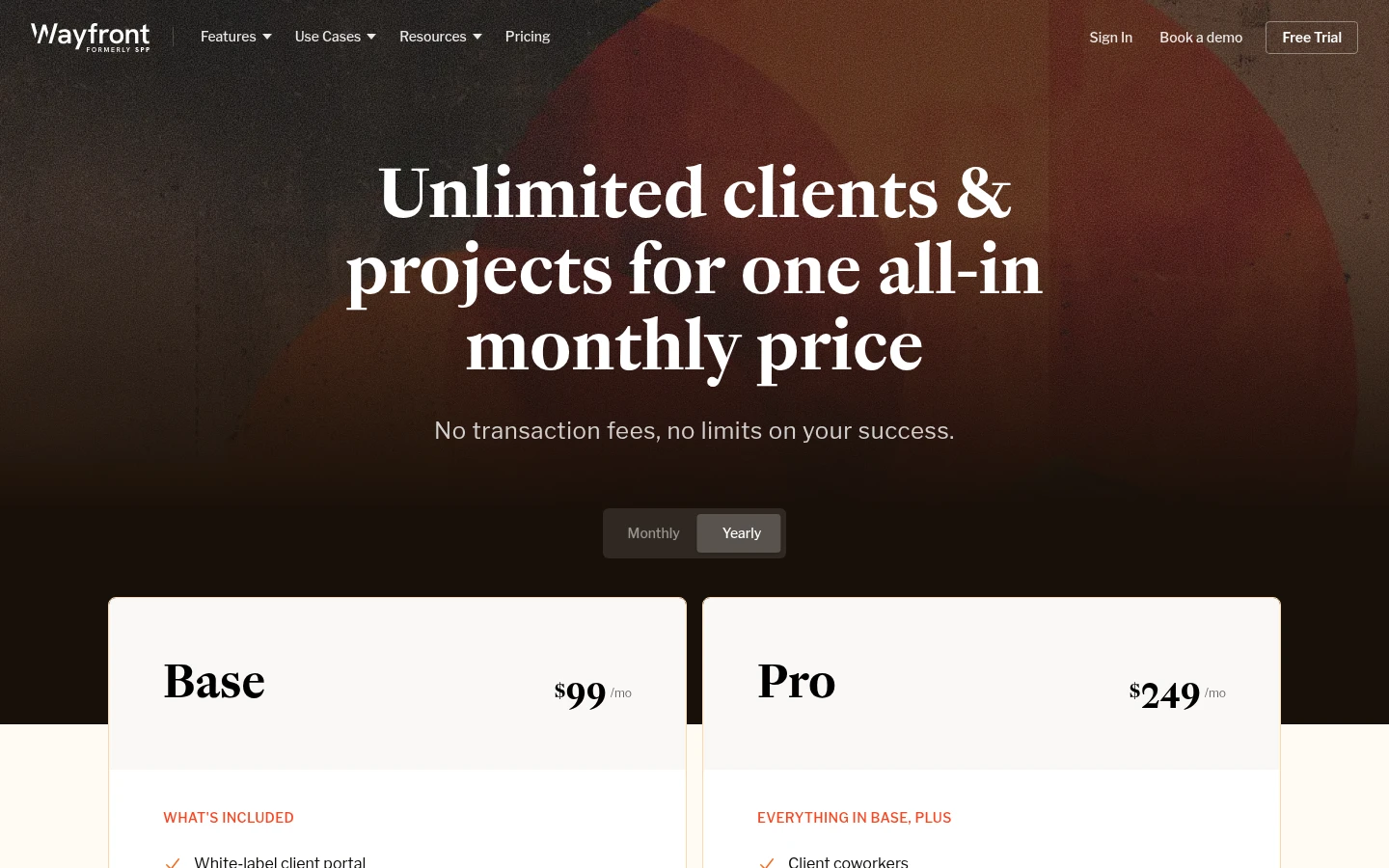
On its pricing page, as published in October 2026, Wayfront lists two paid plans and a third plan by quote. Base shows $129 and $99 a month and Pro shows $299 and $249 a month. The page shows two prices per plan with a monthly and yearly switch, and we could not confirm from the page text which figure is which. Plus has no published price and says to book a call. We found no free plan. Wayfront publishes a 14-day trial with no card required.
Base lists 1 TB of storage and Pro lists 5 TB. A maximum file size is not published, though the file management help page says files over 100 MB upload in chunks and resume after a dropped connection. Deleted files are removed permanently after 14 days.
The product is wide. The billing page describes one-time and subscription services, coupons, invoices and Stripe or PayPal payments, and the pricing FAQ says there are no transaction fees. The home page and plan table list order forms, intake forms, project and task management, a helpdesk, a CRM and reporting integrations.
For sharing files, Wayfront's help page says any file or folder can get a public share link that works without a portal account. Portal files need a client login, and the security page lists magic link, password and Google sign-in. Clients can use your own subdomain through a CNAME record, with SSL included. We could not confirm which plan includes full white label, so check that on the pricing page before you buy.
What Tarkle does
Tarkle gives freelancers, agencies and small teams one place to store files and share them under their own name. You send files and folders with one branded link, collect files with a file request, and put your logo, colors and custom domain on the pages clients see. Recipients do not need an account to open or download.
The Free plan has 1 workspace, 5 GB of storage, uploads up to 1 GB, client feedback and approval, custom domain and branding. Pro is $29 a month, or $19 a month billed yearly. It adds 3 TB of storage, uploads up to 200 GB, 2 workspaces, file versioning, 90-day recovery and a fully branded client portal. Agency is $59 a month, or $49 a month billed yearly. It adds 20 client workspaces, 6 TB of storage, a 100% white-label platform on your own domain and a client provisioning portal. See pricing for the live numbers.
In the portal, a client you gave Portal access signs in with an emailed link, with no password. They see only what you shared with them, can download, and can upload into a private folder. Client feedback lets clients comment on and approve images and PDFs with one link.
Tarkle does not do checkout for your services, invoices, subscriptions, tasks or project management. Money only enters through paid transfers on Pro and Agency, where a buyer pays for a download through your own Stripe account.
Wayfront vs Tarkle
What | Tarkle | Wayfront |
|---|---|---|
Built for | Branded file delivery, requests and approval | Selling and running productized services |
Checkout, invoices, subscriptions | Not built. Paid transfers on Pro and Agency only | Yes, with Stripe or PayPal |
Project and task management | Not built | Yes |
Client portal | Pro and Agency, emailed sign-in link | Yes, magic link, password or Google |
Public link without an account | Yes, recipients need no account | Yes, public share links |
Custom domain | On every plan | CNAME subdomain with SSL, plan split not verified |
White label | Agency, 100% white-label on your domain | White-label portal listed on Base, reseller mode on Pro |
Storage | 5 GB Free, 3 TB Pro, 6 TB Agency | 1 TB Base, 5 TB Pro |
Largest upload | 1 GB Free, 200 GB Pro and Agency | Not published |
Deleted file recovery | 90 days on Pro and Agency | 14 days |
Free plan | Yes, 5 GB | None found |
Wayfront facts are from its own pages, read in October 2026. Tarkle facts are from Tarkle pricing and its feature pages.
Who should choose Wayfront
Choose Wayfront if the portal is where you sell. If clients buy a package or a subscription from you, fill in an intake form and then follow tasks and invoices in one place, Wayfront already does that, and Tarkle does not. It also fits if your team wants a helpdesk, a CRM and reporting integrations next to the files.
Who should choose Tarkle
Choose Tarkle if the job is getting files to clients and back. A transfer on your own domain, a file request instead of an email chain, a feedback link where a client approves a PDF, and transfer status that shows whether it was delivered, viewed or downloaded.
It also fits when you serve many clients. Agency includes 20 client workspaces and a 100% white-label platform, so the whole platform runs on your domain with your agency name in place of Tarkle. For the portal question in general, read client portal vs file sharing.
A Free account is enough to send one real transfer on your own domain. Start for free.
Switching from Wayfront to Tarkle
Nothing forces you to leave Wayfront to test this. You can send one delivery through Tarkle and keep everything else where it is.
Create a Free account and set your logo, colors and custom domain.
Download the files you want to move from Wayfront and upload them to folders in Tarkle.
Add your clients under Contacts, switch on Portal access on Pro, and share the first folder.
Replace email attachments with a file request for the next delivery.
Move one active client first. Send their next delivery through Tarkle, and keep the rest in Wayfront until you are happy with how it looks to them.
FAQ
Is Wayfront the same as Service Provider Pro?
Yes. Wayfront renamed Service Provider Pro on 12 February 2026 and says the product, pricing and workspaces stayed the same.
Does Wayfront have a free plan?
We found no free plan on its pricing page in October 2026. It publishes a 14-day trial with no card required.
Can Tarkle replace Wayfront?
Only for file work. Tarkle does not take orders, send invoices or manage projects.
Can clients download from Tarkle without an account?
Yes. Recipients can open or download shared files without creating a Tarkle account. A client needs the emailed sign-in only for the portal.
Does Tarkle have a white-label client portal?
A fully branded client portal is on Pro and Agency. Agency adds a 100% white-label platform on your own domain.
How much storage does Tarkle give an agency?
Pro has 3 TB and Agency has 6 TB, shared across the organization.
Where does Wayfront store data?
Its security page says Amazon Web Services in the US, N. Virginia, and that data may not stay in one region. Tarkle lets you choose where files are stored.