Best lifetime cloud storage deals in 2026
Discover the best lifetime cloud storage deals in 2026, including Tarkle and pCloud, for personal and business use. See prices, features, and where to buy.
A lifetime cloud storage deal lets you pay once for storage instead of adding another monthly or annual bill. For some people, that means keeping photos, videos, and documents available across their devices. For others, it means giving a side project or business its own space for storing files, sending large transfers, collecting uploads, or sharing work with a team.
This guide compares lifetime cloud storage options for personal files, side projects, freelancers, agencies, and small teams. It explains what each provider does, what its lifetime plan includes, and where its strengths are most useful. You can compare the options first, then decide whether you need a personal cloud drive, private storage, business storage, or a combination of storage and file sharing.
Quick comparison
| Provider | Best for | One-time price | Storage | Main distinction |
|---|---|---|---|---|
| Tarkle | Business storage and file sharing | $29 | 500 GB to 1000 TB | Custom domain, Large transfers, file requests, media pages, and Brand Pages |
| pCloud | Personal storage, sync, media, and family use | Start at $219 | 500 GB, 2 TB, or 10 TB | Desktop and mobile access, backup, sync, and media playback |
| Internxt | Privacy-focused personal storage | Start at $299 | 1 TB, 3 TB, or 5 TB | Open-source, audited storage with end-to-end and post-quantum encryption |
| Icedrive | Personal storage and virtual-drive use | Start at $399 | 500 GB, 2 TB | Virtual drive, desktop sync, mobile access, and camera uploads |
| Koofr | Managing several cloud accounts | Start at $159 | 1 TB | Connects supported external cloud accounts and offers WebDAV |
| Drime | Storage with document and collaboration tools | Start at $175 | 2 TB and larger offers may be available | Document work, review tools, and e-signatures |
| Scramble Cloud | Encrypted storage with WebDAV and rclone | Start at €130 | 2 TB or 6 TB | Encrypted storage with WebDAV and rclone |
1. Tarkle
Best for: Freelancers, agencies, and small teams that need to store files, send large files, and receive documents from clients.
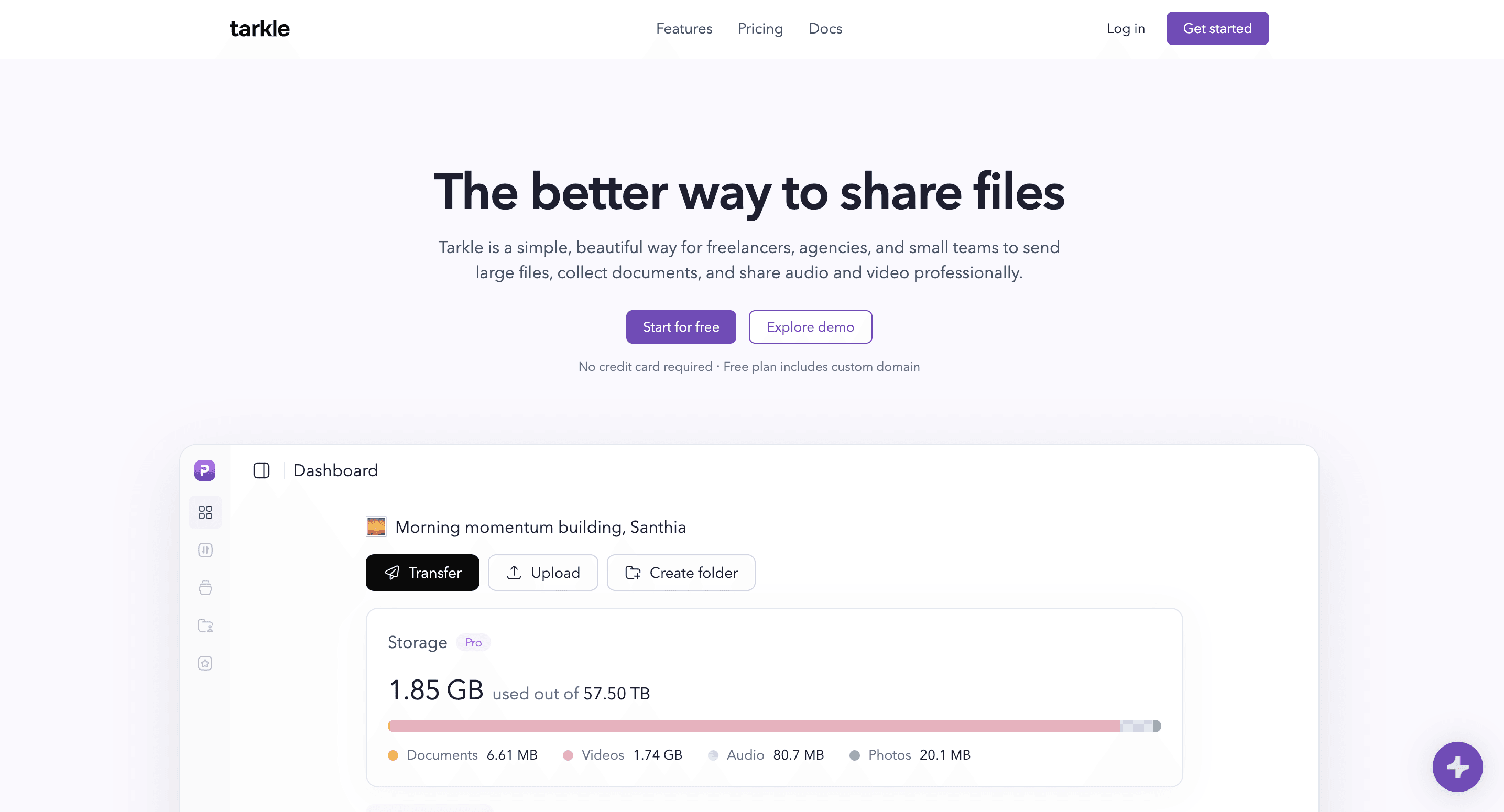
Tarkle is a business cloud storage service launched in 2024. Freelancers, agencies, and small teams use it to store files, receive documents from clients, send large transfers, and share audio or video.
A photographer can send a gallery. A consultant, tax firm, legal team, or accounting firm can receive documents through a file request page. A studio can share video or audio. A business can also charge for a file, video, or audio track and give the buyer access after payment through Stripe.
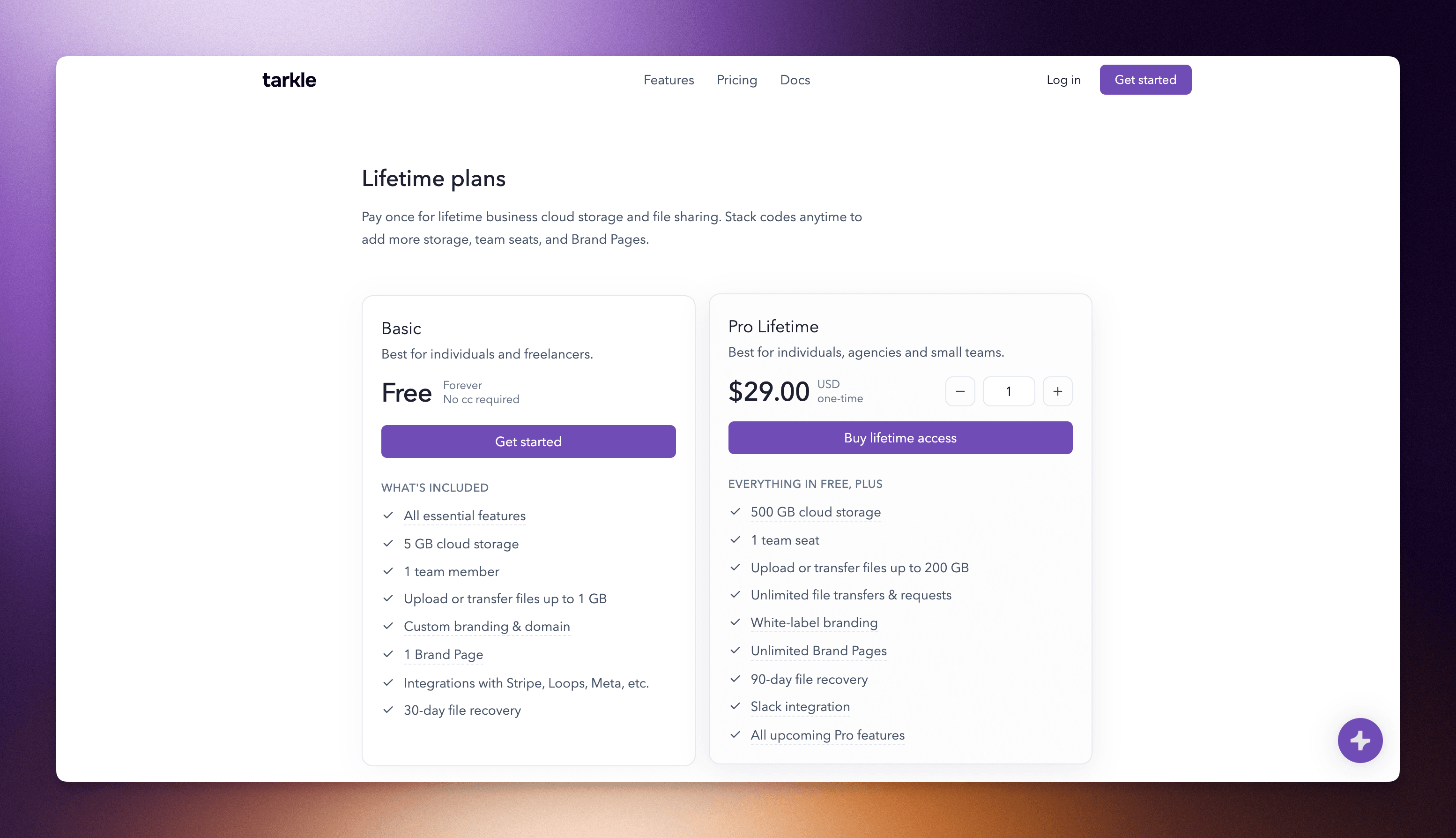
Tarkle Pro Lifetime costs $29 USD per code and one code includes 500 GB of cloud storage, one team member, one workspace custom domain, five Brand Pages, five Brand Page domains, uploads and transfers up to 200 GB, unlimited file transfers and requests, 90-day file recovery, Slack integration, white-label branding, and full Pro access.
| Tarkle Pro Lifetime | Included with one code |
|---|---|
| Price | $29 USD one-time |
| Cloud storage | 500 GB |
| Team members | 1 with one code; unlimited with two or more codes |
| Upload and transfer size | Up to 200 GB |
| Transfers and file requests | Unlimited |
| Custom domain | 1 |
| Brand Pages | 5 |
| Brand Page domains | 5 |
| File recovery | 90 days |
| Code stacking | Each code adds 500 GB, 5 Brand Pages, and 5 Brand Page domains |
| Extra-code offer | Buy 6 codes and receive 1 free while the offer is available |
Send, request, and share files
A file transfer page gives the recipient one place to view or download what you sent. Pro Lifetime supports uploads and transfers up to 200 GB. This can suit video, photography, design files, archives, and other files that are difficult to attach to an email.
A file request page lets another person upload files or documents to your workspace without giving them access to the rest of your files. You can share the request as a link or embed it on a website when embeds are included with your plan. You can use your own domain, logo, and colors on the relevant pages.
Share logos and brand assets with Brand pages
Brand Pages are public or private pages where a business can share logos, images, documents, brand guidelines, and other files. An agency can create one for each client. An internal team can create one for a brand, product, or department.
A Brand Page can use the workspace domain, such as `files.acme.com/b/brand-name`, or its own domain, such as `brand.acme.com`.
One lifetime code includes five Brand Pages and five Brand Page domains. Each additional code adds five more of each. A team that needs a simple page for logos, images, documents, and brand guidelines may not need separate digital asset management software. A full DAM remains a better fit for advanced metadata, automated tagging, rights management, or complex governance.
Tarkle also has video pages and audio pages. A team can host, share, or embed video and audio alongside its other files. Teams that need detailed video marketing, live streaming, distribution, or formal review tools should compare dedicated video or audio platforms.
Stack codes or start free
Each additional lifetime code adds 500 GB of storage, five Brand Pages, and five Brand Page domains. Two or more codes unlock unlimited team members.
Six purchased codes cost $174 and receive one free code while that offer is active. Seven total codes provide 3.5 TB of storage, unlimited team members, 35 Brand Pages, and 35 Brand Page domains. You can stack codes up to the published 1,000 TB limit.
The Free plan is useful before paying. It includes 5 GB of cloud storage, one team member, uploads or transfers up to 1 GB, a workspace custom domain, one Brand Page with its own Brand Page domain, and 30-day file recovery. No credit card is required.
Start for free to test Tarkle before deciding whether to buy a lifetime code, but keep in mind that Tarkle Pro Lifetime is a promotional offer and may sell out quickly. Get yours while it’s still available.
Overall, Tarkle is best suited for business, freelance, side-project, and team files. If your main need is automatic phone backup, a family photo archive, desktop sync, or a virtual drive, consider comparing the personal storage providers in this guide as well.
Where to buy: Tarkle.com
2. pCloud
Best for: Individuals and families that want established personal cloud storage with desktop sync, mobile backup, virtual-drive access, and built-in media playback.
pCloud pCloud is a personal cloud storage service with desktop and mobile apps, synchronization, backup, virtual-drive access, sharing, and built-in media playback.
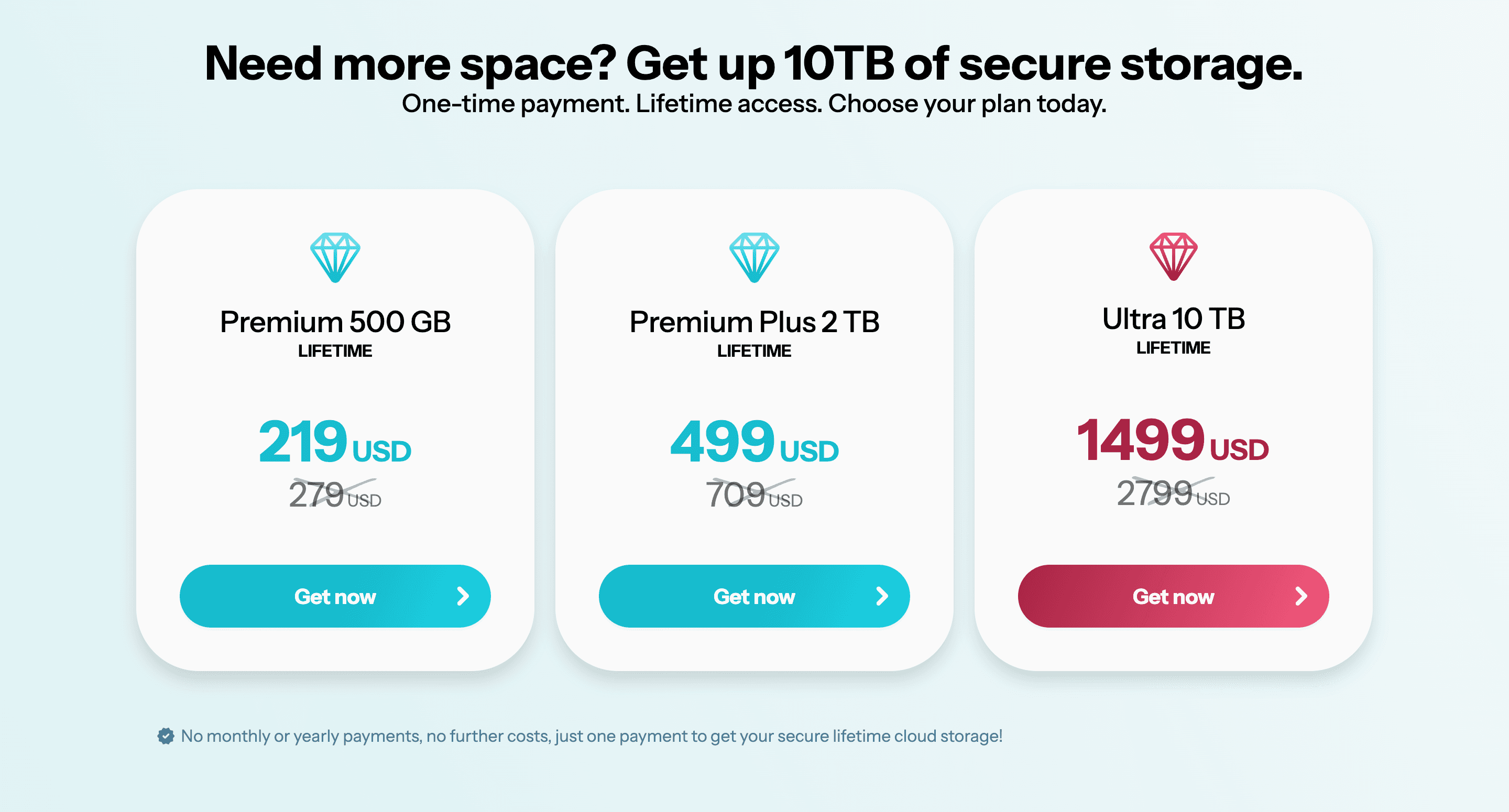
pCloud's lifetime pricing lists 500 GB for $219, 2 TB for $499, and 10 TB for $1,499. Its official pricing page states that the plans include 30-day file recovery, sharing, file requests, built-in music and video playback, mobile gallery backup, desktop backup, offline access, and synchronization across devices.
pCloud combines storage with a mature desktop and mobile experience. It has operated for more than a decade and says more than 24 million people use the service.
| Lifetime plan | One-time price | Storage | Notable features |
|---|---|---|---|
| Premium | $219 | 500 GB | Sync, backup, sharing, file requests, media playback, and offline access |
| Premium Plus | $499 | 2 TB | Sync, backup, sharing, media playback, offline access, and virtual-drive use |
| Ultra | $1,499 | 10 TB | More storage with the same main pCloud tools |
pCloud is well suited to personal photos, family storage, backups, offline files, desktop synchronization, and a personal media archive. Its virtual-drive option can make cloud files available through a desktop interface without storing every file locally.
pCloud prices can be shown in different currencies or with regional promotions. Check the amount and currency displayed before buying. pCloud Crypto is a separately priced client-side encryption option, so check its live pricing if that feature matters to you.
Tarkle is more relevant when a side project, freelancer, agency, or team needs a custom domain for file sharing, a file request page, a Brand Page, a public or private video page, an audio page, or a way to collect payment before a buyer receives supported content.
Where to buy: pCloud.com
3. Internxt
Best for: Privacy-focused individuals who want encrypted lifetime storage and mobile access.
Internxt is privacy-focused cloud storage with encrypted storage, backup, file sharing, and access tools for personal files. It offers direct lifetime plans for 1 TB, 3 TB, and 5 TB of storage.
Internxt positions its product around encrypted cloud storage and privacy. It may be relevant for people who want to keep personal documents, photos, backups, and other private files without adding another recurring storage bill.
Internxt describes its service as open source and audited, with end-to-end and post-quantum encryption. The lifetime page also lists a 30-day money-back guarantee and mobile applications for iOS and Android.
| Lifetime plan | One-time price | Storage | Notable features |
|---|---|---|---|
| Essential | $299 | 1 TB | Encrypted personal cloud storage and file sharing |
| Premium | $449 | 3 TB | More personal storage under the same lifetime model |
| Ultimate | $599 | 5 TB | Internxt's largest direct lifetime storage option |
Internxt is primarily a personal-storage option. Tarkle is better suited to a side project, freelancer, agency, or small team that needs storage together with large transfers, file requests, custom domains, Brand Pages, media pages, and client access controls.
Where to buy: Internxt lifetime plans
4. Icedrive
Best for: Casual personal storage, photos, backups, encrypted desktop access, and mobile use.

Icedrive is personal cloud storage with desktop sync. Its lifetime plans are explicitly designed for casual personal use. The feature table lists a desktop virtual drive, encrypted virtual drive, desktop sync, mobile apps, camera uploads, offline files, media streaming, file requests, activity, link controls, and zero-knowledge client-side encryption on lifetime plans.
Lifetime users receive support for two synchronized devices and three sync pairs per device, according to its comparison table. Icedrive also offers 14 days of version history, up to 30 file versions, and a 30-day money-back guarantee.
| Lifetime plan | One-time price | Storage | Notable features |
|---|---|---|---|
| Personal | $399 | 500 GB | Media streaming and virtual drive |
| Personal+ | $699 | 2 TB | Encrypted virtual drive, expiry date and password protection |
Icedrive is a good fit for personal files, photos, desktop access, mobile uploads, sync, offline files, and a virtual drive. It is especially useful when cloud storage needs to feel close to a local drive.
Tarkle serves a different purpose. It is ideal when files need to be sent to a client, collected through a file request, shared through a business domain, published on a Brand Page, or delivered through a video or audio page.
Where to buy: Icedrive
5. Koofr
Best for: Individuals who already use Dropbox, Google Drive, or OneDrive and want to manage several cloud accounts from one place.

Koofr is a cloud storage service that can connect Dropbox, Google Drive, and OneDrive while also providing its own storage, synchronization, backup, sharing, and WebDAV access.
Koofr supports connections to Dropbox, Google Drive, and OneDrive, along with automatic mobile-media backup, two-way synchronization, file versioning, Microsoft Office for the web, public receive links, and WebDAV access.
Koofr’s direct pricing focuses on subscriptions. Its one-time offer is commonly sold through StackSocial when a marketplace listing is active. Marketplace prices, coupon codes, storage amounts, redemption rules, and refund terms can change, so confirm the listing before purchasing.
Koofr is useful for people who already rely on several cloud storage providers and want one place to access them. Tarkle is better suited to business file sharing, including sending large files, collecting uploads, using a custom domain, sharing media, and publishing Brand Pages.
Where to buy:Review Koofr’s direct subscription pricing or check Koofr’s active StackSocial marketplace offers for a lifetime listing.
6. Drime
Best for: Individuals and teams that want a larger lifetime storage allowance together with collaboration and document tools.
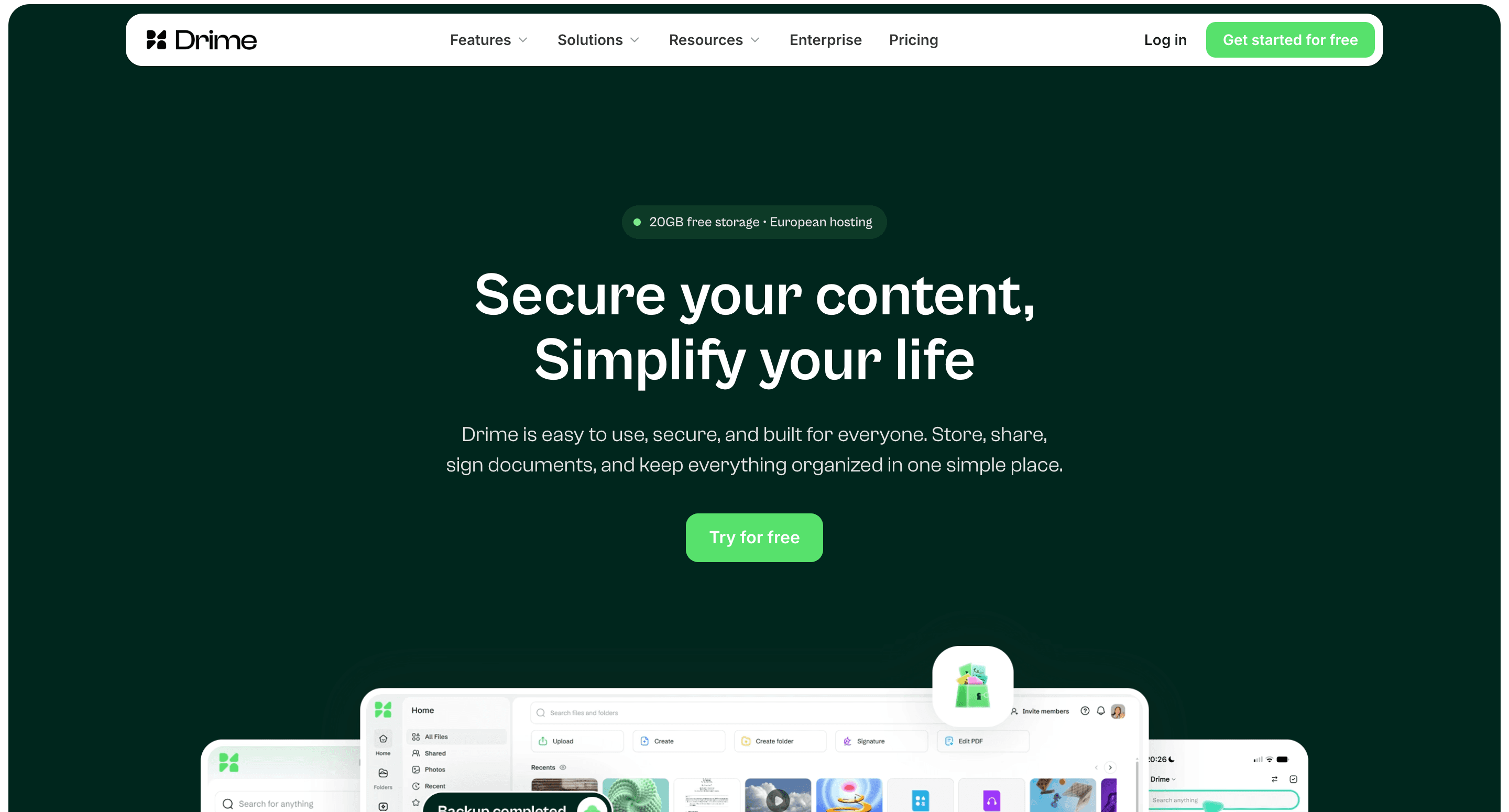
Drime is a cloud storage and collaboration service with shared workspaces, file review, office tools, e-signatures, backup, synchronization, and team controls. Drime sells its lifetime plans through StackSocial rather than its standard subscription pricing page.
Drime sells lifetime plans through StackSocial rather than its standard pricing page. Drime can make sense when document editing, collaboration, and e-signatures are central to the work. Tarkle is a better fit when the primary need is storing files, sending large files, requesting documents, presenting media, and sharing logos, images, or documents through a custom domain.
Where to buy: Drime’s active StackSocial marketplace offers
7. Scramble Cloud
Best for: People who want encrypted storage with WebDAV and rclone support.

Scramble Cloud is encrypted cloud storage with browser access, WebDAV, rclone support, and lifetime offers for personal storage. It is relevant for people who want technical ways to access encrypted cloud files.
| Lifetime plan | One-time price | Storage | Notable features |
|---|---|---|---|
| Lifetime 2 TB | €129.95 | 2 TB | Encrypted storage, browser access, WebDAV, and rclone |
| Lifetime 6 TB | €279.95 | 6 TB | The same access methods with more storage |
Scramble focuses on encrypted storage, WebDAV, rclone, and access across devices. Tarkle is better suited to people who need a file-sharing workspace for client work, including transfers, file requests, custom domains, Brand Pages, and professional audio or video sharing.
Where to buy: scramble.cloud
How to choose a lifetime cloud storage deal
Start with the job you need the storage to do.
Choose pCloud or Icedrive when you want a personal archive, desktop sync, mobile access, photo backup, offline files, a virtual drive, or family storage.
Choose Internxt or Scramble Cloud when privacy and encrypted personal storage are the main priorities.
Choose Koofr when you already have files across several cloud accounts and want to manage them from one place.
Choose Drime when you want storage with collaboration, document tools, review features, and e-signatures.
Choose Tarkle when you need cloud storage for freelance work, an agency, a studio, a side project, a law firm, or a small team. It can store files, send large transfers, request documents, share video or audio, use a custom domain, and create Brand Pages for logos, images, documents, and brand guidelines.
Choose Tarkle when storage needs to support a side project, freelance service, agency, or internal team. It can store business files, send large transfers, collect uploads, publish approved brand assets, share video and audio, embed media or requests, track public activity, sell files and collect payment to unlock access.
For automatic device backups, family archives, desktop sync, or a virtual drive, start with one of the personal-storage providers. The two types of service can also be used together when personal files and work files need different tools.
What to check before buying a lifetime cloud storage deal
A lifetime purchase gives you access under the provider’s terms, so before buying, check how much storage is included and whether more can be added later. Look for upload size, transfer, traffic, and bandwidth limits, because a large storage allowance does not always mean that equally large files can be sent freely. Also, review recovery periods, version history, account access, support, and export options.
The right applications matter as much as the storage amount. If you want files to appear on your computer like a local drive, confirm that the plan includes a virtual drive. If you want automatic photo backup, check the mobile application. If privacy is a priority, read how encryption works, where keys are kept, and whether the provider can access file contents.
Finally, check who is selling the plan. A direct offer and a marketplace offer may have different refund rules, redemption deadlines, included features, and support paths. Read the exact listing that will govern your purchase rather than assuming that every deal from the same provider has identical terms.
The prices, storage amounts, and offer pages in this guide were checked on September 21, 2026. Check the linked provider or marketplace page again before paying, as promotions and listings can change.
Keep an independent copy of important files. A lifetime plan should not be the only copy of files you cannot replace.
Which lifetime cloud storage deal is best?
The best choice depends on how you plan to use your storage. pCloud and Icedrive are strong options for personal files, device access, desktop sync, and virtual drives. Internxt and Scramble Cloud focus more on privacy. Koofr can connect several cloud-storage accounts, while Drime adds document editing and team collaboration.
Tarkle is better suited to agencies, freelancers, studios, consultants, law firms, and small teams. Along with cloud storage, it lets them send large files, request files from other people, share files through their own domain, create Brand Pages, host and embed video or audio, protect links with passwords, set expiration dates, revoke access, and collect payment before someone receives a file. It can also give a freelancer or side project a separate place for business files.
This article was reviewed on September 21, 2026. Lifetime prices, capacity, availability, promotions, and feature sets may change. Tarkle plan information is based on the current Tarkle deal page. Other provider details are based on their public product pages or known marketplace positioning and should be verified directly before purchase. Internxt, pCloud, Icedrive, Koofr, Drime, and Scramble Cloud are independent products and are not affiliated with Tarkle.