Tarkle vs Shade: send files on your own domain
Shade is a media drive with AI search. Tarkle sends client files with your logo and custom domain.
Tarkle vs Shade comes down to one question: do you edit from a mounted drive, or do you send finished files to clients and collect files back? Shade is better for production teams that edit from a mounted cloud drive and search footage with AI. Tarkle is better for freelancers and agencies that send files to clients and collect files back. Your logo goes on every transfer page, request page and portal.
We make Tarkle, so read this as one vendor's view, and check the sources linked below.
Last checked: October 2026.
What Shade is
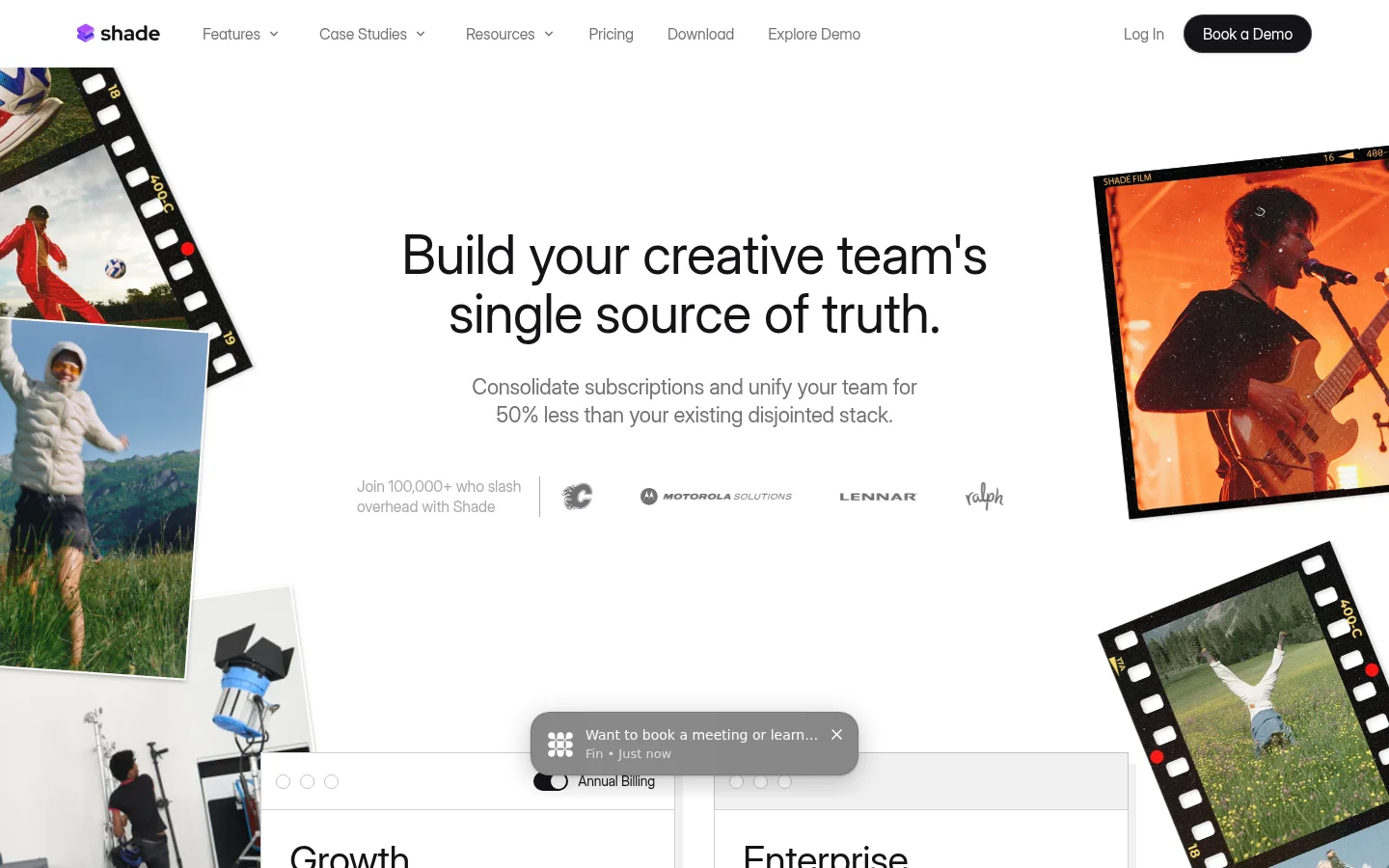
Shade says on its home page that it mounts to your computer like a local drive, so you can use and share cloud files without downloading or syncing first (shade.inc, read in October 2026).
What Shade offers
Shade's AI search finds files by full sentences, facial recognition and transcripts. Its review tools add timestamped and range-based comments on video. It also has a Premiere Pro panel for answering comments inside the editing app. Its review page also lists Slack notifications for uploads, comments and metadata edits.
For sharing with people outside the team, Shade's sharing page lists branded collections with a logo, custom background and tailored messaging. It also lists password protection and expiring links. It lists a switch that turns links on and off, and audit logging and tracking. Its review and approval page adds multi-link sharing with custom permissions and a way to restrict downloads. It also lists guests invited to drives, folders or individual files.
Shade's pricing page lists the Growth plan at $35 per seat per month, or $29.75 per seat per month on annual billing. Growth includes up to 15 seats. It includes up to 150 guests. It includes 500 GB of active storage per seat. Enterprise is for large organizations that need advanced security, scalability, and administrative control. It adds up to 250 guests. It adds 1 TB of active storage per seat. It adds SSO/SAML, SCIM and audit logging.
What Tarkle does
Tarkle gives freelancers, agencies and small teams one place to store files and share them with clients. File sharing sends files and folders with one link. The person downloading needs no account. You can require a password before anyone can open a transfer. You can set a link expiry date on it. You can make a one-time link or a view-only transfer. You can revoke access in one click. Transfer status shows whether a transfer was delivered, viewed or downloaded.
Custom branding puts your logo, colours and favicon on every transfer page, request page and portal. Free includes a custom domain for your links. File requests collect files from anyone with one link. Client feedback turns images and PDFs into a review board that clients comment on and approve with one link and no account.
The client portal is a branded place where each client signs in with their email, sees only what you shared with them and sends files back. The portal is fully branded on Pro and Agency. Pro also includes the AI assistant (Beta), with AI summaries and titles, text generation and smart file names. You can also charge for access to a transfer through your own Stripe account. Paid transfers are a Pro feature.
The plans are as published on Tarkle's pricing page:
Free is $0 with 1 workspace and 5 GB of storage, and uploads and transfers go up to 1 GB each.
Pro is $29 per month, or $19 per month billed yearly ($228 per year), with 2 workspaces, 3 TB of storage, files up to 200 GB and unlimited team members.
Agency is $59 per month, or $49 per month billed yearly. Agency includes everything in Pro, plus 20 client workspaces, 6 TB of storage and a 100% white-label platform.
With the Agency plan, you can fully white-label the Tarkle infrastructure. Your clients log in and manage their files and team on your own domain.

Shade vs Tarkle
What | Tarkle | Shade |
|---|---|---|
AI | AI assistant (Beta) on Pro and Agency | AI search, facial recognition and transcripts |
Access control | Password, expiry date, one-time link, view-only, revoke access | Password protection, expiring links, restrict downloads, links on and off |
Sources: Tarkle's pricing and feature pages, and the shade.inc pages linked above, as read in October 2026. Shade prices per seat and Tarkle prices per plan, so the two are not a like-for-like comparison.
Who should choose Shade
Choose Shade if your team works inside the media. If editors need to open footage from a mounted drive, if you want to search footage by what is said in it or who appears in it, or if you review video with timestamped comments, Shade is built for those jobs. Teams that need SSO/SAML, SCIM or audit logging will find them on Shade's Enterprise plan.
Who should choose Tarkle
Choose Tarkle if the job is sending and collecting files. A studio that sends final files, gets raw files and approvals back, and wants the page on its own domain with its own logo is the case Tarkle is built for.
If you run work for several clients, the Agency plan gives each client their own storage, sharing and portal in a client workspace. For the portal-versus-link question, see client portal vs file sharing.
The Free plan includes sharing and requests, so you can test it with a real transfer before you pay. Start for free.
Switching from Shade to Tarkle
If some finished files already sit in Dropbox or Google Drive, Free can import them into Tarkle. The rest moves by hand:
Download the finished files you share with clients from Shade, or copy them out of your mounted drive.
Create your Tarkle workspace and upload the files into folders named by client. On Free, each upload or transfer can be up to 1 GB. Pro and Agency take files up to 200 GB.
Set your custom domain for the workspace you want to brand. The custom domain help article shows how to add a subdomain you own.
Send each client a transfer. On Pro and Agency you can also invite them to the client portal, and replace the Shade links you already sent.
Keep Shade for the working library and move only what clients see. Send one real transfer to yourself first, open it as a recipient, and check the page before you replace links you already sent.
FAQ
Can I use my own domain with Tarkle? Yes. Agency runs the platform on your own domain, such as cloud.acme.com. Custom domains are covered above.
Does Shade offer white label or a custom domain? Shade's sharing pages describe branded collections with a logo. For a custom domain or a white-label setup, ask Shade directly.
Can clients approve files on Tarkle? Yes, images and PDFs, with one link and no account. Shade's review tools add timestamped and range-based comments on video.
What does Shade cost? The Growth and Enterprise plans are listed above. Check Shade's pricing page for today's figures.
What to remember about Tarkle
Shade is built for editors who work from a mounted drive and search footage with AI. Tarkle is built for sending finished files to clients, collecting files back, and doing it on your own logo and domain. Start with the Free plan to test a real transfer, and compare the Pro and Agency plans above before you choose.